Best for
Readers interested in astronomy, sky identification, and learning through observation rather than quizzes.
Curated brain-training & logic apps for Android

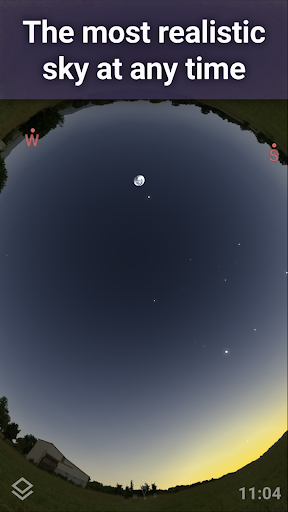
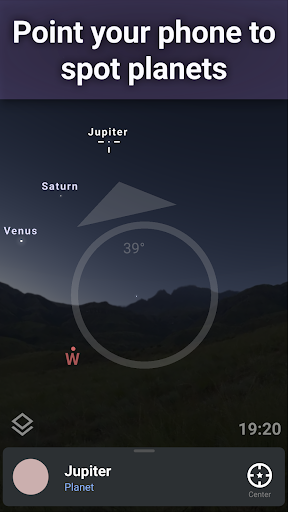
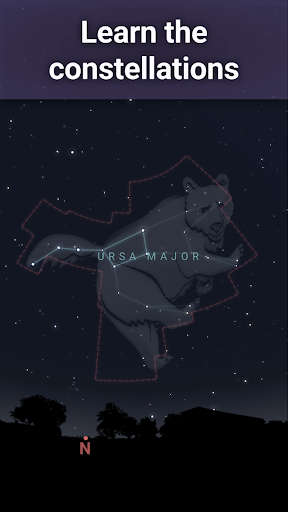
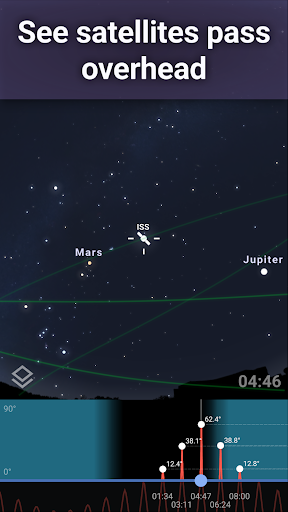
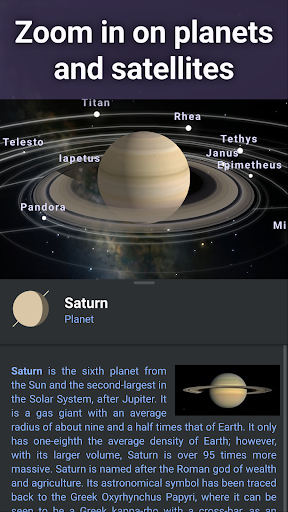
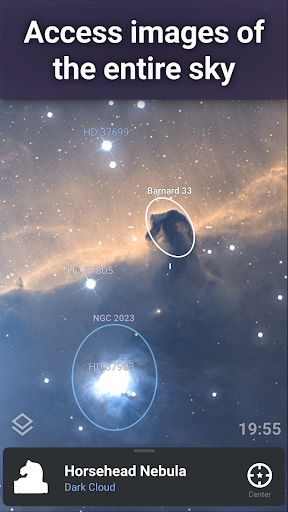
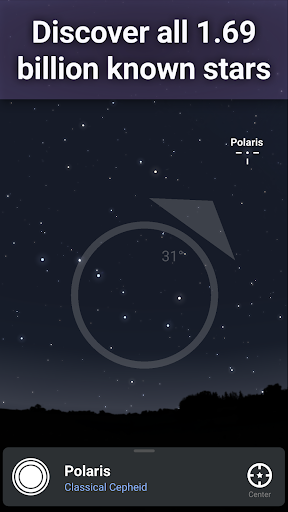
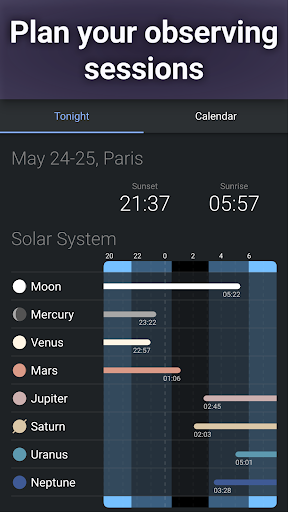
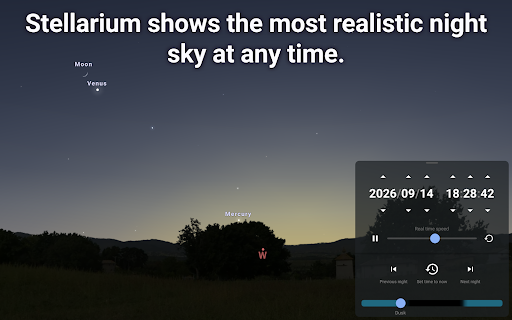
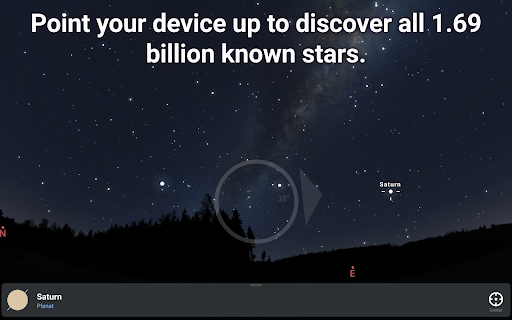
App icon and screenshots © Noctua Software or the applicable rights holders. Displayed in limited form for identification and independent review. Source: official Google Play listing.
Stellarium Mobile is a strong fit for curious learners because it turns the sky into something searchable, visual, and easier to discuss.
Readers interested in astronomy, sky identification, and learning through observation rather than quizzes.
Users who want curriculum-style lessons, homework help, or a lightweight flashcard app.
It gives the Education shelf a discovery tool with a clear subject and real-world use case.
Check device sensor accuracy, location permissions, and whether paid features matter for your use.
Stellarium Mobile is one of the stronger Education picks because it connects the phone screen to the physical world. The user can look upward, point the device, and identify stars, planets, constellations, satellites, and other objects. That turns curiosity into a specific learning moment. The app is not simply presenting facts; it helps make the real sky legible.
A sky-map app relies on location, sensors, compass behavior, and rendering. That means the same app can feel excellent on one device and frustrating on another. Readers should inspect recent reviews from users with similar phones when possible. Accuracy complaints, calibration issues, or location problems matter more here than they would for a static reference app.
The best reader is curious, observant, and interested in astronomy without needing a formal course. Stellarium can make a family walk, camping trip, or ordinary night outside more educational. It is weaker for someone who wants quizzes, curriculum structure, or homework-style lessons. This is a discovery tool, not a classroom replacement.
Before installing, readers should check which sky objects and features are available free, whether paid tools matter to them, and what location access the app requests. They should also think about screen brightness and outdoor usability. LogicAppGuide should recommend Stellarium when the reader wants observation-based learning and is comfortable with the sensor and permission requirements that make the app work.
Stellarium becomes more valuable when it changes what a reader notices in the real world. Use it to identify a bright object after sunset, prepare for a meteor shower, explain constellations to a child, or compare what the app predicts with what the sky actually shows. That is a different educational texture from lessons and quizzes. The app should be recommended as a curiosity amplifier: strongest when the user is willing to look up from the phone.
Stellarium Mobile - Star Map exposes Google Play screenshots in the public listing data. The review uses those images to judge readability, interface density, and whether the advertised experience is clear before a reader leaves for the store.
The public record used here is last updated 2026-02-10, with version 1.15.3. This context frames the review, but it does not replace the page's install cautions or comparison notes.
Stellarium Mobile - Star Map is compared against nearby LogicAppGuide picks in Education, so the recommendation answers a reader-fit question instead of repeating a store ranking.
For Education readers, the review focuses on whether the app's main loop is distinct, readable on a phone, and still worth checking after ads, hints, or purchases are considered.
The app is valuable because it connects screen learning to the physical world. Pointing at the sky and identifying objects can create a stronger learning moment than reading a static article.
For LogicAppGuide readers, the fit is curiosity and spatial understanding. It is less about daily streaks and more about making an occasional observation session richer.
The practical check is permissions and device behavior. Star-map apps depend on sensors and location, so recent reviews from similar devices are worth reading.
Review basis: Google Play listing metadata, screenshots, public rating signals, store feature claims, and LogicAppGuide category comparison.
Stellarium Mobile - Star Map is one of the more distinctive education picks because it connects the phone screen to the physical sky. The listing describes a planetarium app for identifying stars, planets, constellations, satellites, comets, and other objects by pointing the device upward. That makes it different from a quiz or lesson app. Its value comes from helping a reader notice and understand something in the real world.
The strongest use case is curiosity in the moment. A bright object appears after sunset, a child asks about a constellation, a family goes camping, or someone wants to know what planet is visible near the moon. Stellarium turns that question into a searchable, visual experience. That can create a stronger learning moment than a static article because the learner connects information to what they are actually seeing.
The app's rating signal and install base are strong enough to make it a credible astronomy recommendation, and the project data shows recent maintenance. But sky-map apps have a practical dependency that many education apps do not: device behavior. Location accuracy, compass calibration, sensors, screen brightness, and phone model can all affect the experience. A reader with sensor issues may have a worse time than the average rating suggests. Recent reviews from users with similar devices are especially useful.
Stellarium is best for observational learners. If you like looking up, asking what an object is, and connecting labels to the sky, the app has obvious value. It can support casual astronomy, family learning, outdoor trips, and beginner star identification. It is weaker for readers who want a structured astronomy course, homework help, flashcards, or formal lessons. The app teaches through exploration rather than curriculum.
Permissions should be considered before installation. Location access is part of the app's practical value because the visible sky depends on where the user is. That does not make the permission inappropriate, but readers should understand why it is requested and how they feel about it. They should also check whether paid features matter for their intended use, since the listing includes in-app purchases.
The interface needs to be readable outside. A star map may look excellent indoors and become harder to use at night if brightness, labels, or controls are awkward. Readers should inspect screenshots for clarity and check recent reviews for comments about calibration, object accuracy, and ease of use. If the app is being used with children, simplicity matters even more. The best educational moment can be lost if the adult spends the whole time fighting settings.
Compared with Duolingo, Stellarium is not a daily streak machine. Compared with Mimo, it is not a guided skill path. Compared with ClassDojo, it is not a communication platform. It is a discovery tool. That gives the Education shelf an important kind of variety: learning does not always happen through tests and lessons. Sometimes it happens when a tool makes the world more legible.
The app is also a good example of where "screen time" can support looking away from the screen. Used well, Stellarium should make the reader more interested in the sky, not less. A good session might begin on the phone but continue with naked-eye observation, binoculars, a conversation, or a plan to watch a meteor shower. That broader use is where the app's educational value is strongest.
Families and beginners should also think about preparation. A sky map is more rewarding when the user knows what they want to look for: a bright planet, the International Space Station, a familiar constellation, or the moon's path. Opening the app with one question creates a clearer learning moment than randomly moving the phone around. Stellarium is strongest when it turns curiosity into identification, then identification into another question.
Before installing, readers should check device compatibility comments, permission expectations, and which features are free. They should decide whether they want occasional sky identification or deeper astronomy tools. If the goal is observation-based learning, Stellarium Mobile is a strong recommendation. If the goal is structured coursework, it should be paired with other resources. Its best role is not to replace astronomy learning, but to make the night sky easier to ask questions about.
Stellarium's lasting value is that it can turn repeated observation into pattern recognition. After several nights, a reader may start to notice how planets move, how constellations shift, or why the sky changes with season and location. That kind of learning is quiet but durable. The app is strongest when it helps the user build a relationship with the sky instead of only identifying one object once.
Stellarium is different from most education apps in this set because the phone's sensors and location context are part of the learning experience. The review should ask whether the app helps a reader connect what is on the screen with what they can see outside. That means sky alignment, search clarity, object labels, night-mode comfort, and location permissions matter more than a generic feature list.
Readers should decide whether they want casual sky identification or deeper astronomy tools. If the goal is to point a phone at the sky and learn constellations, the free experience and sensor accuracy are the first checks. If the goal is planning observations or exploring advanced objects, paid features may matter. Stellarium fits curious learners who will use the app outside, not readers who only want quiz-style education.