Best for
Readers already in the Samsung ecosystem, especially those using a stylus or tablet.
Curated brain-training & logic apps for Android

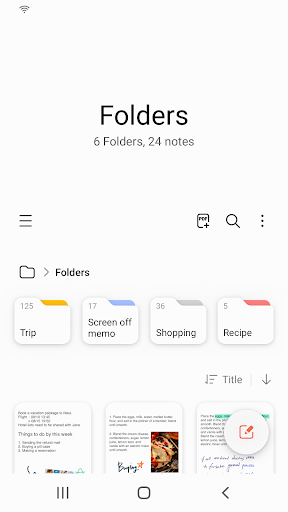
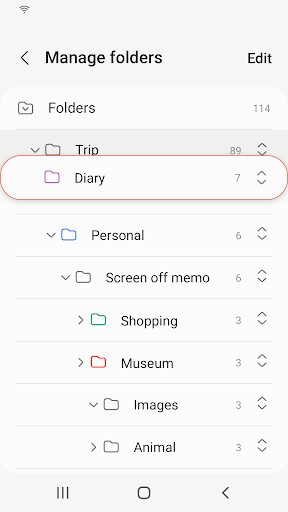
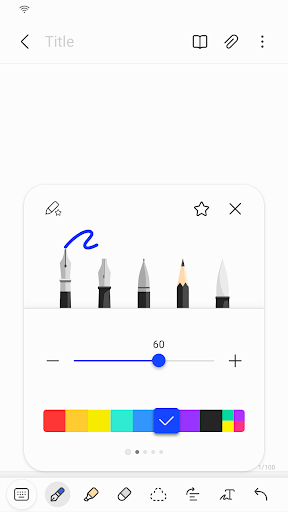
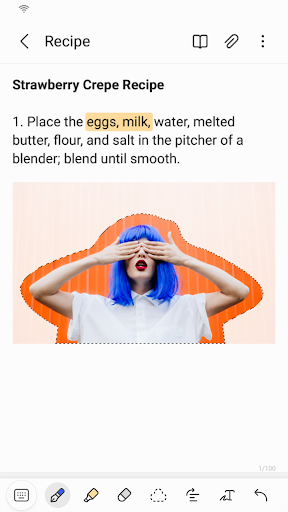
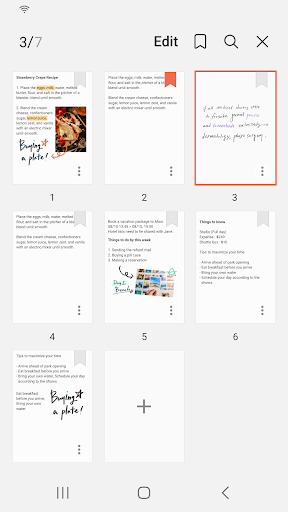


App icon and screenshots © Samsung Electronics Co., Ltd. or the applicable rights holders. Displayed in limited form for identification and independent review. Source: official Google Play listing.
Samsung Notes is a strong pick for Samsung users who want handwriting, quick capture, and device-native note storage.
Readers already in the Samsung ecosystem, especially those using a stylus or tablet.
Users who need platform-neutral notes across every device or team collaboration first.
It gives the Productivity shelf a device-native notes option with a very clear audience.
Check sync expectations, export options, and whether your non-Samsung devices fit the workflow.
Samsung Notes is a productivity pick for people already inside the Samsung device world. Its strength is the connection between phone, tablet, stylus, quick capture, PDF annotation, images, and handwritten notes. A generic cross-platform note app may be better for some readers, but Samsung Notes can feel more natural on the hardware it was built for.
This app is strongest for personal capture and annotation. It is not the same job as Google Docs, where comments, sharing, and version history are central. A reader should decide whether they need a notebook or a collaborative document workflow. Confusing those two needs leads to frustration even when both apps are good.
Device-native convenience can become lock-in if a reader later needs access from non-Samsung hardware. Sync, export, PC access, file formats, and backup behavior should be checked before using the app for important notes. The right fit still depends on the reader's devices.
Samsung Notes deserves a place because many people think with handwriting, sketches, quick captures, and annotated PDFs rather than formal documents. LogicAppGuide should recommend it to Samsung users who want that native notebook feel, while steering cross-device teams toward broader tools. The install decision should begin with the hardware in the reader's hand.
A note app feels harmless until it holds years of ideas, PDFs, class notes, or meeting sketches. Readers should check how Samsung Notes exports, syncs, locks, and restores notes before relying on it heavily. The app can be excellent on Samsung hardware and still require an exit plan. LogicAppGuide should make that part of the recommendation because productivity tools become valuable precisely when leaving them would be painful.
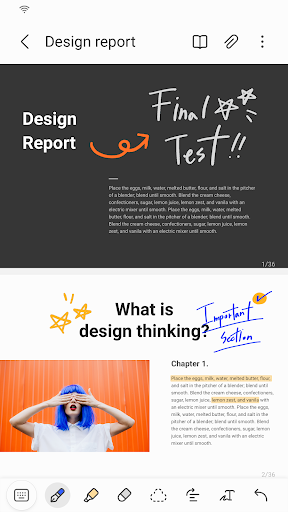
Samsung Notes is strongest when the reader thinks visually: marking a PDF, sketching a diagram, writing equations, or capturing a messy idea before it becomes text. Those moments are hard to judge from a generic productivity ranking. The app earns its place when hardware-supported handwriting makes thinking faster than opening a formal document.
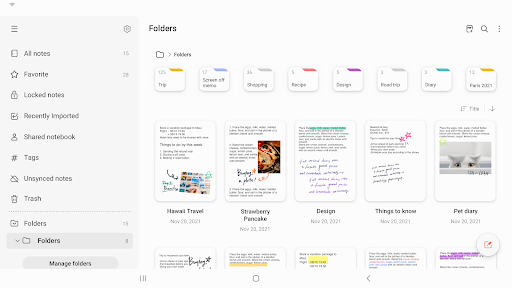
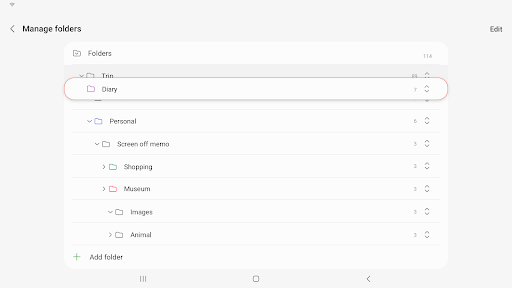
Samsung Notes exposes Google Play screenshots in the public listing data. The review uses those images to judge readability, interface density, and whether the advertised experience is clear before a reader leaves for the store.
The public record used here is last updated 2025-09-23, with version Varies with device. This context frames the review, but it does not replace the page's install cautions or comparison notes.
Samsung Notes is compared against nearby LogicAppGuide picks in Productivity, so the recommendation answers a reader-fit question instead of repeating a store ranking.
For Productivity readers, the review focuses on permission fit, account or privacy expectations, and whether the utility is worth installing alongside built-in Android options.
Samsung Notes is valuable when hardware and software line up. A stylus-friendly notes app can be much better on the right device than a generic cross-platform tool.
The tradeoff is ecosystem fit. Readers outside Samsung hardware should compare it with broader tools before committing important notes.
We include it because productivity recommendations should respect the device someone actually uses, not only abstract feature lists.
Review basis: Google Play listing metadata, screenshots, public rating signals, store feature claims, and LogicAppGuide category comparison.
Samsung Notes is a strong productivity pick when the reader is already in the Samsung device ecosystem. The listing describes note creation and editing across mobile, tablet, and PC, PDF annotation with S Pen, documents with images or voice, and integration with formats such as PDF, Microsoft Word, and Microsoft PowerPoint. That gives the app a clear role: quick capture and handwriting-friendly notes on hardware built to support it.
The most important point is hardware fit. A notes app can be excellent on the right device and ordinary on the wrong one. Samsung Notes is strongest when paired with a Samsung phone, tablet, or stylus workflow. Handwritten notes, sketches, diagrams, marked-up PDFs, and quick captures become more natural when the software is integrated with the device. Readers outside that ecosystem should compare it with broader note tools before committing important material.
The app's enormous install base and rating footprint in the project data show that it is a mainstream utility, not a niche experiment. Still, productivity apps should be judged by workflow, not popularity. A student marking lecture slides, a designer sketching ideas, a worker annotating PDFs, and a person keeping quick personal notes all need different things. Samsung Notes is most compelling when the task involves handwriting, visual thinking, or device-native capture.
The boundary between notes and documents matters. Samsung Notes is not the same job as Google Docs. Docs is built around collaborative writing, comments, permissions, and version history. Samsung Notes is more personal and capture-oriented. It can hold structured notes and annotations, but if the reader's main need is team editing or shared documents, Google Docs may be a cleaner fit. If the main need is writing by hand, marking PDFs, or collecting mixed media quickly, Samsung Notes has the advantage.
The ecosystem tradeoff deserves attention. A note app feels harmless until it contains years of class notes, meeting sketches, PDFs, voice notes, or personal ideas. Readers should understand sync, export, backup, lock behavior, and non-Samsung access before relying on it heavily. Device-native convenience is valuable, but it can become lock-in if the user later changes hardware or needs platform-neutral access.
The absence of in-app purchases in the local project data is a positive utility signal. Readers should still check current store details and device compatibility because Samsung apps may behave differently across models and regions. The source update date in the data is older than some other productivity picks, so recent reviews are useful for detecting sync issues, compatibility changes, or feature removals.
Compared with ChatGPT, Samsung Notes is not a thinking assistant; it is a capture surface. Compared with Google Docs, it is less centered on collaboration and more on notes and annotation. Compared with Notion, it is less of a configurable workspace and more of a native notebook. That gives it a clear place in the Productivity shelf.
The best way to decide is to identify the input style. If the reader thinks with handwriting, diagrams, equations, annotated PDFs, or quick mixed-media notes, Samsung Notes can feel faster than a formal document app. If the reader mainly types long shared drafts or maintains project databases, another tool may fit better.
Samsung Notes is also strongest when capture speed matters. A good native note app should let the reader open a blank note, write with a stylus, attach a voice memo, or mark a PDF before the thought disappears. That immediacy is difficult for heavier workspaces to match. The tradeoff is that fast capture needs later organization. Readers who rely on the app heavily should develop a simple folder, tag, or export habit before the notebook becomes hard to search.
Before installing or relying on Samsung Notes, readers should confirm device compatibility, sync settings, export options, and backup behavior. If those fit, the app is a strong recommendation for Samsung users who want a native, stylus-friendly notes workflow. If the reader needs platform-neutral collaboration first, it should be treated as a useful device tool rather than the center of their productivity system.
The app's review should also consider recovery from mistakes. Notes become valuable because they are personal and accumulated over time. Accidental deletion, sync confusion, or export friction can be more painful than a missing feature. Readers who plan to use Samsung Notes for school, work, or long-term archives should test backup and restore behavior early, while the notebook is still small enough to reorganize if needed.
Samsung Notes should be evaluated through device fit. The app is especially useful when a reader has a Samsung phone, tablet, or stylus workflow and wants handwriting, sketches, typed notes, PDFs, and quick capture in one familiar place. Its value drops if the reader needs the same workspace to feel identical across many non-Samsung devices.
Before relying on it, readers should check sync settings, export formats, and whether handwritten notes can be moved into the tools they use elsewhere. Samsung Notes fits people who already live in the Samsung ecosystem or want a comfortable handwriting-first notebook. It is less ideal for teams, database-style organization, or cross-platform collaboration.