Best for
Users ready to move passwords into a dedicated vault with cross-device access and stronger account hygiene.
Curated brain-training & logic apps for Android

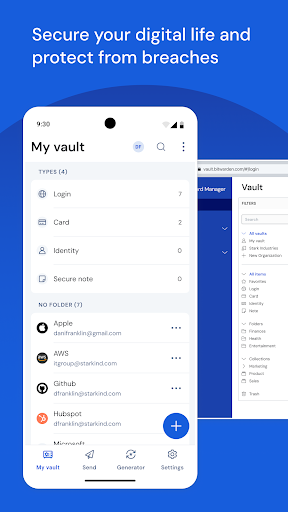
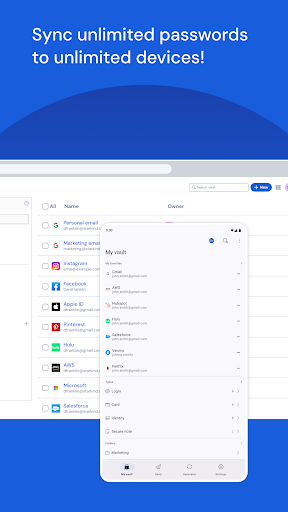
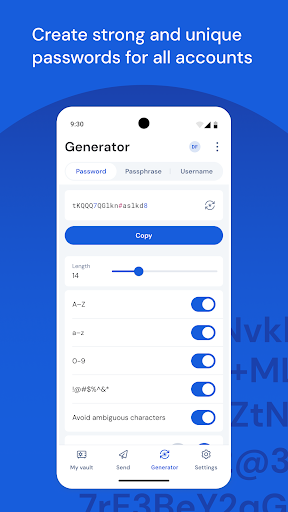


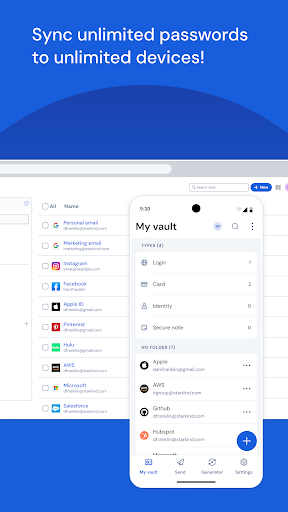
App icon and screenshots © Bitwarden Inc. or the applicable rights holders. Displayed in limited form for identification and independent review. Source: official Google Play listing.
Bitwarden is the strongest Tools pick for readers who want password management with portability and a security-first workflow.
Users ready to move passwords into a dedicated vault with cross-device access and stronger account hygiene.
Readers who want a casual utility and are not prepared to manage a master password carefully.
It adds a genuinely high-value utility to the review set: better password habits can improve the rest of a reader’s digital life.
Understand the master-password model, recovery limits, autofill behavior, and two-factor setup before moving important accounts.
Bitwarden is not a casual utility. A password manager can improve a reader's entire digital life by reducing password reuse, generating stronger credentials, and making account hygiene manageable. It can also create anxiety if the user does not understand the master password model, recovery limits, and device setup. That makes the review more serious than an ordinary app listing.
A password vault is useful only if it fits the devices and browsers a reader actually uses. Cross-device sync, autofill, passkeys, biometric unlock, emergency planning, and two-factor authentication are practical concerns, not advanced extras. The public listing shows recent maintenance, which is important in a security-sensitive category.
Readers should not install a password manager and immediately dump every important login into it. A safer path is to create the account, choose a strong master password, enable two-factor authentication, test autofill on low-risk accounts, confirm recovery expectations, then migrate more sensitive credentials. The app can be excellent and still require careful onboarding.
Bitwarden belongs in Tools because it solves a recurring problem with consequences beyond the app itself. It is not entertainment, and it is not a generic productivity booster. It is a security workflow. LogicAppGuide should recommend it to readers ready to manage a vault responsibly, while warning casual users that password management requires attention and backup planning.
A password manager succeeds or fails during onboarding. Readers should import slowly, organize logins, test autofill, save recovery information safely, and make sure they can unlock the vault on each device they use. They should also practice logging into a few non-critical accounts before moving banking, email, or work credentials. Bitwarden can be a high-value app, but only when the reader treats setup as part of the security benefit rather than a chore to rush through.
A reader who is not ready to manage a master password or recovery plan should pause before moving important accounts. That does not mean Bitwarden is wrong; it means the timing is wrong. The app becomes safer when the user is prepared. LogicAppGuide should make that maturity requirement explicit because security tools punish careless setup more than ordinary utilities do.
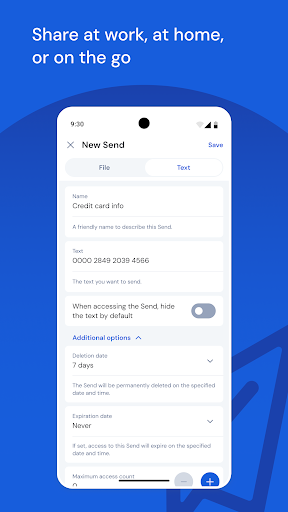
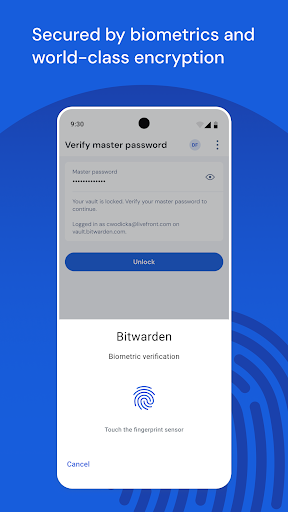
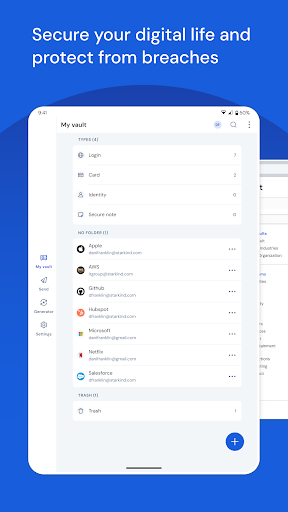
Bitwarden Password Manager exposes Google Play screenshots in the public listing data. The review uses those images to judge readability, interface density, and whether the advertised experience is clear before a reader leaves for the store.
The public record used here is last updated 2026-02-19, with version 2026.2.0. This context frames the review, but it does not replace the page's install cautions or comparison notes.
Bitwarden Password Manager is compared against nearby LogicAppGuide picks in Tools, so the recommendation answers a reader-fit question instead of repeating a store ranking.
For Tools readers, the review focuses on permission fit, account or privacy expectations, and whether the utility is worth installing alongside built-in Android options.
Password managers deserve more scrutiny than ordinary tools. The upside is large, but the reader must understand the trust model before importing sensitive data.
Bitwarden is included because it solves a serious recurring problem rather than a cosmetic phone task. It is a practical utility with clear reader value.
Do not install casually and dump everything in immediately. Set up the vault, protect the master password, test autofill, and read the current store details before relying on it.
Review basis: Google Play listing metadata, screenshots, public rating signals, store feature claims, and LogicAppGuide category comparison.
Bitwarden Password Manager is the highest-stakes tool in this review set. A password manager can improve a reader's entire digital life by reducing password reuse, generating stronger credentials, and making account hygiene manageable across devices. It can also create anxiety if the user does not understand the vault model. That makes the review more serious than a normal utility recommendation.
The listing describes a login and password manager focused on secure storage, cross-device access, passkeys, and encrypted vault behavior. The project data shows a strong rating, recent maintenance, and no in-app purchases in the local snapshot. Those are encouraging signals, but a password manager should never be installed casually. The reader needs to understand what a master password means, how recovery works, and how two-factor authentication fits into the setup.
The strongest reason to use Bitwarden is password health. Many people reuse weak passwords because remembering unique credentials is difficult. A vault changes that workflow. The user remembers one strong master password, uses the app to generate unique passwords, and lets autofill reduce the friction of logging in. That can reduce damage when one website is breached because the same password is not reused everywhere.
The tradeoff is responsibility. If a user forgets the master password or fails to set up recovery expectations correctly, access can become difficult or impossible depending on the model. That is not a flaw; it is part of strong encryption. But it means onboarding is not optional. A good first week with Bitwarden should include creating the vault, choosing a strong master password, enabling two-factor authentication, testing autofill on low-risk accounts, and learning how export or emergency planning works.
Bitwarden is best for readers who are ready to improve account security deliberately. It can fit individuals, families, students, freelancers, and anyone managing many logins. It is weaker for readers who want a casual utility and are not prepared to protect the master password. A password manager rewards careful setup and punishes careless assumptions more than most apps.
The app's open and portable positioning is also important. A password manager is useful only if it works across the devices and browsers a reader actually uses. Android autofill, browser extensions, desktop access, biometric unlock, passkeys, secure notes, sharing, and account recovery all affect whether the workflow sticks. Readers should check current store details and official documentation for features they specifically need.
Compared with Files by Google, Bitwarden touches even more sensitive data. Compared with Calculator Plus, it is not optional convenience; it can become infrastructure. Compared with QR & Barcode Scanner, it has a longer-term trust relationship with the user. That is why LogicAppGuide should treat it as a security workflow, not just another productivity tool.
The app is not something to test by immediately importing every important credential. A safer path is gradual migration. Start with a few non-critical accounts, confirm autofill behavior, verify backup and recovery expectations, and only then move email, banking, work, or identity-related logins. Readers should also avoid storing sensitive data until they understand device lock, vault timeout, and two-factor settings.
Bitwarden also changes how readers should think about account cleanup. A password manager is not only a storage box; it can reveal reused passwords, weak logins, and old accounts that deserve attention. The real value appears when the user updates important accounts over time instead of merely importing existing bad habits. That makes the app a long-term hygiene tool. The first install is only the beginning; the benefit comes from gradually improving the vault.
Before installing, readers should decide whether they are ready to manage a vault responsibly. They should understand the master-password model, set up two-factor authentication, and test the app carefully. If they are prepared, Bitwarden is one of the most valuable Tools recommendations because better password habits affect every other online account. If they are not prepared, they should pause and learn the setup requirements first. Security tools are powerful, but they work best when the user treats setup as part of the protection.
One more practical advantage is that Bitwarden can make security less dependent on memory. People often keep weak passwords because they fear losing access. A well-managed vault changes that equation by making strong, unique credentials easier to live with. The app's value is therefore behavioral as much as technical: it helps readers build a safer routine they can actually maintain.
Bitwarden is a serious utility because it changes how a reader handles account security. The app is not valuable because it has many screens; it is valuable if the vault, autofill, password generation, device unlock, and sync model fit the user's habits. A password manager that someone does not understand can create new risk, especially around master-password loss and recovery.
Before installing, readers should decide how they will store recovery information, whether they need family or team sharing, and which devices must sync. Bitwarden is a strong fit for people willing to adopt a password workflow deliberately. It is not a casual install for someone who wants security benefits without learning the vault model.