Best for
Readers who need a lightweight scanner for QR codes, product codes, menus, and quick lookups.
Curated brain-training & logic apps for Android

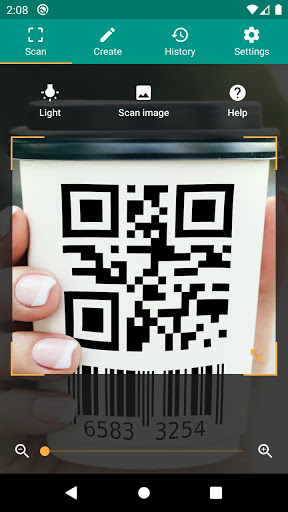
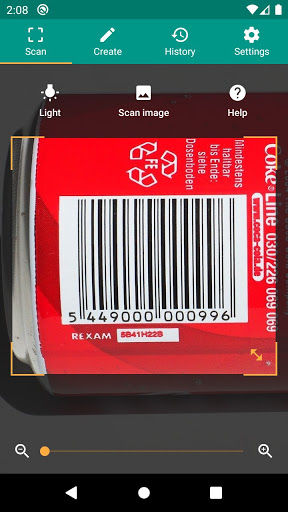
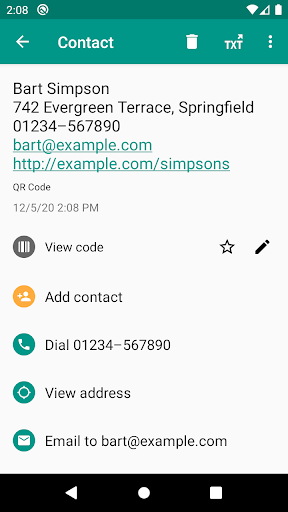

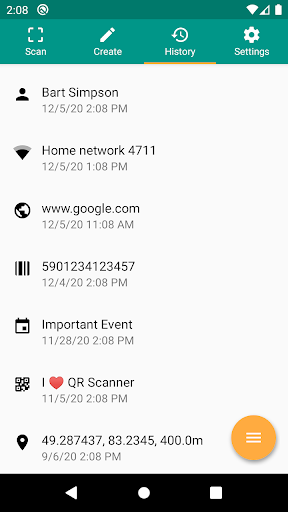
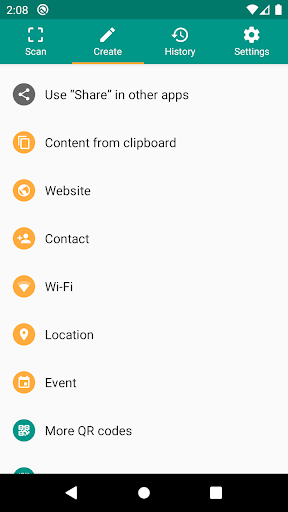

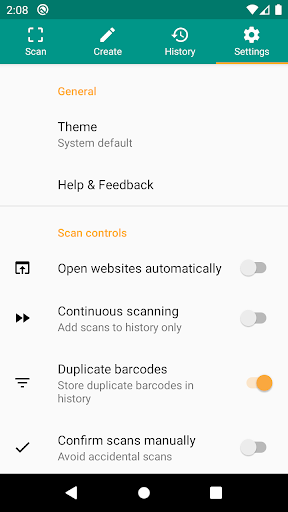
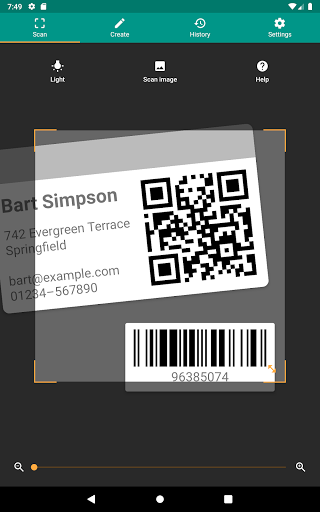
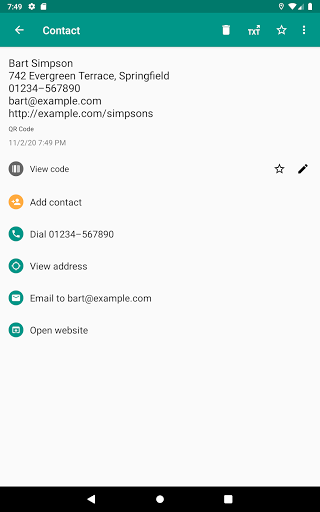
App icon and screenshots © TeaCapps or the applicable rights holders. Displayed in limited form for identification and independent review. Source: official Google Play listing.
QR & Barcode Scanner is included for a single focused job: opening or reading codes quickly without turning the app into a phone-suite bundle.
Readers who need a lightweight scanner for QR codes, product codes, menus, and quick lookups.
Users who rarely scan codes or who prefer using only the scanner already built into their camera app.
It gives the Tools category a narrow utility where speed and permission clarity matter.
Check camera permission handling, ad placement after scans, and whether the app stores scan history.
QR & Barcode Scanner is a good utility only if it stays focused. Open the app, point the camera, read the code, show the result clearly, and let the user decide what happens next. That is the whole job. A scanner becomes less trustworthy when it adds unnecessary phone-suite features or hides destinations behind clutter.
Scanning is not just a camera task. The result may be a URL, contact card, Wi-Fi credential, product code, or calendar entry. Readers should care about whether the app previews links, stores scan history, opens destinations automatically, or makes suspicious links clear. Those details affect both safety and convenience.
Many Android camera apps already read QR codes. A dedicated scanner makes sense for people who scan frequently, need barcode support, want scan history, or handle product and menu codes often. Occasional users should compare it against their built-in camera before installing another utility with camera access.
Readers should check recent reviews for scan speed, ad placement, camera permission behavior, and history controls. LogicAppGuide should recommend this app as a focused scanner candidate, not as a must-have for every phone. The app earns trust by doing less and explaining more.
A scanner's safest behavior is to show the result before acting. Readers should prefer apps that reveal the destination URL, barcode content, or contact data clearly before opening another app or website. This matters when QR codes are posted in public places and the reader cannot know where they lead. LogicAppGuide should make that preview behavior part of the review. Speed is useful, but speed without user confirmation can become a risk.
Scan history can help when a reader needs to revisit a product code or menu link, but it can also record places and services they interacted with. The app should make history easy to clear and understand. Readers should check whether that control exists before using a scanner for work, travel, or personal documents.
QR & Barcode Scanner exposes Google Play screenshots in the public listing data. The review uses those images to judge readability, interface density, and whether the advertised experience is clear before a reader leaves for the store.
The public record used here is last updated 2026-01-20, with version 3.3.5-L. This context frames the review, but it does not replace the page's install cautions or comparison notes.
QR & Barcode Scanner is compared against nearby LogicAppGuide picks in Tools, so the recommendation answers a reader-fit question instead of repeating a store ranking.
For Tools readers, the review focuses on permission fit, account or privacy expectations, and whether the utility is worth installing alongside built-in Android options.
A QR scanner should be boring in the best way: open fast, scan reliably, show the destination clearly, and avoid unnecessary extras.
This pick is useful because the job is specific. Readers can compare it against their default camera and decide if a dedicated app is worth installing.
The privacy check is important. A scanner sees links and codes from the real world, so recent reviews and permission screens deserve attention.
Review basis: Google Play listing metadata, screenshots, public rating signals, store feature claims, and LogicAppGuide category comparison.
QR & Barcode Scanner is a focused utility, and the best version of this kind of app should stay focused. The listing data used by this project identifies the TeaCapps scanner as a functional QR and barcode reader with a small-storage angle. That gives the app a simple job: open quickly, scan reliably, show the result clearly, and let the user decide what to do next.
The first question is whether a separate scanner is needed. Many Android camera apps already read QR codes. A dedicated scanner makes sense for readers who scan codes often, need barcode support, want scan history, or handle product codes, menus, Wi-Fi codes, event tickets, or work labels regularly. Occasional users should test their built-in camera first. A good Tools recommendation should not push extra installation when the phone already solves the problem.
The second question is safety after the scan. QR codes can point to websites, contact cards, Wi-Fi credentials, calendar entries, payment pages, app links, or plain text. The scanner should preview the result before opening anything. This matters because public QR codes can be replaced, spoofed, or used to send people to suspicious destinations. Speed is useful, but speed without user confirmation can become a risk.
The project data shows a large rating base and a large install tier, which suggests the app has broad utility. Still, scanner apps deserve current review checks. Readers should look for comments about scan speed, camera focus, ad placement, permissions, and history behavior. If ads appear immediately after a scan or obscure the result, the app can become annoying even if recognition is technically fast.
Permissions should be simple. A scanner needs camera access. It may need storage or other access only for specific features, such as reading images from the gallery or saving history. Readers should be skeptical of unnecessary permissions. A focused scanner is more trustworthy when it does not try to become a full phone utility bundle.
Scan history is useful but sensitive. It can help someone revisit a product code or menu link, but it can also record places, services, and documents the user interacted with. A good scanner should make history understandable and easy to clear. Readers who use QR codes for work, travel, school, or personal accounts should check that control before relying on the app.
Compared with Calculator Plus, QR & Barcode Scanner has a higher real-world security angle because it turns physical codes into digital actions. Compared with Files by Google, it is narrower and easier to judge. Compared with Bitwarden, it is not a vault, but it still requires trust because links can lead anywhere. That makes preview behavior the most important review criterion.
The app is best for people who scan frequently and want a dedicated workflow. It is weaker for readers who scan a restaurant menu once a month or who are satisfied with the built-in camera. It is also not the right choice if the current version is overloaded with ads, confusing prompts, or extra features unrelated to scanning.
Barcode support makes the app more useful for some readers than a camera-only QR workflow. Product codes, inventory labels, books, tickets, and package labels can all benefit from a dedicated scanner if the app recognizes formats reliably and shows results cleanly. That is a practical distinction. Someone who only opens restaurant menus may not need this app, while someone comparing products or handling work labels may appreciate a scanner built for more than web links.
Before installing, readers should inspect screenshots for result preview, history controls, and ad placement. They should read recent reviews for camera speed, permission complaints, and whether the app opens links automatically. If the current version stays lightweight and lets the user confirm destinations, QR & Barcode Scanner is a useful focused tool. If it hides the result behind prompts or asks for unnecessary access, a built-in camera or another scanner may be safer.
The most trustworthy scanner experience is one where nothing surprising happens after recognition. The app should not rush the reader into a browser, app store, or payment flow without a clear confirmation step. That behavior is especially important for public QR codes in restaurants, parking lots, schools, and events. A scanner earns trust by slowing down the dangerous moment just enough for the user to read the destination.
QR & Barcode Scanner should be evaluated through trust and restraint. A scanner handles links, Wi-Fi codes, product codes, and other small pieces of data that can lead the reader somewhere else. The app should preview results clearly and let the user choose the next action instead of rushing into a browser or unrelated workflow.
Before installing, readers should check permissions and recent reviews for ads, redirects, and clutter. This is a good fit if the app scans quickly, shows destinations plainly, and keeps history controls understandable. It is a poor fit if it asks for more access than expected or hides the actual scanned content behind prompts.