Best for
Players who want lessons, puzzles, online games, and a path from casual play toward improvement.
Curated brain-training & logic apps for Android



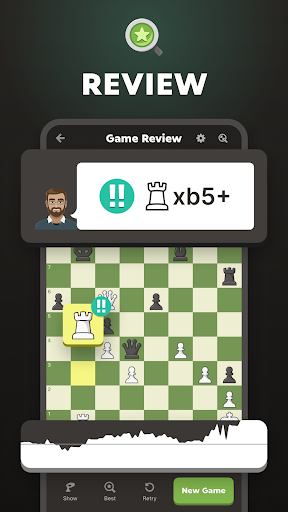
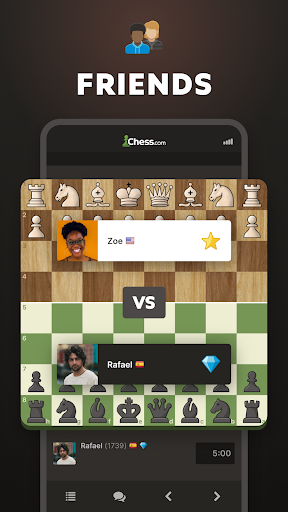
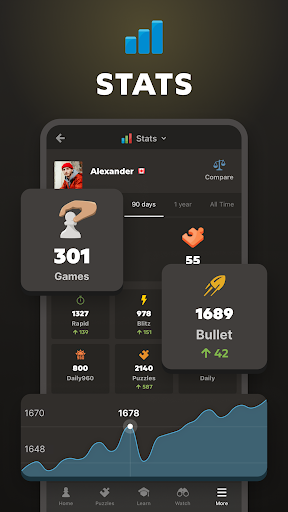

App icon and screenshots © Chess.com or the applicable rights holders. Displayed in limited form for identification and independent review. Source: official Google Play listing.
Chess - Play and Learn is the stronger choice for readers who want chess as a learning habit, not just a board on the screen.
Players who want lessons, puzzles, online games, and a path from casual play toward improvement.
Readers who want a tiny offline-only app with no account, community, or learning layer.
It gives the Board category a full chess ecosystem alongside simpler offline options.
Review account requirements, subscription limits, and whether the free tier covers the tools you actually want.
Chess - Play and Learn Online is best understood as a chess ecosystem. The value is not simply moving pieces on a screen. It includes online opponents, puzzles, lessons, bots, analysis, and a huge player base. That breadth is why it deserves a separate recommendation from an offline chess app. The reader is choosing a learning and competition environment, not only a board interface.
For an online chess platform, community depth creates practical value. Active matchmaking, puzzle feedback, community material, and a clearer path from beginner games to serious study all matter. The public listing shows recent maintenance, which makes it a credible starting point for readers who want chess as an ongoing habit.
The same breadth can be too much. Account requirements, subscriptions, notifications, social features, and lesson limits may distract someone who only wants casual solo games. Readers should check which tools are free and which are paid before building a practice routine around the app. A platform is valuable only if the parts you will actually use are accessible enough to matter.
If the reader wants a quiet board, choose Chess - Offline Board Game. If the reader wants puzzles, lessons, opponents, and a visible path toward improvement, Chess.com is the stronger candidate. LogicAppGuide should make that split clear because both apps can be good and still serve different people. The right recommendation depends on whether chess is a pastime, a practice habit, or a competitive pursuit.
A chess platform can motivate improvement, but it can also overwhelm a casual player with streaks, lessons, and paid prompts. Readers should decide before installing which part they actually want: live games, tactics puzzles, analysis, lessons, bots, or community. Then they should check which of those are available in the current free tier. The app is strongest when its ecosystem matches a concrete learning goal rather than a vague desire to get better at chess.
Chess - Play and Learn Online exposes Google Play screenshots in the public listing data. The review uses those images to judge readability, interface density, and whether the advertised experience is clear before a reader leaves for the store.
The public record used here is last updated 2026-02-24, with version 4.9.24-googleplay. This context frames the review, but it does not replace the page's install cautions or comparison notes.
Chess - Play and Learn Online is compared against nearby LogicAppGuide picks in Board, so the recommendation answers a reader-fit question instead of repeating a store ranking.
For Board readers, the review focuses on whether the app's main loop is distinct, readable on a phone, and still worth checking after ads, hints, or purchases are considered.
This app belongs in a different slot from offline chess. The value is not merely moving pieces; it is the surrounding practice loop of puzzles, feedback, opponents, and learning material.
That breadth can be excellent for motivated players and excessive for someone who only wants an occasional game. Readers should decide whether they want a chess platform or a quiet board.
Before installing, check which learning features are free and which sit behind a subscription. The recommendation changes sharply depending on how much of the training layer you plan to use.
Review basis: Google Play listing metadata, screenshots, public rating signals, store feature claims, and LogicAppGuide category comparison.
Chess - Play and Learn Online is not just a chessboard app. It is a chess ecosystem. The listing describes online play, friends, tournaments, puzzles, lessons, bots, analysis, and a very large global player base. That makes the recommendation fundamentally different from an offline chess app. A reader is not only choosing a place to move pieces; they are choosing a learning and competition environment.
The main advantage of a large chess platform is continuity. A player can start with bots, move into puzzles, play friends, try live games, review mistakes, and build a practice habit inside one app. Scale matters here because chess improves through feedback and repetition. More players can mean better matchmaking, more active events, more learning material, and a clearer path from beginner games to serious study. The project data shows massive installs, millions of ratings, and recent maintenance, which are all meaningful for a platform-style recommendation.
The app is strongest for readers who want chess to become a habit. If you want a daily puzzle, an occasional online game, lessons, or a way to measure progress, this is a much better fit than a simple offline board. It can support both casual and motivated players because the surrounding ecosystem offers different entry points. A beginner can play low-pressure bots; a stronger player can seek human opponents and deeper review.
That breadth also creates the main drawback. Not every chess player wants a platform. Accounts, ratings, subscriptions, notifications, lessons, puzzles, leagues, and social features can feel motivating to one reader and overwhelming to another. Someone who only wants to play a quiet game on an airplane may be happier with Chess - Offline Board Game. Someone who dislikes subscription prompts should check the free tier carefully before building a routine around the app.
The listing includes in-app purchases across a wide range, so readers should understand what is free and what is paid. This matters more than usual because learning features can become part of a habit. If the reader mainly wants puzzles, how many are available? If they want game review, what level of analysis is included? If they want lessons, are the relevant beginner or intermediate topics accessible? A platform can be excellent and still be the wrong value if the tools a reader cares about are mostly behind a subscription.
The best way to use Chess.com on Android is to define the goal before installing. For example: "I want five tactics puzzles a day," "I want to play rapid games against real people," "I want beginner lessons," or "I want to review my mistakes." A vague desire to get better can quickly turn into browsing features without a routine. Chess improvement benefits from focus. The app gives many options, but the reader still needs a plan.
Compared with Chess - Offline Board Game, this app is richer, more connected, and more demanding. Compared with Dominoes, it is a more serious skill ecosystem. Compared with Vita Mahjong, it is far less about relaxation and much more about learning and competition. It earns its place in the Board category because chess is one of the strongest logic games available, and this app provides a broad mobile path into it.
There are still practical checks. Piece readability, clock controls, premove settings, board themes, notification settings, and connection stability all affect the experience. Online chess is sensitive to friction because a mis-tap or disconnect can ruin a game. Recent reviews should be checked for app stability and Android-specific complaints, not only general praise for the platform.
Chess - Play and Learn Online is best for readers who want chess as an ongoing practice environment. It is not the lightest option, and it is not the quietest. But if the goal is to learn, compete, solve puzzles, and stay connected to a large chess community, it is one of the strongest choices in the reviewed set. The recommendation is simple: choose it when you want a chess ecosystem; choose an offline board when you only want the board.
The app's best value appears when a reader chooses a repeatable routine. A daily puzzle, one reviewed rapid game, or a short lesson path will usually teach more than jumping randomly between features. Chess.com offers breadth, but improvement still comes from deliberate practice. Readers should use the ecosystem to create a habit, not to avoid deciding what kind of chess player they want to become.
Chess - Play and Learn is best treated as an ecosystem choice. The review should not reduce it to "has chess," because the real decision is whether the reader wants opponents, puzzles, lessons, analysis, bots, clubs, and a long-term account. That breadth is powerful for motivated learners and distracting for someone who only wants a quiet board.
The pre-install check is subscription fit. Readers should decide which chess activity matters most to them and then confirm whether that feature is available enough in the free tier. If tactics and game review are central to the plan, limits matter. If the reader only wants casual online games and occasional puzzles, the app can be a practical starting point. The strongest recommendation is for people who want chess to become a practice habit, not just a spare-time board.