Best for
Readers who like classic word-search grids, calm sessions, and low rules overhead.
Curated brain-training & logic apps for Android

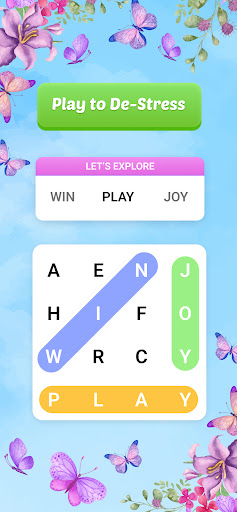
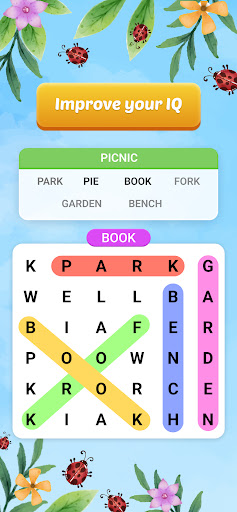
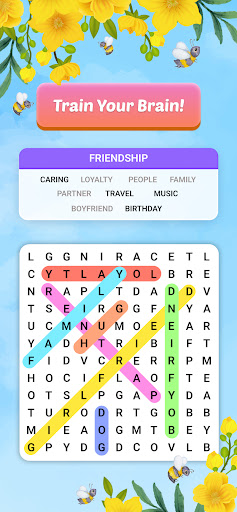
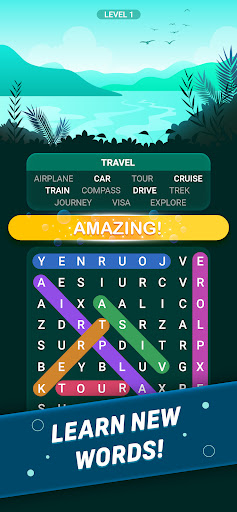
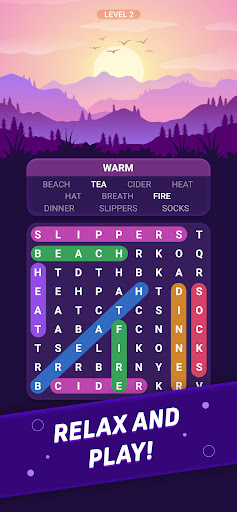
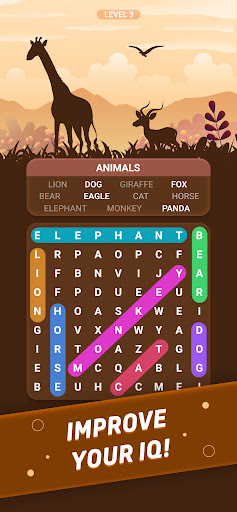

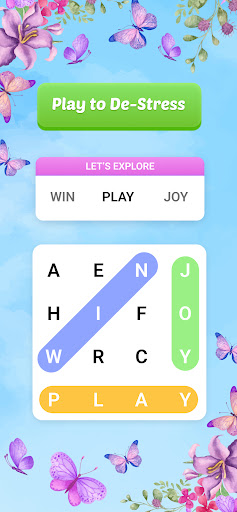
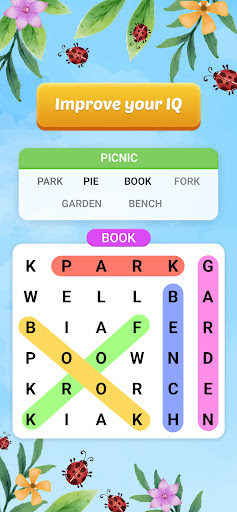
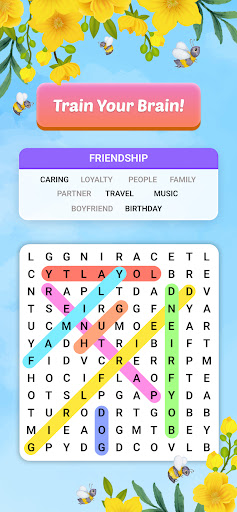
App icon and screenshots © PlaySimple Games or the applicable rights holders. Displayed in limited form for identification and independent review. Source: official Google Play listing.
Word Search Explorer is best treated as a scanning and attention exercise, with less emphasis on vocabulary depth than on visual pattern finding.
Readers who like classic word-search grids, calm sessions, and low rules overhead.
Players who want crossword clues, definitions, or a game that teaches new words in context.
It gives the Word category a clear grid-search option rather than another anagram game.
Look for recent comments about puzzle repetition, grid readability, and interruptive ads.
Word Search Explorer should be judged as an attention and scanning app before it is judged as a vocabulary app. The player is not inventing words from letters or solving clues. They are searching a dense grid, maintaining visual focus, and recognizing target words quickly. That is a distinct mental task, and it deserves a separate place in the Word category.
A word-search app can have a large puzzle count and still fail if the grid is tiring. Letter spacing, contrast, highlight behavior, and finger tracking are the real product details. The listing is positioned around visually pleasing play, so readers should examine screenshots carefully. If the grid looks comfortable on a phone-sized screen, the app has already cleared the most important pre-install test.
This is a good choice for readers who find anagrams stressful or crosswords too clue-heavy. It offers a lower-pressure way to spend a few minutes with words. It may also suit people who like calm routines and visible progress without learning a new system. The best use case is short, quiet attention practice rather than deep language improvement.
Repetition can damage word search faster than many puzzle formats. Once the grids or word lists feel too familiar, the app becomes a tapping routine rather than a search task. Recent reviews should be checked for repeated puzzles, ad placement, and whether the app keeps adding meaningful variety. LogicAppGuide should recommend it for comfort and clarity, not for rich vocabulary instruction.
The most important test is physical comfort. Word search requires sustained scanning, so tiny letters, harsh contrast, cramped grids, or awkward highlight colors can make a session feel tiring. Readers should look at screenshots on the same size device they plan to use. If the grid feels comfortable before install, the app has a chance to become a daily calm habit. If the grid already looks dense, no amount of category popularity will fix that mismatch.
Word Search Explorer exposes Google Play screenshots in the public listing data. The review uses those images to judge readability, interface density, and whether the advertised experience is clear before a reader leaves for the store.
The public record used here is last updated 2026-02-19, with version 1.266.0. This context frames the review, but it does not replace the page's install cautions or comparison notes.
Word Search Explorer is compared against nearby LogicAppGuide picks in Word, so the recommendation answers a reader-fit question instead of repeating a store ranking.
For Word readers, the review focuses on whether the app's main loop is distinct, readable on a phone, and still worth checking after ads, hints, or purchases are considered.
Word-search apps succeed when they are visually comfortable. The challenge is not learning rules; it is scanning efficiently without the grid becoming tiring.
This pick is included because that use case is common and distinct. Readers who find anagrams stressful may still enjoy word search as a quieter attention exercise.
The store screenshots are worth checking closely. If the letter contrast, grid density, or theme looks wrong to you there, the app is unlikely to improve after installation.
Review basis: Google Play listing metadata, screenshots, public rating signals, store feature claims, and LogicAppGuide category comparison.
Word Search Explorer is best understood as a visual attention app that happens to use words. The listing describes a visually pleasing word game, a senior-friendly angle, offline play, and a progression journey through many puzzles. But the core mental action is not clue solving or vocabulary construction. The player scans a grid, finds target words, and swipes through letter sequences. That makes readability the most important part of the review.
A word-search game succeeds when the grid feels comfortable. Letter spacing, contrast, highlight behavior, theme brightness, finger tracking, and target-word placement all shape the experience. If the grid is too dense or the colors are harsh, the app becomes tiring. If the letters are clear and the swipe controls are forgiving, the same format can feel calm and satisfying. Readers should judge screenshots more carefully here than they might for an app where the interface is secondary.
The high rating signal in the project data is strong, and the app has a large install base. That suggests broad satisfaction, but word-search quality still depends on the current puzzle bank. Repetition can damage this format quickly. Once grids feel predictable or word lists repeat too often, the game becomes a tapping routine rather than a search exercise. Recent reviews should be checked for repeated puzzles, ad placement, and whether updates keep the experience fresh.
The senior-friendly positioning is a meaningful clue. Like Vita Mahjong or Vita Solitaire, this kind of app may be chosen for comfort, not novelty. A reader who finds anagrams stressful or crosswords too demanding may still enjoy word search because the task is visible and low-pressure. It can be a good fit for short quiet sessions, especially for users who like scanning, pattern recognition, and simple completion.
At the same time, the app should not be oversold as vocabulary education. Word search can reinforce spelling recognition and attention, but it usually does not teach meaning in context. If a reader wants definitions, clue logic, or language learning, CodyCross, Daily Themed Crossword, or a true education app will serve a different purpose. Word Search Explorer is a comfort-and-focus pick, not a language curriculum.
The listing includes in-app purchases, so the free experience should be examined for hint pressure and ad timing. Word search has a gentle rhythm, and interruptions can break that rhythm. Ads between puzzles may be tolerable; ads that appear while a player is scanning or after every small success can make the app feel less relaxing. Readers should look for current comments from people who play daily, because they are more likely to notice whether the ad load becomes annoying over time.
Compared with Words of Wonders, Word Search Explorer is less about generating words and more about finding them. Compared with CodyCross, it does not rely on clue quality. Compared with Daily Themed Crossword, it is less tied to a daily ritual and more to a steady level path. Its place in the Word category is therefore distinct: it is the grid-scanning option.
The app's suitability also depends on device size. A tablet or larger phone may make word-search grids more comfortable. On a small phone, dense letter arrays can create eye strain, especially during longer sessions. Readers should preview the screenshots at realistic size and ask whether they would enjoy scanning that grid for ten minutes. If the answer is no, the rating does not matter much.
Word Search Explorer earns a recommendation for readers who want calm visual word play with minimal rules. It is a good choice when the goal is attention practice, casual completion, and easy entry. It is less compelling for players who need deep variety, clue writing, or word meaning. Before installing, check recent reviews for repetition and ads, then inspect the grid design closely. If the current version keeps the letters readable and the pace calm, it is one of the more comfortable word-game picks in the reviewed set.
The app can also be useful for readers who want a word game that does not punish silence or slowness. There is no need to invent a word under pressure or interpret a tricky clue. The player simply scans carefully. That makes the format accessible for people who enjoy words but prefer visual search over recall. The review should value that calmer cognitive shape.
Word Search Explorer is an attention exercise first. The review should focus on letter spacing, contrast, finger tracking, and highlight feedback rather than treating the app like a vocabulary course. A good word search grid should be calm enough to scan for several minutes without eye strain. If the screenshot grid looks cramped, the app's category fit becomes weaker no matter how many puzzles it offers.
Readers should also check whether recent reviews mention repetition or intrusive ads. Word search is pleasant when the puzzle ends cleanly and the player can move on. It becomes thin when the same lists repeat or interruptions break the scanning flow. This is best for people who enjoy quiet visual search, not for readers who want clue-driven word learning.