Best for
Readers who want a standard Klondike routine with minimal learning curve.
Curated brain-training & logic apps for Android


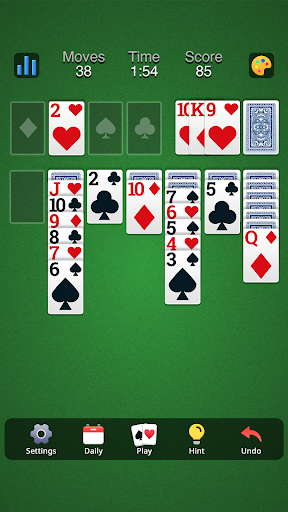
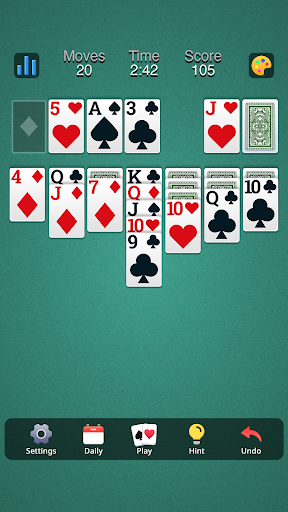
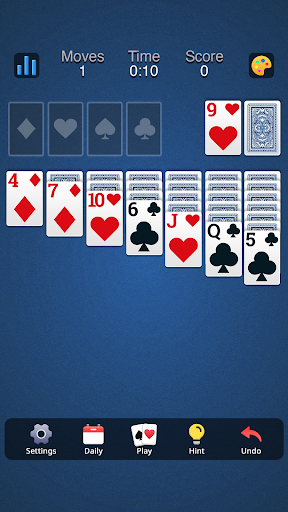
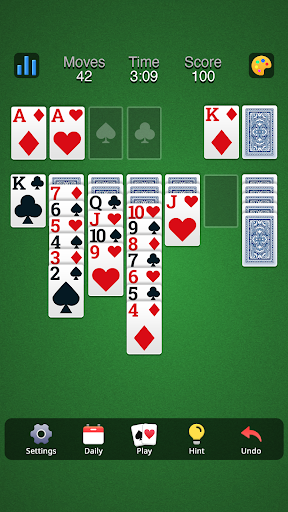
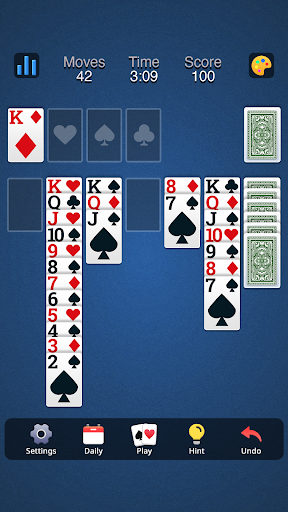
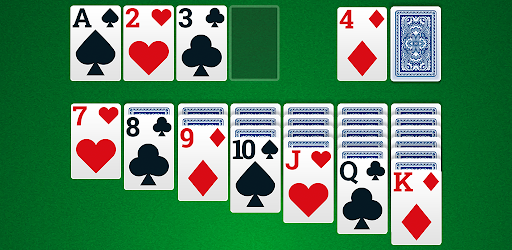
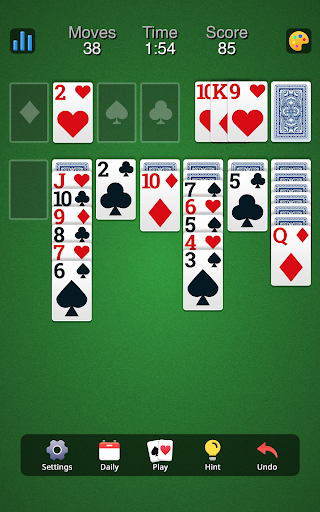
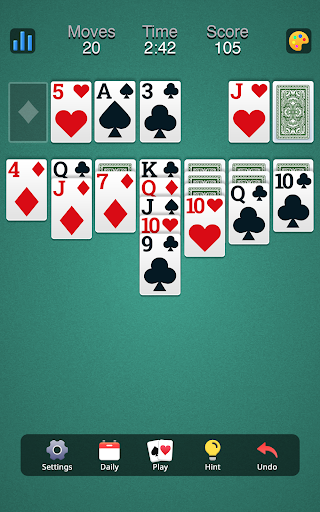
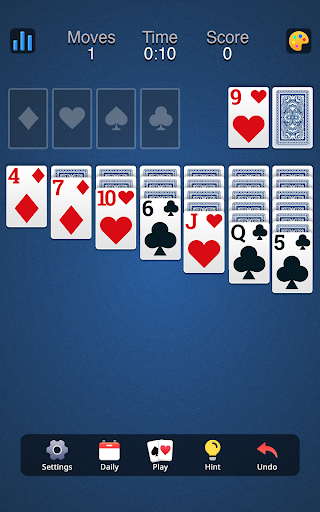
App icon and screenshots © Homa or the applicable rights holders. Displayed in limited form for identification and independent review. Source: official Google Play listing.
Solitaire Classic - Klondike is the basic card-game reference: familiar, quick to judge, and useful when you want the app to disappear behind the rules.
Readers who want a standard Klondike routine with minimal learning curve.
Players looking for new card mechanics, multiplayer tables, or story-based progression.
A clean Klondike option gives the Card shelf a baseline for comparing more decorated solitaire apps.
Check ad placement, undo behavior, draw-one/draw-three options, and whether daily challenges are optional.
Solitaire Classic - Klondike does not need a complicated premise. Its value is whether it gives readers a clean, familiar Klondike game on Android. That makes it the Card category baseline. If a more decorated solitaire app adds events, themes, or coins, readers can compare those extras against the simple question this app raises: does the classic game feel good to play?
Card size, drag behavior, tap-to-move, undo, draw-one and draw-three options, animation speed, and daily challenge placement matter more than marketing copy. A solitaire app is played repeatedly, often in quiet moments. If any of those small details are annoying, the app loses value quickly. Public feedback is positive, but readers should still look for current complaints about interruptions.
The best reader wants classic solitaire without learning a new card format. It fits people who know Klondike already and simply want a polished implementation. It is not for someone who wants multiplayer, story progression, collectible cards, or a fresh mechanic. The lack of novelty is a feature only when the reader wants familiarity.
Vita Solitaire is more explicitly accessibility-focused. Solitaire Classic appears more general-purpose. That distinction helps readers choose. If large cards and senior-friendly layout are the priority, start with Vita. If the reader wants a mainstream Klondike option with customization and daily play, this listing may fit better. LogicAppGuide should keep both because the user goals are not identical.
Classic solitaire depends on uninterrupted flow. A reader should be able to start a hand, make moves quickly, undo without friction, and finish or restart without negotiating popups. Daily challenges and themes are welcome only when they stay optional. The current free experience matters more than the feature list. LogicAppGuide should recommend this title when the app behaves like a comfortable card table, not when it turns every session into a promotion screen.
Themes and card backs can make solitaire pleasant, but they should not become the main product. Readers should make sure customization does not hide basic controls or push purchases ahead of play. A good Klondike app makes the table feel like yours while keeping the rules and movement clear. That balance is more important than how many cosmetic options the listing advertises.
Solitaire Classic – Klondike exposes Google Play screenshots in the public listing data. The review uses those images to judge readability, interface density, and whether the advertised experience is clear before a reader leaves for the store.
The public record used here is last updated 2026-02-16, with version 38.1.1. This context frames the review, but it does not replace the page's install cautions or comparison notes.
Solitaire Classic – Klondike is compared against nearby LogicAppGuide picks in Card, so the recommendation answers a reader-fit question instead of repeating a store ranking.
For Card readers, the review focuses on whether the app's main loop is distinct, readable on a phone, and still worth checking after ads, hints, or purchases are considered.
Classic solitaire is only low value when the app adds nothing or gets in the way. The useful version is readable, responsive, and predictable.
This listing is included as a baseline. If a reader wants only Klondike, they should not have to sort through every card game format first.
The best review signal is not novelty; it is whether recent players complain about interruptions. Solitaire depends on flow.
Review basis: Google Play listing metadata, screenshots, public rating signals, store feature claims, and LogicAppGuide category comparison.
Solitaire Classic - Klondike is the Card category's baseline test: can a mobile app provide a clean version of a familiar card game without getting in the way? The listing references classic Klondike, Patience, customization, backgrounds, and events. Those extras can be pleasant, but the main product is still the table. A good Klondike app should make card movement feel natural and let the player focus on the hand.
Because Klondike is familiar, small interface decisions carry the review. Card size, tap-to-move behavior, drag accuracy, undo, draw-one and draw-three options, restart controls, animation speed, and scoreboard placement matter more than broad marketing claims. If the table is comfortable, the app can become a daily routine. If the table is fiddly, no number of themes will make it satisfying.
The project data shows a strong rating, recent maintenance, and a meaningful install base. That is a positive starting point, but solitaire apps are often judged over repeated use. A player may enjoy the first few hands and then notice that ads appear too often, daily challenge prompts feel intrusive, or customization screens get in the way. Recent reviews are therefore important. They reveal whether the current free experience protects the flow.
Solitaire Classic is strongest for readers who want ordinary Klondike. That sounds modest, but it is a valid use case. Many players are not looking for new mechanics, collectible cards, or multiplayer pressure. They want to open a familiar game, clear a tableau, and leave. The app is weaker for anyone who wants complex variants, competitive play, or a story-based progression system. Lack of novelty is a strength only when familiarity is the goal.
The listing includes in-app purchases, though the range is relatively modest compared with many games. Readers should still check whether purchases relate to ads, themes, or conveniences. A solitaire app should not make core play feel restricted. Optional customization is fine; interruptions that break the card flow are not.
Compared with Vita Solitaire for Seniors, Solitaire Classic appears more general-purpose. Vita's main value is accessibility and large-card comfort. Solitaire Classic is the broader Klondike baseline. Compared with Skip-Bo, it is quieter and more solitary. Compared with Phase 10, it is less objective-changing and more about a known card structure. That makes it useful for readers who want a standard reference point before exploring more decorated card apps.
The customization features should be treated carefully. Card backs, table backgrounds, and themes can make the app feel personal, but they should not become the main reason to install. A busy background can reduce readability. Too many cosmetic prompts can distract from play. The best customization is the kind that makes the table easier to use, not the kind that turns a simple card game into a store.
The main quality standard is uninterrupted flow. A reader should be able to start a hand, make moves, undo mistakes, finish or restart, and move on without negotiating a screen after every small action. Daily challenges and live events may add freshness, but they should remain optional. Solitaire works because it can be private and self-contained. If the app becomes too loud, it undermines its own category.
Draw rules are another practical detail to verify. Some players prefer draw-one because it feels easier and more relaxed; others prefer draw-three because it matches the version they remember. A good Klondike app should make that choice visible and easy to change. Scoring style, auto-complete, left-handed comfort, and landscape or tablet support can also matter over repeated use. These small controls decide whether the app feels like your solitaire table or somebody else's.
Before installing, readers should inspect screenshots for card clarity and control placement. They should check recent reviews for ad frequency, undo behavior, and whether draw options are available. If the current version keeps the table clean, Solitaire Classic - Klondike is a solid recommendation for familiar card play. It is not trying to be the most original app in the directory; it is trying to make a known game comfortable on Android.
The review should also leave room for personal preference. Some players want a very plain table; others enjoy daily challenges, backgrounds, and light goals. Solitaire Classic is a good candidate only if those extras remain optional and the basic game stays readable. A reader should not have to fight through decoration to reach the familiar Klondike rhythm they installed the app for.
A Klondike app should almost disappear while the reader plays. The core rules are familiar, so the app earns trust through card size, tap accuracy, undo behavior, draw-one or draw-three options, and whether the tableau remains readable on a small screen. Fancy themes do not matter much if moving a card feels clumsy.
Before installing, readers should check screenshots for card contrast and recent reviews for ads during games. Solitaire is often a background routine, so interruptions feel more costly than they might in a louder game. This app is a good fit if it offers a comfortable classic layout and sensible controls. It is weaker if it pushes events, coins, or visual clutter into a game that works best when simple.