About this app
100% Free! Save money!
100% Free, Safe, Professional & Easy to use QR Code Scanner for Android, QR code reader and barcode scanner. An essential app for every Android device. Download now!
QR & Barcode Reader, the ultimate QR code scanner, reader, and generator app designed for all your QR code needs! Our user-friendly app is designed to quickly and accurately read QR codes and barcodes with ease. With QR & Barcode Reader, you'll never need another QR code app!
QR Code Scanner & Barcode Scanner: Our advanced QR code scanner and barcode scanner technology provides fast and accurate scanning. QR & Barcode Reader is compatible with a wide range of formats, making it your go-to QR scanner and barcode reader.
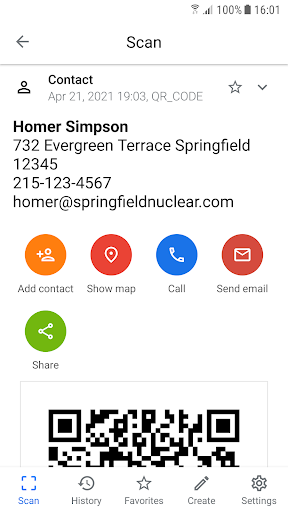
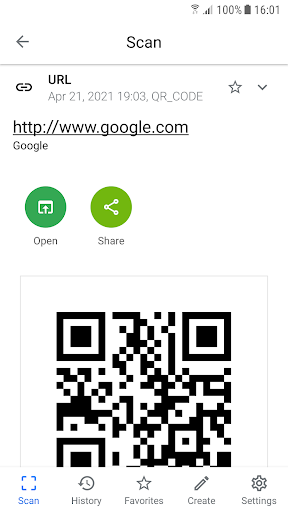
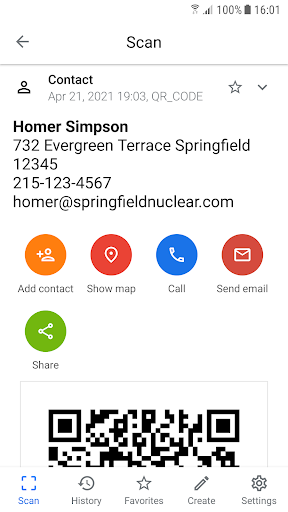
QR Code Reader & QR Reader: Easily scan QR codes and barcodes using our QR code reader and QR reader. QR & Barcode Reader will automatically recognize and process the code, providing you with instant information.
QR Code Generator & QR Code Creator : Generate custom QR codes for your business or personal use with our built-in QR code generator and creator. Share your QR codes via social media, email, or print them for your convenience.
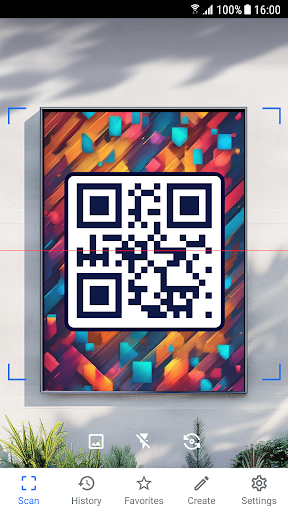
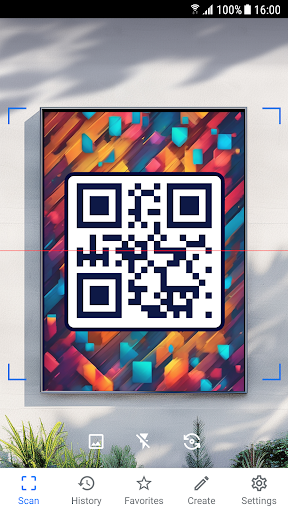
Scan QR & QR Code Scan: Simply point your camera at the QR code, and our app will instantly scan QR codes and provide you with the relevant information. QR code scan has never been easier!
QR Code Scanner Free & QR Code Scanner for Android: QR & Barcode Reader is a free-to-use QR code scanner and reader app designed for Android devices. With its intuitive interface, QR & Barcode Reader is the best QR code scanner for Android users.
Top QR Code App: QR & Barcode Reader is your go-to QR code app, offering QR code scanning, reading, and generating features in a single, easy-to-use app.
Quick Response Code & Scan Barcode: QR & Barcode Reader is designed for quick response code scanning and barcode scanning, providing you with a seamless experience.
Secure & Reliable: QR & Barcode Reader ensures that your data is protected, making it a trustworthy QR code scanner, reader, and generator app.
Scan WiFi QR code to connect to WiFi network automatically.
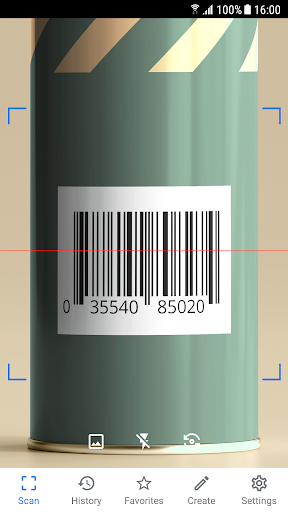
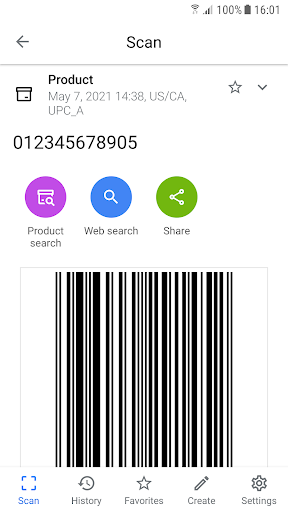
Instantly scan and decode any QR code or barcode. To scan a QR code or bar code simply open the app and point the camera at the code you wish to scan. App will automatically detect, scan, read & decode it. Do not hold the device too close to the code. Ideal scanning distance is at least 4 inches /10 cm or more from the code. QR Code Scanner / QR Code Reader is the only QR scanner, barcode reader you will ever need.
QR Code Scanner / QR Code Reader features:
• All-in-one scanner, QR reader & QR decoder
• Scans all standard 2D and 1D barcodes including different QR code formats
• Extremely simple to use with point and scan function
• Instant QR scan & decoding
• QR code generator / QR code creator
• No internet connection required
• Flashlight support for low light environments
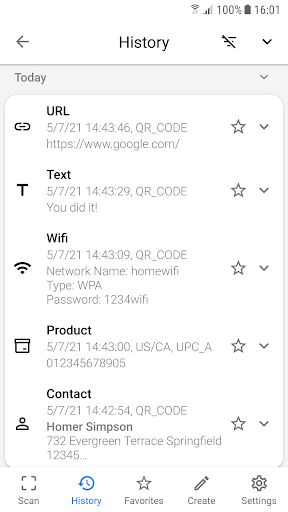
• Scan history
• Supports WiFi QR code format to connect to WiFi networks
• Requires only camera permission to work
• Does not ask for any unnecessary permissions
• Users privacy is fully protected
• Developed by highly professional and highly ethical developers
• Sustainable app development
• Professional design
• Professional & optimized coding
• Optimized app power consumption
• Different layout for tablets and phones
QR & Barcode Reader / QR Code Scanner / QR Code Reader is truly a must have bar-code scanner, QR Scanner, QR Reader and QR generator for any Android device.
Whether you're a business owner or someone who frequently encounters QR codes in daily life, QR & Barcode Reader has all the features you need in a QR code app. Download QR & Barcode Reader - QR Code Scanner, Reader & Generator today and unlock the full potential of QR codes!
Editor's Take
QR & Barcode Reader sits at 4.8 stars across 87.5 thousand ratings on Google Play, and is still building an audience.
That score is hard to fake on a productivity app — it usually signals a tool that stays out of your way, does one thing well, and doesn't pepper you with upsells.
QR SCAN Team is the publisher behind this release; we'd suggest taking a quick look at their other titles on Google Play if the style clicks with you. The last visible update lands 2025-12-11, which is a small but useful signal that the team is still shipping fixes rather than treating the app as abandoned.
Who This App Is For
A quick read on the audiences this app tends to click with, based on its category, content rating and track record on Google Play.
- Family-friendly playersContent is rated Everyone, so it's a safe pick for shared devices.
- Power usersBuilt for people who want a focused utility, not a feed.
- Quality-first downloadersConsistently high ratings make this a low-risk trial, even at full volume on a new device.
- Free-tier explorersFree on Google Play, so you can trial the loop before deciding if it earns space on your home screen.
At a Glance
thumb_up What stands out
- Consistent high ratingsA 4.8-star average across 87.5 thousand ratings is a strong quality signal.
- Free to try on Google PlayNo upfront cost, so you can confirm the loop clicks before committing time or in-app purchases.
- Actively maintainedLast visible update 2025-12-11, suggesting the team is still shipping fixes.
- Known publisherPublished by QR SCAN Team — worth checking their catalogue for similar titles.
info Things to know
- Smaller user baseNiche community means fewer community guides — great for discovery, slower for help with edge cases.
- In-app purchases may applyFree-to-play economics are common in this category — open the Google Play listing to confirm the monetization model before committing.
- Check device compatibilityOlder devices or restricted regions sometimes filter out specific Google Play listings. Confirm on the official page before setting aside time.
Key Features
- • All-in-one scanner, QR reader & QR decoder
- • Scans all standard 2D and 1D barcodes including different QR code formats
- • Extremely simple to use with point and scan function
- • Instant QR scan & decoding
- • QR code generator / QR code creator
- • No internet connection required
- • Flashlight support for low light environments
- • Scan history