About this app
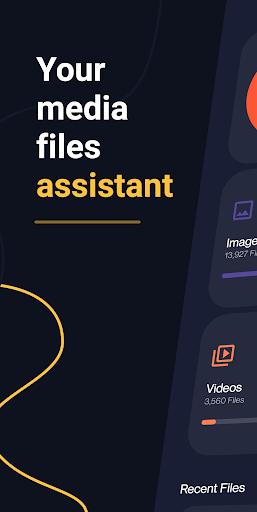
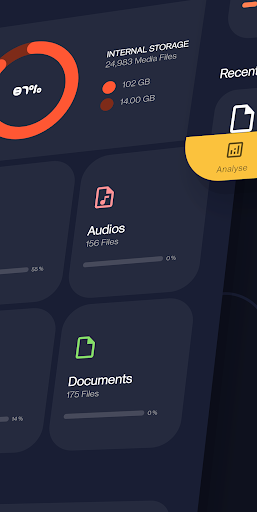
From the developers of open source app Amaze File Manager. An open source app to view, manage and analyse internal storage media files with built-in media players, without any ads and with a beautiful UI.
Analyse:
- Analyse storage for junk files to delete
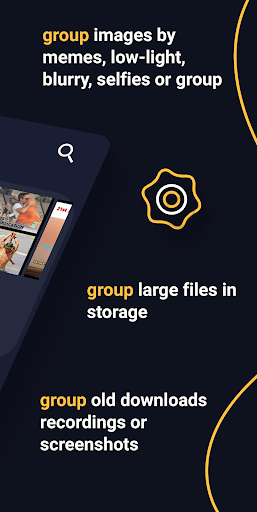
- Group similar images, memes, low-light images, blurred images, selfies or group images
- Group large or duplicate files in storage
- Group old downloads, recordings or screenshots
- Group unused / most used / least used installed apps, large apps or games, apps that use most data
- Clear RAM for better performance
Media Files:
- View / group / sort in list or grid
- Delete / share / go to location
- Open using inbuilt player
- Jump to any date instantly
- Search for any media file instantly
- Cast on tv
Music Player:
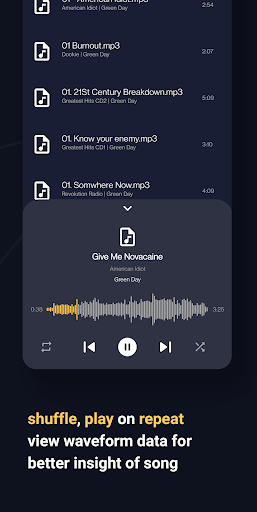
- Shuffle, play on repeat
- View waveform data for better insight of song
- Change playback pitch or speed
- Add, remove songs to playlists
Video Player:
- Play videos with gestures to skip, manage volume, brightness within player
- View in picture-in-picture mode
- Supports gesture to play, pause, skip, change brightness or volume within player
- Play in background
- Lock gestures or orientation
- Search and download online subtitles within player
- Change playback aspect ratio, pitch and speed
Image Viewer:
- View, share or delete images
- Edit using inbuilt image editor
- Add stickers, text, rotate, crop or draw over images
- View image histogram or other metadata
Document Viewer:
- View pdf, epub, docx, xps, oxps, cbz, fb2 and mobi files using inbuilt viewer
- Search for text in viewer
- Switch between dark or light mode in pdf viewer
- Bookmark a page in your epub digital book
Transfer:
- Transfer data between devices through wifi p2p
- High transfer speeds using android Wifi-direct
Contact:
Telegram - https://t.me/AmazeFileManager
Issue tracker:
https://github.com/TeamAmaze/AmazeFileUtilities-Issue-Tracker/issues
Source Code:
https://github.com/TeamAmaze/AmazeFileUtilities
Note: This app is based on a trial period post which you're supposed to subscribe/ get lifetime membership to continue using the app.
Editor's Take
Amaze File Utilities sits at 4.1 stars across 732 ratings on Google Play, and is still building an audience.
A rating in this range tells us the core loop works for most players; the usual friction points are cosmetic or balance-tweak territory rather than anything fundamentally broken.
Team Amaze is the publisher behind this release; we'd suggest taking a quick look at their other titles on Google Play if the style clicks with you. The last visible update lands 2024-07-17, which is a small but useful signal that the team is still shipping fixes rather than treating the app as abandoned.
Who This App Is For
A quick read on the audiences this app tends to click with, based on its category, content rating and track record on Google Play.
- Family-friendly playersContent is rated Everyone, so it's a safe pick for shared devices.
- Power usersBuilt for people who want a focused utility, not a feed.
- Free-tier explorersFree on Google Play, so you can trial the loop before deciding if it earns space on your home screen.
At a Glance
thumb_up What stands out
- Well-received by its audienceSitting above 4 stars on Google Play means most players finish their first session satisfied.
- Free to try on Google PlayNo upfront cost, so you can confirm the loop clicks before committing time or in-app purchases.
- Actively maintainedLast visible update 2024-07-17, suggesting the team is still shipping fixes.
- Known publisherPublished by Team Amaze — worth checking their catalogue for similar titles.
info Things to know
- Smaller user baseNiche community means fewer community guides — great for discovery, slower for help with edge cases.
- In-app purchases may applyFree-to-play economics are common in this category — open the Google Play listing to confirm the monetization model before committing.
- Check device compatibilityOlder devices or restricted regions sometimes filter out specific Google Play listings. Confirm on the official page before setting aside time.
Key Features
- - Analyse storage for junk files to delete
- - Group similar images, memes, low-light images, blurred images, selfies or group images
- - Group large or duplicate files in storage
- - Group old downloads, recordings or screenshots
- - Group unused / most used / least used installed apps, large apps or games, apps that use most data
- - Clear RAM for better performance
- - View / group / sort in list or grid
- - Delete / share / go to location