About this app
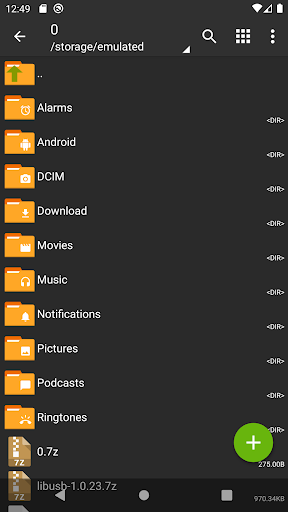
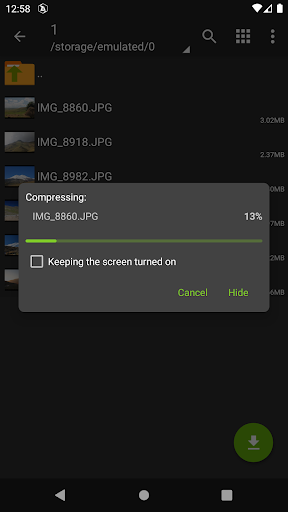
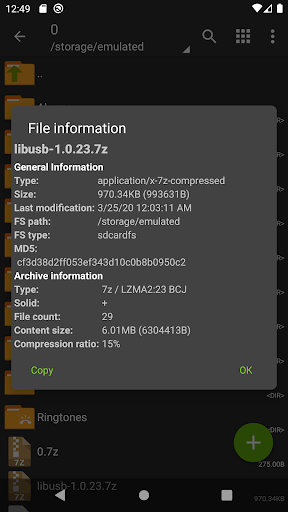
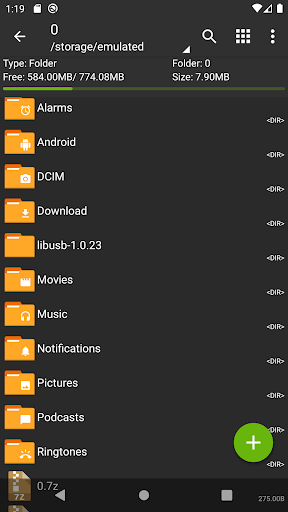
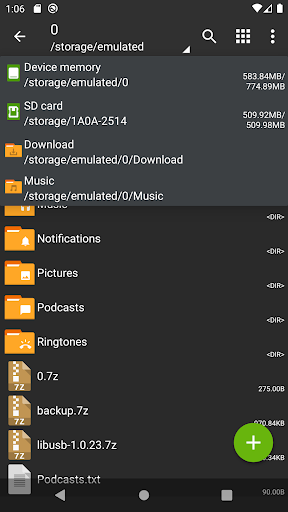
ZArchiver - is a program for archive management (including managing of application backups in archives). You can managment backup of application. It has a simple and functional interface. The app doesn't have permission to access the internet, so cannot transmit any information to other services or persons.
ZArchiver lets you:
- Create the following archive types: 7z (7zip), zip, bzip2 (bz2), gzip (gz), XZ, lz4, tar, zst (zstd);
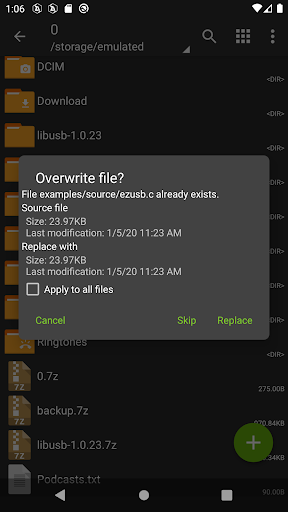
- Decompress the following archive types: 7z (7zip), zip, rar, rar5, bzip2, gzip, XZ, iso, tar, arj, cab, lzh, lha, lzma, xar, tgz, tbz, Z, deb, rpm, zipx, mtz, chm, dmg, cpio, cramfs, img (fat, ntfs, ubf), wim, ecm, lzip, zst (zstd), egg, alz;
- View archive contents: 7z (7zip), zip, rar, rar5, bzip2, gzip, XZ, iso, tar, arj, cab, lzh, lha, lzma, xar, tgz, tbz, Z, deb, rpm, zipx, mtz, chm, dmg, cpio, cramfs, img (fat, ntfs, ubf), wim, ecm, lzip, zst (zstd), egg, alz;
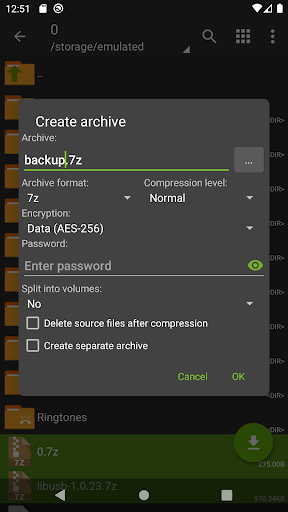
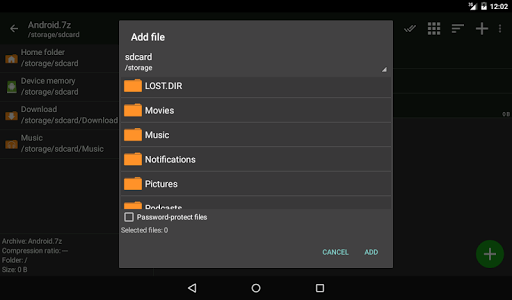
- Create and decompress password-protected archives;
- Edit archives: add/remove files to/from the archive (zip, 7zip, tar, apk, mtz);
- Create and decompress multi-part archives: 7z, rar (decompress only);
- Install APK and OBB file from backup (archive);
- Partial archive decompression;
- Open compressed files;
- Open an archive file from mail applications;
- Extract split archives: 7z, zip and rar (7z.001, zip.001, part1.rar, z01);
Particular properties:
- Start with Android 9 for small files (<10MB). If possible, use direct opening without extracting to a temporary folder;
- Multithreading support (useful for multicore processors);
- UTF-8/UTF-16 support for filenames allows you to use national symbols in filenames.
ATTENTION! Any useful ideas or wishes are welcome. You can send them by email or just leave a comment here.
Mini FAQ:
Q: What password?
A: The contents of some archives may be encrypted and the archive can only be opened with the password (don't use the phone password!).
Q: The program is not working correctly?
A: Send me an email with detailed description of the problem.
Q: How to compress files?
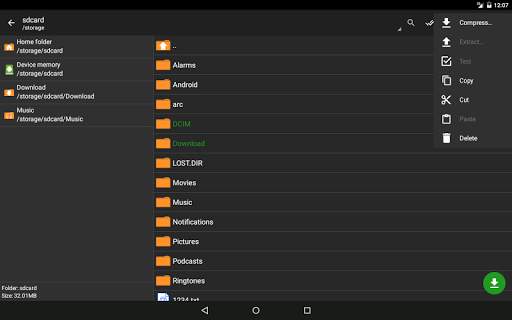
A: Select all the files you want to compress by clicking on icons (from the left of filenames). Click on the first of selected files and choose "Compress" from menu. Set desired options and press the OK button.
Q: How to extract files?
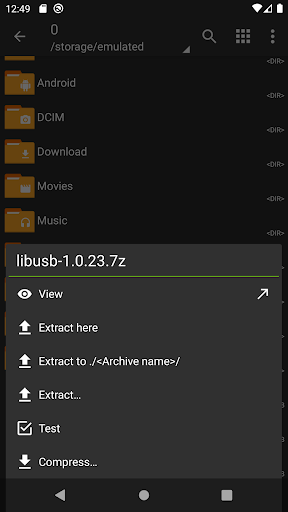
A: Click on the archive name and select suitable options ("Extract Here" or other).
Editor's Take
ZArchiver sits at 4.1 stars across 1.4 million ratings on Google Play, and is still building an audience.
A rating in this range tells us the core loop works for most players; the usual friction points are cosmetic or balance-tweak territory rather than anything fundamentally broken.
ZDevs is the publisher behind this release; we'd suggest taking a quick look at their other titles on Google Play if the style clicks with you. The last visible update lands 2024-06-24, which is a small but useful signal that the team is still shipping fixes rather than treating the app as abandoned.
Who This App Is For
A quick read on the audiences this app tends to click with, based on its category, content rating and track record on Google Play.
- Family-friendly playersContent is rated Everyone, so it's a safe pick for shared devices.
- Power usersBuilt for people who want a focused utility, not a feed.
- Free-tier explorersFree on Google Play, so you can trial the loop before deciding if it earns space on your home screen.
At a Glance
thumb_up What stands out
- Well-received by its audienceSitting above 4 stars on Google Play means most players finish their first session satisfied.
- Free to try on Google PlayNo upfront cost, so you can confirm the loop clicks before committing time or in-app purchases.
- Actively maintainedLast visible update 2024-06-24, suggesting the team is still shipping fixes.
- Known publisherPublished by ZDevs — worth checking their catalogue for similar titles.
info Things to know
- Smaller user baseNiche community means fewer community guides — great for discovery, slower for help with edge cases.
- In-app purchases may applyFree-to-play economics are common in this category — open the Google Play listing to confirm the monetization model before committing.
- Check device compatibilityOlder devices or restricted regions sometimes filter out specific Google Play listings. Confirm on the official page before setting aside time.
Key Features
- - Create the following archive types: 7z (7zip), zip, bzip2 (bz2), gzip (gz), XZ, lz4, tar, zst (zstd);
- - Create and decompress password-protected archives;
- - Edit archives: add/remove files to/from the archive (zip, 7zip, tar, apk, mtz);
- - Create and decompress multi-part archives: 7z, rar (decompress only);
- - Install APK and OBB file from backup (archive);
- - Partial archive decompression;
- - Open compressed files;
- - Open an archive file from mail applications;