About this app
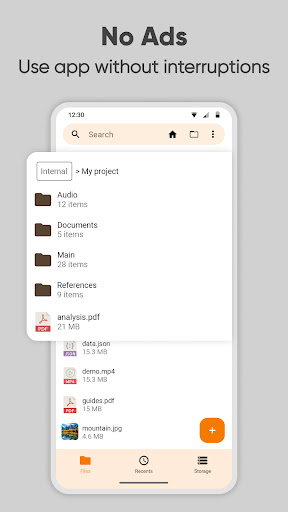
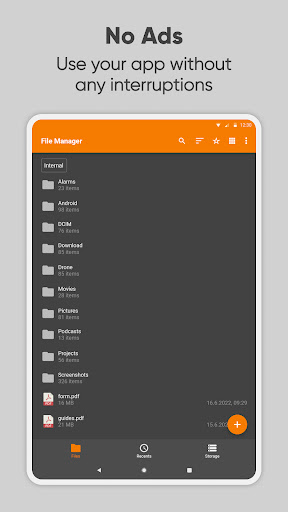
Simple File Manager is a super quick & professional file and folder manager for Android devices. Use Simple File Manager to easily compress, transfer & convert media files with a few clicks. It has all of the major file manager & folder management features, including customizing the home folder and selecting favorite folders for quick access.
The file manager provides the whole pack of file manager features, including search, navigation, copy & paste, cut, delete, rename, decompress, transfer, download, organize & so on. Add, remove, or edit files, folders & apps according to your personal preferences.
With this easy data organizer, you can organize and sort your mobile by various metrics and toggle between ascending and descending or using a folder specific sorting. To get a file or folder path quickly, you can easily select it by long-pressing and copying it in the clipboard.
Simple File Manager makes organizing your mobile files, folders, and apps easy to save you both time & energy. With just a few clicks, you can also check file or folder properties, which shows various fields like the size, date of the last modification, or EXIF values like the creation date, camera model at photos, etc.
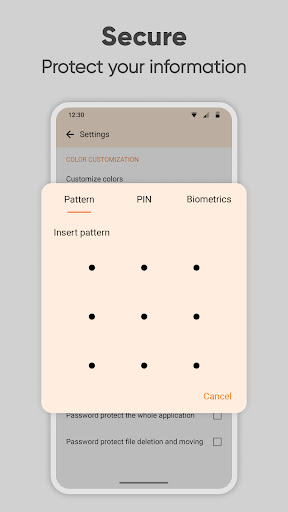
This file organizer is absolutely secure, containing multiple powerful security-related functions, like password protecting hidden items, deleting or opening the whole app. You can choose between using a pattern, pin, or a biometric lock to keep your data private. The fingerprint permission is needed for locking either hidden item visibility, deleting files, or the whole app. Simple File Manager works without internet access, further guaranteeing your ultimate privacy.
The File Manager can also clean up space and save your internal storage by compressing files & folders. This modern media file organizer supports fast browsing of root files, SD cards, and USB devices. File Manager also recognizes multiple file formats, including music, videos, images & documents.
Use Simple File Manager to create handy desktop shortcuts for accessing your favorite items quickly. It contains a light file editor that you can use to print documents, edit them, or read easily using zoom gestures, whenever needed.
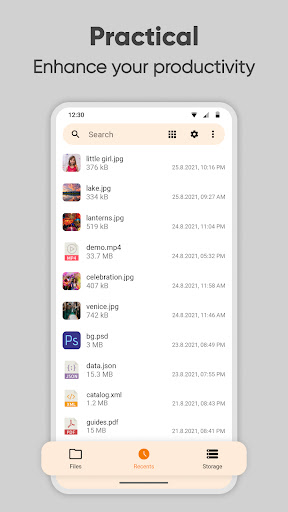
Despite called Simple File Manager, it will help you manage & customize your files, folders & apps with just a few clicks. You can easily see your recent files and do a storage analysis too.
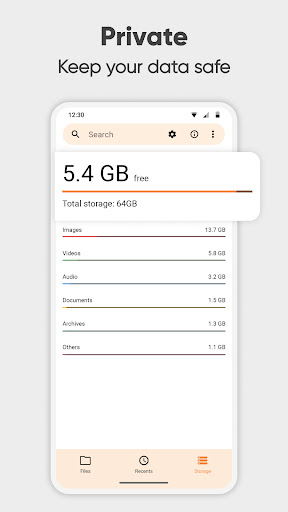
You can use the built in Storage Analysis to have a quick overview about what files are taking up the most space and clean it up. It can function as a storage cleaner that will help empty some space on your device.
It comes with material design and dark theme by default, provides great user experience for easy usage. The lack of internet access gives you more privacy, security and stability than other apps.
Contains no ads or unnecessary permissions. It is fully opensource, provides customizable colors.
Check out the full suite of Simple Tools here:
https://www.simplemobiletools.com
Facebook:
https://www.facebook.com/simplemobiletools
Reddit:
https://www.reddit.com/r/SimpleMobileTools
Telegram:
https://t.me/SimpleMobileTools
Editor's Take
Simple File Manager Pro sits at 4.3 stars across 6.7 thousand ratings on Google Play, and is still building an audience.
A rating in this range tells us the core loop works for most players; the usual friction points are cosmetic or balance-tweak territory rather than anything fundamentally broken.
Simple Mobile Tool is the publisher behind this release; we'd suggest taking a quick look at their other titles on Google Play if the style clicks with you. The last visible update lands 2023-09-19, which is a small but useful signal that the team is still shipping fixes rather than treating the app as abandoned.
Who This App Is For
A quick read on the audiences this app tends to click with, based on its category, content rating and track record on Google Play.
- Family-friendly playersContent is rated Everyone, so it's a safe pick for shared devices.
- Power usersBuilt for people who want a focused utility, not a feed.
At a Glance
thumb_up What stands out
- Well-received by its audienceSitting above 4 stars on Google Play means most players finish their first session satisfied.
- One-time purchase optionPaid titles like this one ($1.19) tend to skip the aggressive ad patterns you see in free-to-play alternatives.
- Actively maintainedLast visible update 2023-09-19, suggesting the team is still shipping fixes.
- Known publisherPublished by Simple Mobile Tool — worth checking their catalogue for similar titles.
info Things to know
- Smaller user baseNiche community means fewer community guides — great for discovery, slower for help with edge cases.
- Check device compatibilityOlder devices or restricted regions sometimes filter out specific Google Play listings. Confirm on the official page before setting aside time.