About this app
ASTRO File Manager is the all-in-one app for easily organizing, moving, and backing up your files and cleaning your phone’s storage. It comes with a user-friendly interface for easy navigation and simple management of your internal, external, and cloud storages. ASTRO is being used by 150M+ users worldwide since 2009, it’s free to use and has no advertising!
These are the top ASTRO, by Sensor Tower, features that will help you to take control over all your digital files:
File Explorer
It doesn’t have to be a hassle to organize your files. ASTRO File Manager allows you to:
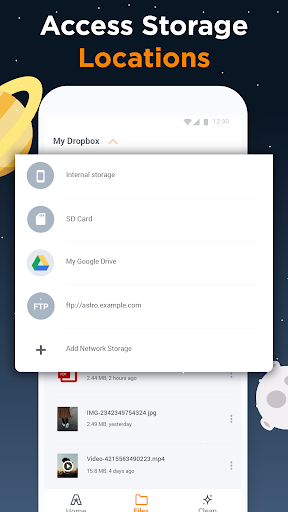
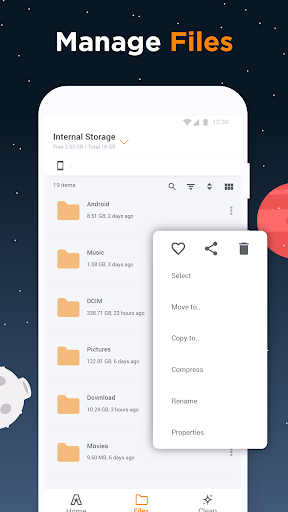
• Move, copy, share, rename, files on internal storage, SD card, and cloud space.
• Sort and categorize files: Have fast access to all of your files on internal and external memory space. Manage your folders effectively with this handy file browser.
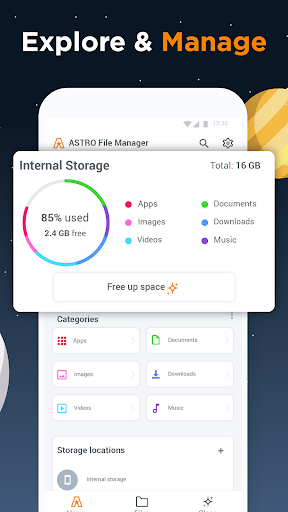
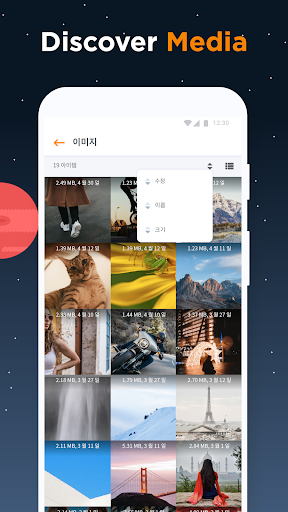
• Easily access all your images, videos, music, apps, and recent folders from the home screen.
• Manage downloads: view which files were recently downloaded and move them to different folders.
Storage Cleaner
Not enough storage space on your phone for all your favorite apps and games? No problem! With ASTRO File Manager you can:
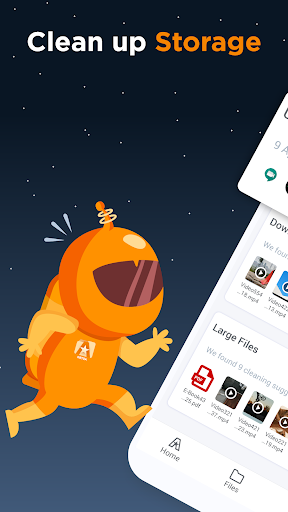
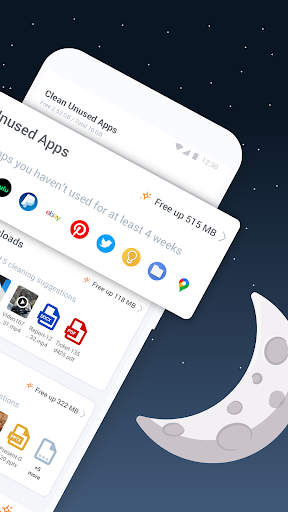
• Free up space on your phone with recommendations for deleting unused apps and files.
• Take matters in your own hands by sorting files by size and find out which of them are taking up the most space.
• Backup important photos and files: securely move, copy and backup files to SD cards or any safe cloud space.
Storage Manager
Expand your phone storage and manage your cloud accounts on the go! This feature allows you to:
• Make the most out of your cloud storages and manage them all together in one app!
• Connect and sync up all your favorite cloud storages: Box, Google Drive, Dropbox, OneDrive, and soon more...
• Manage apps: easily backup apps to your SD card, easily restore all your apps after a factory reset or delete multiple apps that you don’t need anymore.
File protector
You don’t have to worry about others being able to access your files. With ASTRO security features you can easily hide your files and lock them in a secure vault.
• All your pictures, videos and other files will stay hidden no matter if it’s on your device or Cloud accounts.
• Make your files invisible in seconds by tapping the “eye” icon.
• Create a secret vault and keep your private information safe by locking files with a PIN or a password.
• Customize your vault and hide it on your Home screen.
• Access the vault and its contents easily with a PIN, Face recognition or a Fingerprint.
Media Coverage
“The old friend ASTRO. ASTRO File Manager has been one of the best file managers on Google Play for years now and with good reason. It has an easy to use and intuitive UI, which is always a solid plus, but it also comes at the lovely price of free.” - Androidcentral
“ASTRO File Manager: best for cloud functionality. ASTRO File Manager supports all major cloud services and combines a file manager for data both on your device and online. A convenient user interface provides quick access to common functions related to managing, copying, and searching for files and data.” - AndroidPIT
An app from data.ai
Trusted by more than 1 million users, data.ai is the leading global provider of mobile performance estimates. In short, we help app developers build better apps. With your consent, we collect information about your app and web activity to create market research on mobile behavior. For instance:
• Which apps & websites are used in your country?
• How many people use a specific app or website?
• How much time is spent on social networking?
• How many times per day is a specific app being used?
We do this with the help of this app.
ASTRO File Manager is built by Sensor Tower.
Editor's Take
ASTRO File Manager & Cleaner sits at 4.1 stars across 622.6 thousand ratings on Google Play, and is still building an audience.
A rating in this range tells us the core loop works for most players; the usual friction points are cosmetic or balance-tweak territory rather than anything fundamentally broken.
ST Pulse is the publisher behind this release; we'd suggest taking a quick look at their other titles on Google Play if the style clicks with you. The last visible update lands 2025-02-19, which is a small but useful signal that the team is still shipping fixes rather than treating the app as abandoned.
Who This App Is For
A quick read on the audiences this app tends to click with, based on its category, content rating and track record on Google Play.
- Family-friendly playersContent is rated Everyone, so it's a safe pick for shared devices.
- Power usersBuilt for people who want a focused utility, not a feed.
- Free-tier explorersFree on Google Play, so you can trial the loop before deciding if it earns space on your home screen.
At a Glance
thumb_up What stands out
- Well-received by its audienceSitting above 4 stars on Google Play means most players finish their first session satisfied.
- Free to try on Google PlayNo upfront cost, so you can confirm the loop clicks before committing time or in-app purchases.
- Actively maintainedLast visible update 2025-02-19, suggesting the team is still shipping fixes.
- Known publisherPublished by ST Pulse — worth checking their catalogue for similar titles.
info Things to know
- Smaller user baseNiche community means fewer community guides — great for discovery, slower for help with edge cases.
- In-app purchases may applyFree-to-play economics are common in this category — open the Google Play listing to confirm the monetization model before committing.
- Check device compatibilityOlder devices or restricted regions sometimes filter out specific Google Play listings. Confirm on the official page before setting aside time.
Key Features
- • Move, copy, share, rename, files on internal storage, SD card, and cloud space.
- • Sort and categorize files: Have fast access to all of your files on internal and external memory space. Manage your folders effectively with this handy file browser.
- • Easily access all your images, videos, music, apps, and recent folders from the home screen.
- • Manage downloads: view which files were recently downloaded and move them to different folders.
- • Free up space on your phone with recommendations for deleting unused apps and files.
- • Take matters in your own hands by sorting files by size and find out which of them are taking up the most space.
- • Backup important photos and files: securely move, copy and backup files to SD cards or any safe cloud space.
- • Make the most out of your cloud storages and manage them all together in one app!