About this app
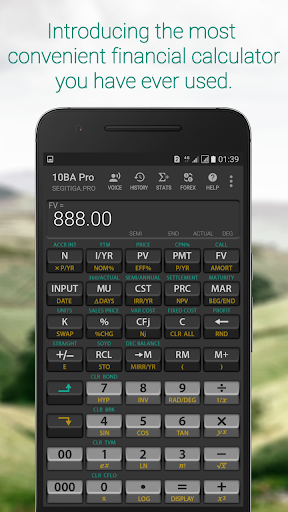
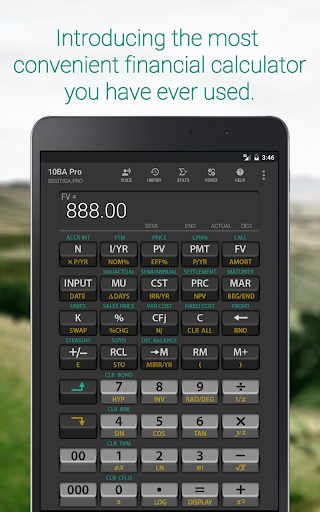
The 10BA Financial Calculator works like the industry standard financial calculator such as the HP 10B, HP 10BII, or the HP 10BII+ emulator; however, we add tons of unique features that makes this app be the most convenient financial calculator that you have ever used.
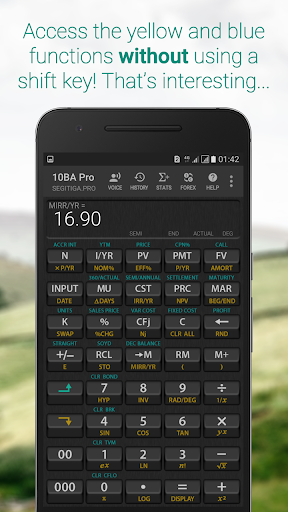
Single-Access Key
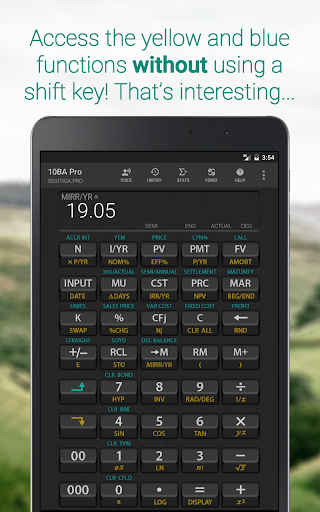
No need to use a shift key to access the yellow or the blue functions. The Single-Access Key feature enables you to activate the yellow and the blue functions quickly and conveniently.
Integrated Cheatsheet
No need to memorize anything. Each functions on the calculator has a cheatsheet containing brief description of how the function works, and examples.
Anti-Boring
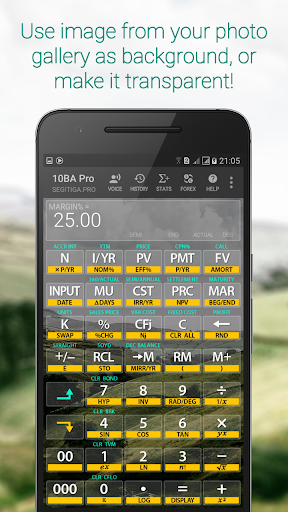
Replace the background with an image from your photo gallery. You can even make it transparent like the interface you often see on TV, kind of.
Zero-Learning Curve
Already familiar with the 10BII+ or similar financial calculator? Practically there is no learning curve with the 10BA Pro. We add features that makes it even easier to use than the real thing.
Peace of Mind
The 10BA Pro has hundreds of functions. Many of them you'll probably never use. But you know they are there in case you need them.
Integrated Currency Converter
Currency converter is integrated into the calculator and is only a keystroke away.
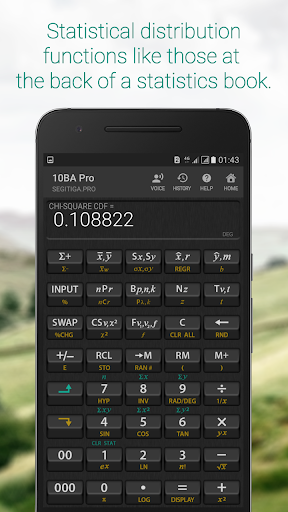
Statistical Distribution Functions
A separate screen for Statistics so many functions can be accomodated. Calculate most distribution functions that you find at the back of a statistics book!
Amortization Schedule
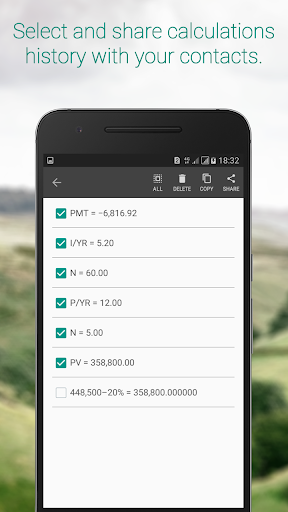
Produce an amortization schedule that you can convert into Excel format and later share with your contacts.
Financial Functions
• TVM: Number of periods, Interest/year, Present value, Periodic payment, Future value, Amortization, Amortization schedule
• Business percentages: Percent, Percent change, Markup, Cost, Price, Margin
• Cashflow analysis: IRR, MIRR, Net present value, Net future value
• Depreciation: Straight line, Sum of the years’ digits, Declining balance
• Interest conversion: Nominal, Effective
• Break even analysis: Units, Sales price, Variable cost, Fixed cost, Profit
• Bonds: Accrued interest, YTM, Price, Coupon, Call, 360/Actual, Semiannual/Annual
• Calendar functions: Date, Date difference, 360/Actual
Statistical Functions
• Summary statistics
• Regressions: Linear, Exponential, Logarithmic, Power, Exponent, Inverse
• X-Estimates, Y-Estimates, Correlation
• Standard deviation: Sample, Population
• Average, Weighted average
• Permutation, Combination
• Distribution: Binomial, Poisson, Normal, Inverse Normal, Student-t, Inverse Student-t, Chi-Square, Inverse Chi-Square, F, Inverse F
• Pseudo random number
Mathematical functions
• Basic arithmetic
• Trigonometric, Inverse trigonometric
• Hyperbolic, Inverse Hyperbolic
For TI Users, before you post a one-star review asking where the CPT button is.
There is no [CPT] button by design so don't look for it. The app does not need the [CPT] key. To find future value [FV] instead of [CPT][FV] just tap [FV]. Read the integrated Help feature for details, or simply contact us!
Feedback and Contact Info
Please contact us for feedback, suggestions for improvement, or bugs at [email protected]
Privacy Policy
10BA Pro Financial Calculator does not collect, store, or transmit information about its users. The use of "allow to take pictures and record video" permission is for the application to use the back camera and achieve transparent background effect. The use of "allow to access photos, media, and files on your device" permission is to enable you to select an image from the gallery folder as calculator background. The permission is also necessary if you want to convert the amortization schedule into Excel format because the app needs to save the converted file into the Documents folder.
Editor's Take
10BA Pro Financial Calculator sits at 4.7 stars across 1.7 thousand ratings on Google Play, and is still building an audience.
That score is hard to fake on a productivity app — it usually signals a tool that stays out of your way, does one thing well, and doesn't pepper you with upsells.
Segitiga.Pro is the publisher behind this release; we'd suggest taking a quick look at their other titles on Google Play if the style clicks with you. The last visible update lands 2017-10-07, which is a small but useful signal that the team is still shipping fixes rather than treating the app as abandoned.
Who This App Is For
A quick read on the audiences this app tends to click with, based on its category, content rating and track record on Google Play.
- Family-friendly playersContent is rated Everyone, so it's a safe pick for shared devices.
- Power usersBuilt for people who want a focused utility, not a feed.
- Quality-first downloadersConsistently high ratings make this a low-risk trial, even at full volume on a new device.
- Free-tier explorersFree on Google Play, so you can trial the loop before deciding if it earns space on your home screen.
At a Glance
thumb_up What stands out
- Consistent high ratingsA 4.7-star average across 1.7 thousand ratings is a strong quality signal.
- Free to try on Google PlayNo upfront cost, so you can confirm the loop clicks before committing time or in-app purchases.
- Actively maintainedLast visible update 2017-10-07, suggesting the team is still shipping fixes.
- Known publisherPublished by Segitiga.Pro — worth checking their catalogue for similar titles.
info Things to know
- Smaller user baseNiche community means fewer community guides — great for discovery, slower for help with edge cases.
- In-app purchases may applyFree-to-play economics are common in this category — open the Google Play listing to confirm the monetization model before committing.
- Check device compatibilityOlder devices or restricted regions sometimes filter out specific Google Play listings. Confirm on the official page before setting aside time.
Key Features
- • TVM: Number of periods, Interest/year, Present value, Periodic payment, Future value, Amortization, Amortization schedule
- • Business percentages: Percent, Percent change, Markup, Cost, Price, Margin
- • Cashflow analysis: IRR, MIRR, Net present value, Net future value
- • Depreciation: Straight line, Sum of the years’ digits, Declining balance
- • Interest conversion: Nominal, Effective
- • Break even analysis: Units, Sales price, Variable cost, Fixed cost, Profit
- • Bonds: Accrued interest, YTM, Price, Coupon, Call, 360/Actual, Semiannual/Annual
- • Calendar functions: Date, Date difference, 360/Actual