About this app
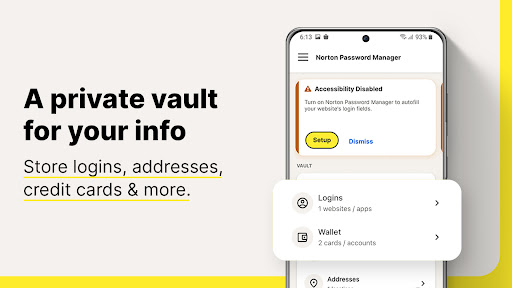
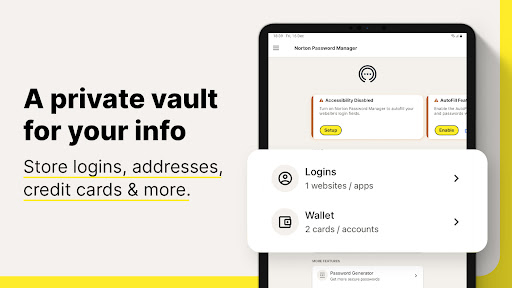
Want a free, powerful password manager? Norton Password Manager is a single solution to help manage your unique passwords in multiple ways. Memorizing complex passwords with symbols, numbers, capital letters, and more, is difficult but important to help keep your personal information secure. With Norton Password Manager, your information is encrypted, making it more secure, yet still available across your devices so you can access it anywhere. Best of all, it’s free!*
Why Norton Password Manager
• Passwords filled in a single tap
When you log in to websites and apps, it’s a smoother, quicker, and more convenient experience. Your passwords are stored in an online vault, which can be used to auto fill online login information with a single tap.¹
• Encrypted
With zero knowledge encryption and two-factor authentication, only you control access to your password vault–not even Norton can access it. These security measures help keep your data safer from cybercriminals and hacking attempts.
• Free*
Norton Password Manager is free and accessible to anyone and works on devices including computers, tablets, and phones
• Sync passwords¹
Your entire password vault can be synced and accessible across your devices.
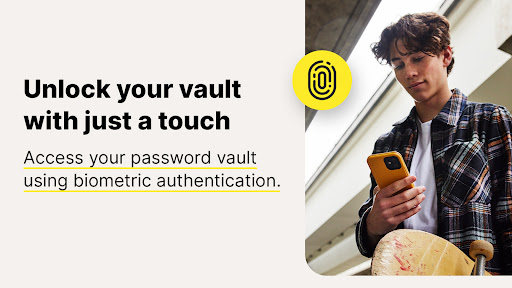
• Biometric unlock²
Access your vault faster or recover your vault password³ using the fingerprint reader on Android™ devices.
• Password Assessment
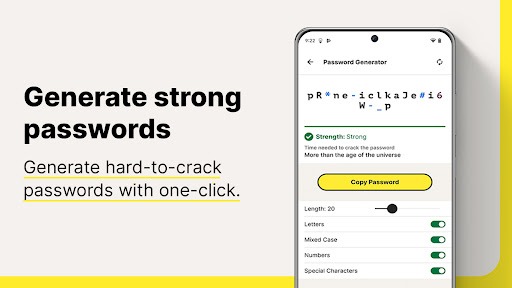
Check if your passwords are strong and easily create new passwords or change weak to stronger passwords that are more difficult to crack
Your information stays private even from us because it’s encrypted using zero-knowledge encryption before being stored in your cloud-based vault. Your passwords and other personal information can be even more secure by enabling two-factor authentication, plus you can use the fingerprint reader on Android™ devices so you can access your vault even faster.
Creating and remembering complex passwords doesn’t have to be difficult. Norton Password Manager helps you safeguard your personal information by making recommendations to strengthen passwords, adding more security to your online, digital life.
* With the free version of Norton Password Manager, we reserve the right to limit the number of entries (like passwords) at any time. This limitation won’t affect any existing entries in your vault.
¹ Requires your device to have an Internet/data plan and be turned on.
² Only available on Android and iOS devices with Fingerprint Authentication or Touch ID/Face ID activated.
³ Vault Password Reset can only be initiated on an Android or iOS smartphone. To work, your smartphone must have the Norton Password Manager mobile app installed, set up, and connected to your Norton account, plus the Biometric Authentication (fingerprint, or Touch ID/Face ID) activated, beforehand.
PRIVACY POLICY
NortonLifeLock respects the privacy of our users and carefully safeguards personal data.
For more information: https://www.nortonlifelock.com/privacy
Editor's Take
Norton Password Manager sits at 4.4 stars across 90 thousand ratings on Google Play, and is still building an audience.
A rating in this range tells us the core loop works for most players; the usual friction points are cosmetic or balance-tweak territory rather than anything fundamentally broken.
NortonMobile is the publisher behind this release; we'd suggest taking a quick look at their other titles on Google Play if the style clicks with you. The last visible update lands 2026-01-14, which is a small but useful signal that the team is still shipping fixes rather than treating the app as abandoned.
Who This App Is For
A quick read on the audiences this app tends to click with, based on its category, content rating and track record on Google Play.
- Family-friendly playersContent is rated Everyone, so it's a safe pick for shared devices.
- Power usersBuilt for people who want a focused utility, not a feed.
- Free-tier explorersFree on Google Play, so you can trial the loop before deciding if it earns space on your home screen.
At a Glance
thumb_up What stands out
- Consistent high ratingsA 4.4-star average across 90 thousand ratings is a strong quality signal.
- Free to try on Google PlayNo upfront cost, so you can confirm the loop clicks before committing time or in-app purchases.
- Actively maintainedLast visible update 2026-01-14, suggesting the team is still shipping fixes.
- Known publisherPublished by NortonMobile — worth checking their catalogue for similar titles.
info Things to know
- Smaller user baseNiche community means fewer community guides — great for discovery, slower for help with edge cases.
- In-app purchases may applyFree-to-play economics are common in this category — open the Google Play listing to confirm the monetization model before committing.
- Check device compatibilityOlder devices or restricted regions sometimes filter out specific Google Play listings. Confirm on the official page before setting aside time.
Key Features
- • Passwords filled in a single tap
- • Encrypted
- • Sync passwords¹
- • Biometric unlock²
- • Password Assessment