About this app
HideU allows you to hide all types of files, including photos, videos and other items in hidden space with calculator password protection. It also provides you with other useful functions, including notes, video player, camera, etc. You can use HideU as a private parallel space in your phone.
Your files will be secretly stored in HideU and can only be accessed by entering a digital PIN.
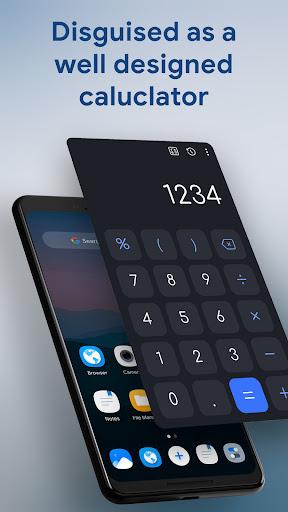
Disguised as a secret calculator, HideU is a stunning free video vault, photo gallery lock, audio protector and privacy guard for your personal information and media files.
Main Features:
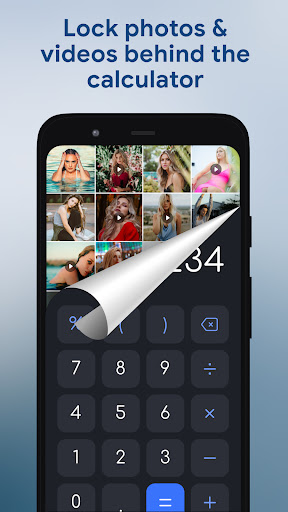
📷 Hide photos & videos
Secret media files will be stored in HideU and will not be shown in any other photo album, gallery or file manager. Keep others away from your private photos, videos, movies in safe media files vault.
📺 Video Player & Built-in Photo Viewer
You can play hidden videos inside calculator lock. The video player provides very convenient functions to allow you easily adjust the brightness, sound, and one-key mute to help you quickly switch in various situations.
Through Built-in Photo Viewer, you can easily view all hidden photos inside the calculator lock app. HideU also supports you to edit photos. You can add filters, crop, text, adjust basic parameters-just like system picture editing!
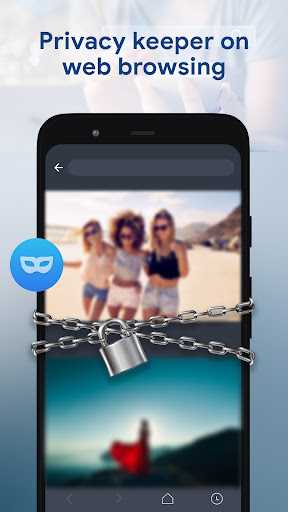
😆 Private Browser
If you want to protect your browsing data, then using the private browser is a good choice, it can provide you with a secret and anonymous browsing experience.
🔐 App Lock
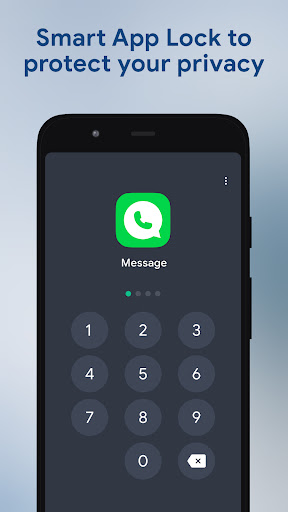
For apps that have been locked, people need to enter a password or draw the unlock pattern to use. App lock can prevent privacy from leaking to others.
☁️ Cloud Service
Back up all your personal files and data to the cloud in a safe and private way. Guarantee your data security to the greatest extent.
🎭 Icon Disguise
The icon of the application looks like an ordinary system calculator, and you can also use it to perform calculations. The way you enter the password to open the private space of the calculator is also very secret. Except for yourself, no one will know the existence of this private space.
-----------FAQ-----------
Q: How to use?
A: Enter your password on calculator and press '=' button to open.
Q: How to retrieve your password?
A: Please enter “11223344=” to verify your security question and then reset the password. If you still have issues, please choose 'Trouble in logging' and send us e-mail and our support team will contact you within 24 hours. you cannot find the email in the Inbox, please check your Spam or Trash folders.
Privacy Policy: https://sites.google.com/view/hideu-privacy-policy/
Contact us: [email protected]
IMPORTANT:
Your privacy is important to us! HideU Calculator Lock – Photo & Video Vault app does not copy or store your photos and videos.
Do not uninstall HideU, clear app data or delete files and folders generated by HideU before backing up your personal data through cloud service. Otherwise, your files will be lost forever.
We focus on privacy protection and we are dedicated to provide the most advanced photo locker and video hider to keep your privacy safe!
Editor's Take
HideU: Calculator Lock sits at 4.3 stars across 919.5 thousand ratings on Google Play, and is still building an audience.
A rating in this range tells us the core loop works for most players; the usual friction points are cosmetic or balance-tweak territory rather than anything fundamentally broken.
Smart Utils Dev Team is the publisher behind this release; we'd suggest taking a quick look at their other titles on Google Play if the style clicks with you. The last visible update lands 2025-10-28, which is a small but useful signal that the team is still shipping fixes rather than treating the app as abandoned.
Who This App Is For
A quick read on the audiences this app tends to click with, based on its category, content rating and track record on Google Play.
- Family-friendly playersContent is rated Everyone, so it's a safe pick for shared devices.
- Power usersBuilt for people who want a focused utility, not a feed.
- Free-tier explorersFree on Google Play, so you can trial the loop before deciding if it earns space on your home screen.
At a Glance
thumb_up What stands out
- Well-received by its audienceSitting above 4 stars on Google Play means most players finish their first session satisfied.
- Free to try on Google PlayNo upfront cost, so you can confirm the loop clicks before committing time or in-app purchases.
- Actively maintainedLast visible update 2025-10-28, suggesting the team is still shipping fixes.
- Known publisherPublished by Smart Utils Dev Team — worth checking their catalogue for similar titles.
info Things to know
- Smaller user baseNiche community means fewer community guides — great for discovery, slower for help with edge cases.
- In-app purchases may applyFree-to-play economics are common in this category — open the Google Play listing to confirm the monetization model before committing.
- Check device compatibilityOlder devices or restricted regions sometimes filter out specific Google Play listings. Confirm on the official page before setting aside time.
Key Features
- 📷 Hide photos & videos
- 📺 Video Player & Built-in Photo Viewer
- 😆 Private Browser
- 🔐 App Lock
- 🎭 Icon Disguise
- -----------FAQ-----------