CalcTape Calculator with Tape
schoettler Software GmbH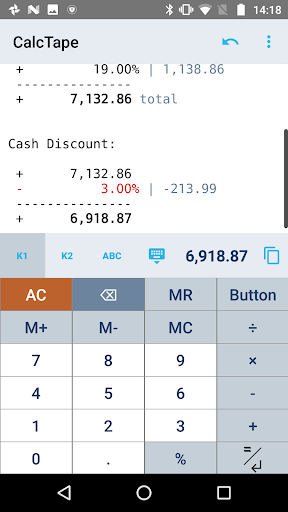
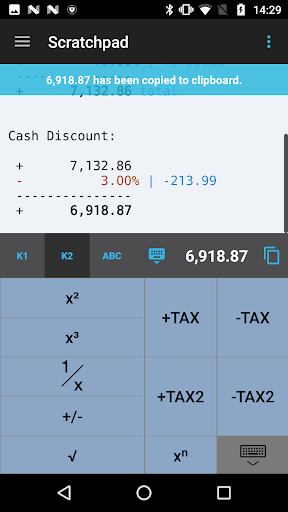
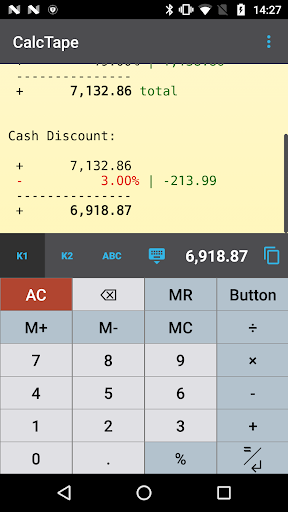
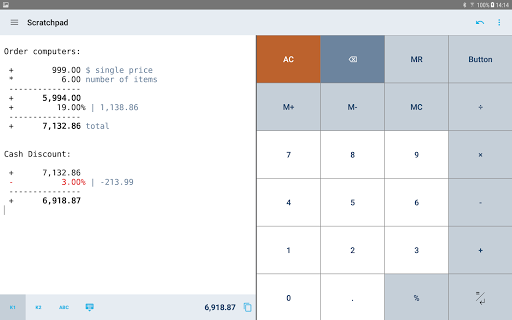
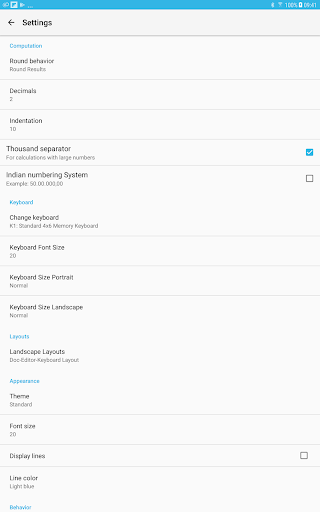
About this app
What happens if you combine a standard calculator App, a classic desktop calculator and a note App ?
CalcTape brings you the best of these and even more.
It is your companion for all daily calculation needs and easily masters all scenarios you can imagine.
CalcTape is NOT a scientific calculator, but do we need these in daily use ?
Ever did a long calculation with many figures and asked yourself:
"Did I enter the last figure correctly ?"
"The result looks strange somehow !"
With CalcTape you keep an overview, can check all figures and correct figures instantly inplace with
all subsequent results being adjusted automatically ! Missed a figure ? No problem: Just insert
it in the right place easily by entering a new line.
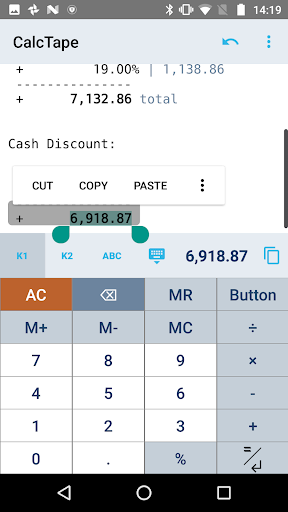
You can place the cursor everywhere you like in the calculation: It's like a note where
you can change anything you like in any place with the advantage, that changing numbers
or operators updates your calculation immediately!
CalcTape can be considered a "spreadsheet with a calculator interface".
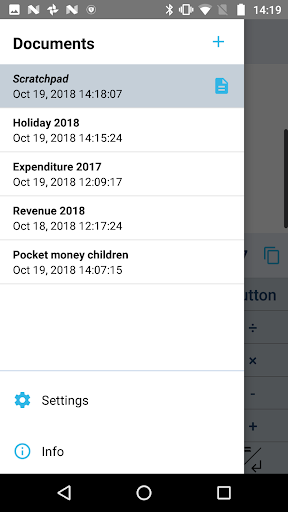
You can also keep the calculation for your records (documents) and create templates:
Replacing the figures in your template and getting the correct results is a breeze.
Commenting figures and results gives sense to your calculations, so you can understand
what you did when viewing the calculation a month later.
Customize CalcTape to your needs and place only those buttons on your keypad that you really
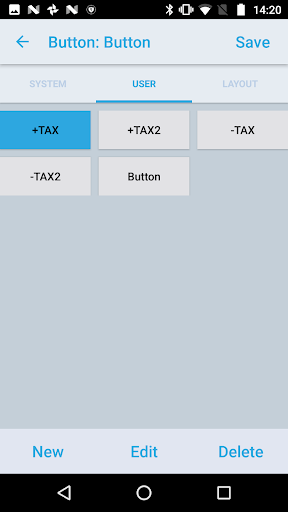
need everyday. Create your own functions to e.g. add a specific percent rate with a tap on
a single button.
CalcTape comes as a basic free version and offers a Pro update.
The Pro version brings:
- Save your calculations into files
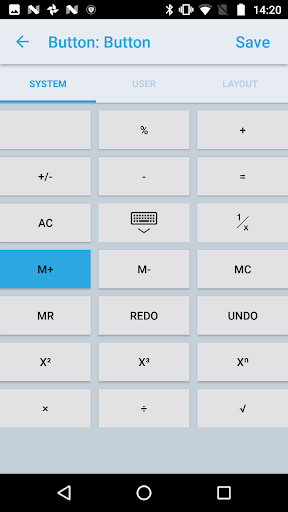
- Create own functions or text snippets to be entered when pressing a button (long press a button to enter the Button screen)
- Create own keypad layouts (change assignment of all buttons except numbers and backspace / change button sizes)
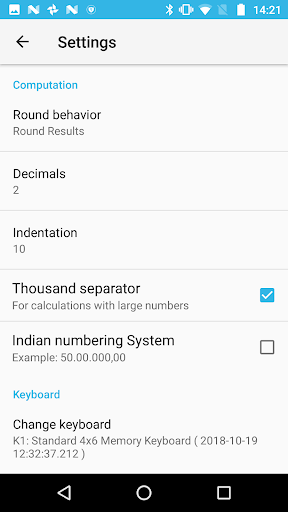
- Select between different keypad layouts (the "function keypad" contains no numbers and is nearly completely customizable)
to get more buttons or other functions, 2 keypads are directly accessible in the main screen
- Share your calculations using standard Android sharing capabilities, e.g. email
- NEW: Print your calculations
- NEW: Export as HTML (via clipboard or e-mail)
===================
If you find any problem feel free to contact us. You can help us improving CalcTape Calculator by stating your Android version and smartphone model.
Follow us on Twitter: https://twitter.com/calctape
Editor's Take
CalcTape Calculator with Tape sits at 4.7 stars across 48.5 thousand ratings on Google Play, and is still building an audience.
In our experience, ratings this high on a finance app usually mean the pacing respects your time, the difficulty curve doesn't stall, and the team keeps fixing issues people actually raise.
schoettler Software GmbH is the publisher behind this release; we'd suggest taking a quick look at their other titles on Google Play if the style clicks with you. The last visible update lands 2025-10-14, which is a small but useful signal that the team is still shipping fixes rather than treating the app as abandoned.
Who This App Is For
A quick read on the audiences this app tends to click with, based on its category, content rating and track record on Google Play.
- Family-friendly playersContent is rated Everyone, so it's a safe pick for shared devices.
- Quality-first downloadersConsistently high ratings make this a low-risk trial, even at full volume on a new device.
- Free-tier explorersFree on Google Play, so you can trial the loop before deciding if it earns space on your home screen.
At a Glance
thumb_up What stands out
- Consistent high ratingsA 4.7-star average across 48.5 thousand ratings is a strong quality signal.
- Free to try on Google PlayNo upfront cost, so you can confirm the loop clicks before committing time or in-app purchases.
- Actively maintainedLast visible update 2025-10-14, suggesting the team is still shipping fixes.
- Known publisherPublished by schoettler Software GmbH — worth checking their catalogue for similar titles.
info Things to know
- Smaller user baseNiche community means fewer community guides — great for discovery, slower for help with edge cases.
- In-app purchases may applyFree-to-play economics are common in this category — open the Google Play listing to confirm the monetization model before committing.
- Check device compatibilityOlder devices or restricted regions sometimes filter out specific Google Play listings. Confirm on the official page before setting aside time.
Key Features
- - Save your calculations into files
- - Create own functions or text snippets to be entered when pressing a button (long press a button to enter the Button screen)
- - Create own keypad layouts (change assignment of all buttons except numbers and backspace / change button sizes)
- - Select between different keypad layouts (the "function keypad" contains no numbers and is nearly completely customizable)
- - Share your calculations using standard Android sharing capabilities, e.g. email
- - NEW: Print your calculations
- - NEW: Export as HTML (via clipboard or e-mail)
App Information
Google Play Rating
Similar Logic Apps You May Like
grid_view Similar apps



















apps More apps you might like