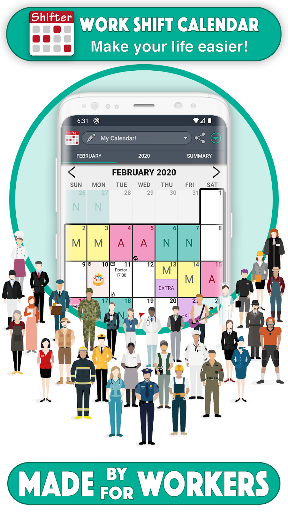
Work Shift Calendar

Work Shift Calendar

LRHSoft
star4.6182.5K ratings
download10,000,000+Downloads
family_restroomEveryoneRated for
open_in_new Google Play smartphone Android
update
Updated2025-09-28
new_releases
Version2.0.7.8
android
RequiresAndroid 5.0+
category
CategoryProductivity
price_check
PriceFree
family_restroom
ContentEveryone
Work Shift Calendar screenshot 1Work Shift Calendar screenshot 2Work Shift Calendar screenshot 3Work Shift Calendar screenshot 4Work Shift Calendar screenshot 5Work Shift Calendar screenshot 6Work Shift Calendar screenshot 7Work Shift Calendar screenshot 8Work Shift Calendar screenshot 9Work Shift Calendar screenshot 10

info About this app

This app is designed for shift workers and people who need to organize their day to day basis and thus not to miss any appointments.

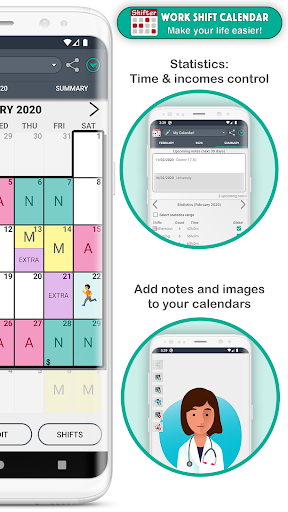
You can carry out an exhaustive control of your working day and your income quick and easily thanks to our statistics system.


SHIFTS 📆

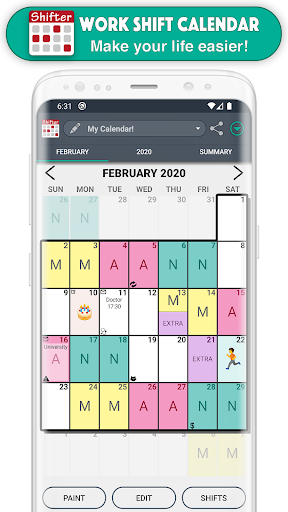
- Create fully configurable shifts ✏️
- Add your workday, with option to include split shift and rest time. Keep track of your schedules 📊
- Enter your income, overtime and early exit. Set up earnings and control working time easily 💰
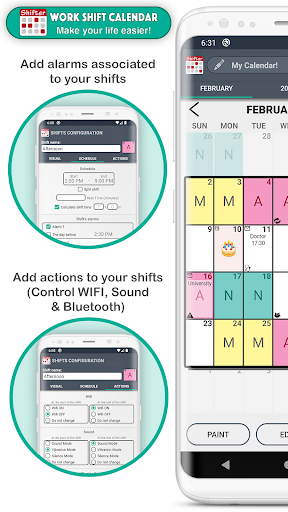
- Create alarms associated with that shift (for that day or for the previous day) and customize its sound 🔔
- Include actions at the beginning or end of the schedule of each shift (WIFI, sound mode, Bluetooth) 🔇
- Paint up to two shifts per day.
- Import your shifts from one calendar to another.
- Add customizable icons associated with a date 🐱


NOTES 📝

- Create notes on each day and add reminders with alarms. Don't ever forget important appointments or notes 🔔
- Customize the sound of alarms.
- Include images and handmade drawings in your notes ️🖼️


WIDGETS 📲

- Create a widget for your desktop and view your calendar even without opening the app.
- Choose between weekly and monthly Widget.
- Choose the size you like more.


TOP FUNCTIONS 🚀

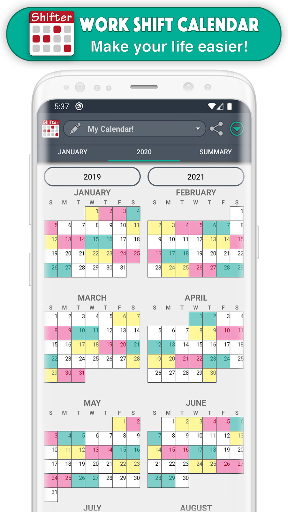
- Enjoy the Monthly and Annual View (which allows you to see all months of the year just by sliding the screen, as well as Annual Statistics).
- Export your calendar to Google calendar.
- Add national holidays directly from Google Calendar 🌴
- Control working time and earnings by selecting a range of dates in the Statistics section.
- View upcoming notes at a glance.
- Compare different calendars.
- Share your calendar (monthly, annual view or comparison of calendars) with your friends via WhatsApp, email, Telegram ... 📧
- Create backups easily.
- Set up to ten different calendars.
- Import other calendars simply.
- Use the icon search to find them quickly 🔎


EASY TO USE

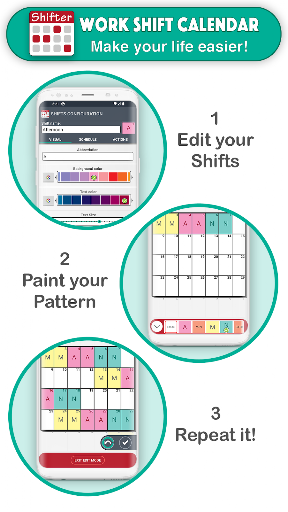
- Modify your calendar in two ways:
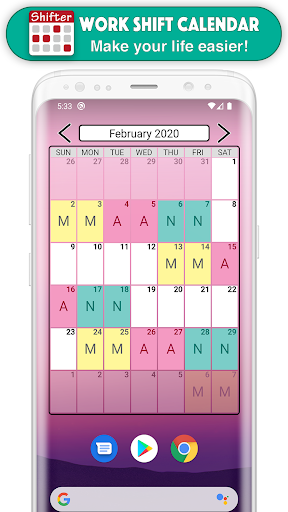
(1) Quick mode or Paint: Select an event from the drop-down list and click on the days to paint them with that event 🎨
(2) Edit Mode: Select one or more days and perform actions in the selected day range (repeat, copy, cut, paste, delete or assign shifts) ✂️

- Shifts menu: you can see all the shifts of that calendar, create new ones, edit, reorder or import them.


FEATURED FEATURES ⭐️

- Easy to use.
- Clear interface.
- Customizable.
- PRO version that unlocks great advantages.
- Tutorial with the basic functions of the app and help section (FAQs)
- Fast and personalized customer service ℹ️
- Social networks 👍 enjoy explanatory videos, information about new updates and more visual content by joining our Shifter community.


SUPPORT OUR WORK 💜

We are a very small team of people who make a great effort to develop Shifter. If you like this app, you can help us improving it and continue adding new features. Buying PRO version not only activates all its advantages, but also greatly support the continuous development of the app.


FACEBOOK & INSTAGRAM: @ShifterCalendar

ProductivityEveryoneFree
Work Shift Calendar preview video
play_arrow
smart_display Watch Preview

rate_review Editor's Take

Work Shift Calendar sits at 4.6 stars across 182.5 thousand ratings on Google Play, and is still building an audience.

That score is hard to fake on a productivity app — it usually signals a tool that stays out of your way, does one thing well, and doesn't pepper you with upsells.

LRHSoft is the publisher behind this release; we'd suggest taking a quick look at their other titles on Google Play if the style clicks with you. The last visible update lands 2025-09-28, which is a small but useful signal that the team is still shipping fixes rather than treating the app as abandoned.

groups Who This App Is For

A quick read on the audiences this app tends to click with, based on its category, content rating and track record on Google Play.

  • family_restroom
    Family-friendly playersContent is rated Everyone, so it's a safe pick for shared devices.
  • work
    Power usersBuilt for people who want a focused utility, not a feed.
  • trending_up
    Quality-first downloadersConsistently high ratings make this a low-risk trial, even at full volume on a new device.
  • payments
    Free-tier explorersFree on Google Play, so you can trial the loop before deciding if it earns space on your home screen.

fact_check At a Glance

thumb_up What stands out

  • star
    Consistent high ratingsA 4.6-star average across 182.5 thousand ratings is a strong quality signal.
  • payments
    Free to try on Google PlayNo upfront cost, so you can confirm the loop clicks before committing time or in-app purchases.
  • schedule
    Actively maintainedLast visible update 2025-09-28, suggesting the team is still shipping fixes.
  • verified
    Known publisherPublished by LRHSoft — worth checking their catalogue for similar titles.

info Things to know

  • explore
    Smaller user baseNiche community means fewer community guides — great for discovery, slower for help with edge cases.
  • attach_money
    In-app purchases may applyFree-to-play economics are common in this category — open the Google Play listing to confirm the monetization model before committing.
  • phone_android
    Check device compatibilityOlder devices or restricted regions sometimes filter out specific Google Play listings. Confirm on the official page before setting aside time.

auto_awesome Key Features

  • check_circle- Create fully configurable shifts ✏️
  • check_circle- Add your workday, with option to include split shift and rest time. Keep track of your schedules 📊
  • check_circle- Enter your income, overtime and early exit. Set up earnings and control working time easily 💰
  • check_circle- Create alarms associated with that shift (for that day or for the previous day) and customize its sound 🔔
  • check_circle- Include actions at the beginning or end of the schedule of each shift (WIFI, sound mode, Bluetooth) 🔇
  • check_circle- Paint up to two shifts per day.
  • check_circle- Import your shifts from one calendar to another.
  • check_circle- Add customizable icons associated with a date 🐱

assignment App Information

DeveloperLRHSoft
CategoryProductivity
Downloads10,000,000+
Current Version2.0.7.8
Last Updated2025-09-28
Content RatingEveryone
PriceFree
Official StoreView on Google Play

star Google Play Rating

4.6
starstarstarstarstar
182.5K ratings on Google Play

Rating data is sourced from the Google Play Store. For the latest user reviews, visit the official app page.

psychology Similar Logic Apps You May Like

grid_view Similar apps

apps More apps you might like