About this app
The fastest data backup and restore tool on Android!
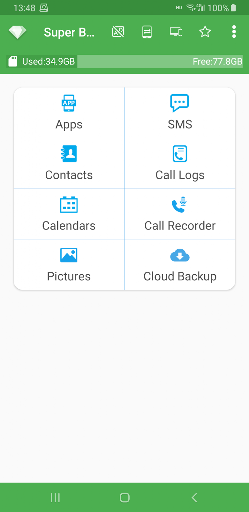
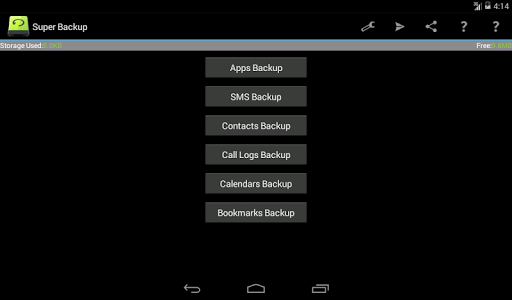
You can backup Apps, Contacts, SMS, Call Logs, Bookmarks, Calendars to your SD card.
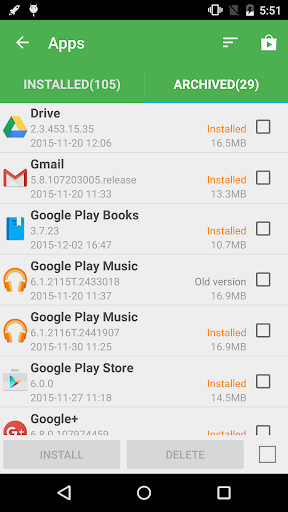
You can share installation APK files to your friends.
You will never lose your data again!
★Important Notice #1
If you intend to do a factory reset on the phone, please make sure default backup folder is in your external SD card before doing it. If not, please copy the entire backup folder ("SmsContactsBackup" by default) to your external SD card
★Important Notice #2
Since Android M 6.0, access bookmarks from 3rd party application is disabled, so Super Backup cannot backup and restore bookmarks.
★Important Notice #3
If you schedule automatic backups, and you use some apps such as Task Killer or Memory Clear, please make sure you had add Super Backup into their White List or Ignore list. Otherwise Super Backup can not run in background, and automatic backups will not work.
★Important Notice #4
When you finished the SMS restore process, but the messages were not displayed in your default SMS app, please try to reboot your device.
Features:
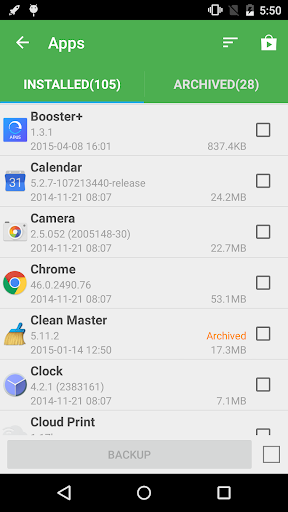
- Backup apps to SD card
- Backup download links of your installed apps
- Backup Contacts & SMS & Call logs & Bookmarks & Calendars to SD card
- Restore Contacts & SMS & Call logs & Bookmarks & Calendars from SD card
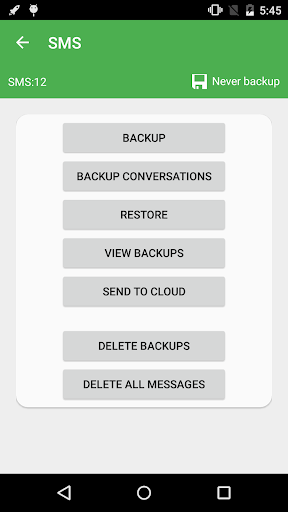
- Can select SMS conversations to backup
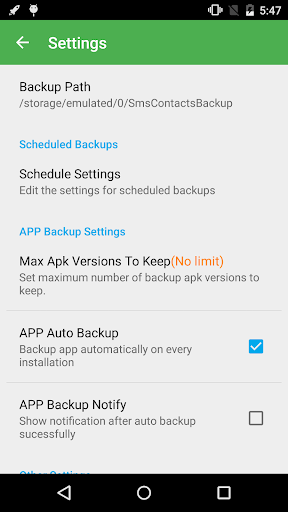
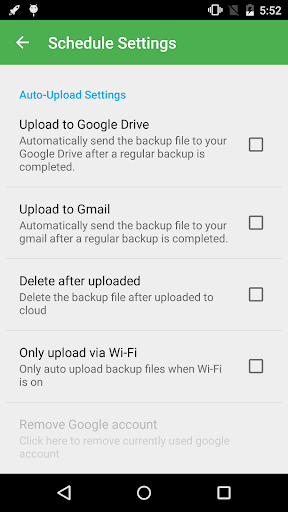
- Schedule automatic backups((★Not supported since Android 13 ★)
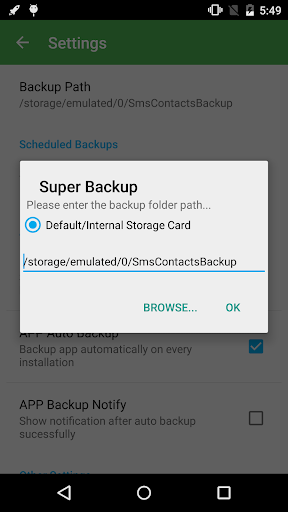
- Can change backup folder to external SD card
- Call Recorder: Support backup your voice call recording. It can perfectly record the phone call voices to mp3 files. Record both sides voice clearly! (★Not supported since Android 10 ★)
About Permissions:
READ YOUR TEXT MESSAGES (SMS OR MMS)/EDIT YOUR TEXT MESSAGES (SMS OR MMS)
These permissions are used to backup & restore your SMS
READ YOUR CONTACTS/MODIFY YOUR CONTACTS
These permissions are used to backup & restore your Contacts
WRITE WEB BOOKMARKS AND HISTORY/READ YOUR WEB BOOKMARKS AND HISTORY
These permissions are used to backup & restore your Bookmarks
READ CALENDAR EVENTS PLUS CONFIDENTIAL INFORMATION/ADD OR MODIFY CALENDAR EVENTS AND SEND EMAIL TO GUESTS WITHOUT OWNERS' KNOWLEDGE
These permissions are used to backup & restore your Calendars
READ CALL LOG/WRITE CALL LOG
These permissions are used to backup & restore your Call logs
RECORD_AUDIO
These permissions are used to recording your voice call
Location Permission
This permission is required to transfer backup files between devices by WiFi peer to peer.
Starting from Android 8, using the Wi-Fi peer-to-peer requires location permission. This is required by android system, we will never collect your location information.
Translations:
- Italian- Thanks to Emmanuel Avetta
- Portuguese - Thanks to Emmanuel Avetta
- Korean - Thanks to 장승훈
- Hungarian - Thanks to Balu & Hevesi J.
- Turkish - Thanks to Fatih Fırıncı
- Arabic - Thanks to Falcon Eye
- Polish - Thanks to Alvin Świtała
- Russian - Thanks to Сергей Приклонский, Mikhail Medvedev
- Ukrainian - Thanks to Mikhail Medvedev
- Czech - Thanks to Renek
Editor's Take
Super Backup & Restore sits at 3.9 stars across 181.4 thousand ratings on Google Play, and is still building an audience.
Ratings in this band typically hide a split audience — plenty of satisfied regulars, and a meaningful minority bumping into the same one or two issues. Worth a quick read of the recent Google Play reviews before you commit serious time.
MobileIdea Studio is the publisher behind this release; we'd suggest taking a quick look at their other titles on Google Play if the style clicks with you. The last visible update lands 2025-09-18, which is a small but useful signal that the team is still shipping fixes rather than treating the app as abandoned.
Who This App Is For
A quick read on the audiences this app tends to click with, based on its category, content rating and track record on Google Play.
- Family-friendly playersContent is rated Everyone, so it's a safe pick for shared devices.
- Power usersBuilt for people who want a focused utility, not a feed.
- Free-tier explorersFree on Google Play, so you can trial the loop before deciding if it earns space on your home screen.
At a Glance
thumb_up What stands out
- Free to try on Google PlayNo upfront cost, so you can confirm the loop clicks before committing time or in-app purchases.
- Actively maintainedLast visible update 2025-09-18, suggesting the team is still shipping fixes.
- Known publisherPublished by MobileIdea Studio — worth checking their catalogue for similar titles.
info Things to know
- Recent reviews worth a readThe average score is mixed enough that a two-minute scan of recent Google Play reviews will save you time later.
- Smaller user baseNiche community means fewer community guides — great for discovery, slower for help with edge cases.
- In-app purchases may applyFree-to-play economics are common in this category — open the Google Play listing to confirm the monetization model before committing.
- Check device compatibilityOlder devices or restricted regions sometimes filter out specific Google Play listings. Confirm on the official page before setting aside time.
Key Features
- ★Important Notice #1
- ★Important Notice #2
- ★Important Notice #3
- ★Important Notice #4
- - Backup apps to SD card
- - Backup download links of your installed apps
- - Backup Contacts & SMS & Call logs & Bookmarks & Calendars to SD card
- - Restore Contacts & SMS & Call logs & Bookmarks & Calendars from SD card