About this app
MyBackup Pro is the easiest, most reliable, and feature packed Android backup solution available.
Supporting the most content, and the most Android devices.
Find out why over 5 million people have chosen MyBackup as their secure source for a Backup Solution.
FEATURES:
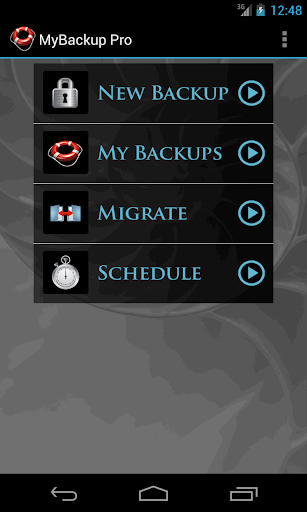
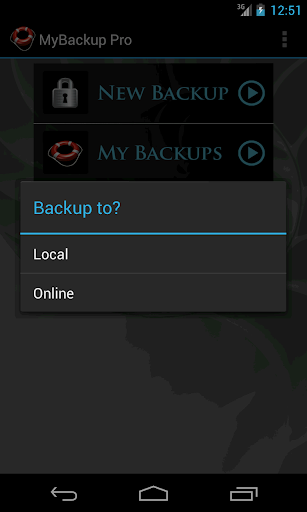
- Backup and Restore using your local device or SD card
* Backup and Restore using an On The Go (OTG) USB card
- Cloud backup to our online secure servers, or use your Dropbox account
- Cloud backup to your personal Google Drive Cloud account
- Migrate information directly between 2 devices
- Backup directly to your computer over the Internet!
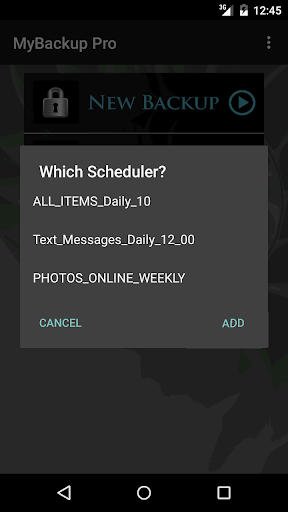
- Schedule multiple different backups to multiple locations
- Restore to an existing or new Android device
- View the backup in detail without having to restore
- All Android 1.6+ devices supported!
- Available in 16 languages
- Super easy backup with advanced features and settings
- BETA: Trigger a backup to begin on your device remotely from our website
SUPPORTED CONTENT:
- Applications (Including Data if Rooted)
- Photos
- Music
- Videos
- Contacts
- Call log
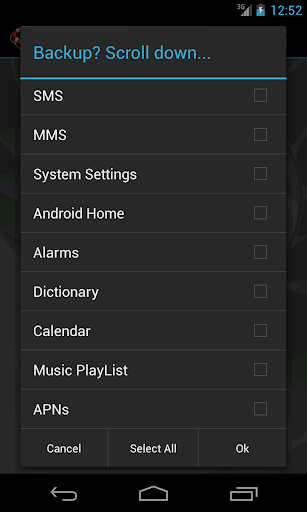
- Text messages (SMS)
- Message attachments (MMS)
- Browser Bookmarks
- Home Screen Shortcuts and Wallpaper (Pre Android 4.4 KitKat)
- System Settings
- Calendar events
- Alarms
- Dictionary
- Music Playlists
- APN settings
- And much more...
NEWS AND REVIEWS:
CNET TV recommends Android users to use MyBackup Pro to backup their personal data.
T-Mobile highlights MyBackup Pro in their quarterly magazine as "an application to have For the Security Minded."
TechHive (PCWorld) gives MyBackup Pro 4.5 stars and recommends Android users to use MyBackup Pro to backup and secure their phones.
HIGHLIGHTS:
Cloud Backup (RerWare Cloud, Dropbox, Google Drive) or local backups to your device/SD card.
Supporting the most content including your Applications, Photos, Music, Videos, Contacts, Call log, Browser Bookmarks, SMS (text messages), MMS (message attachments), Calendar, System Settings, Home Screens (including shortcut positions), Alarms, Dictionary, Music Playlists, APNs, and more...
Restore your backup onto the same or new Android device.
Migrate feature allows you to move any and all supported content directly from one Device to another over WiFi.
View your Data, Apps and Media backups online by logging into the Web Viewer at the RerWare website.
MyBackup Pro will work on all Android mobile devices, regardless if they have root access or not.
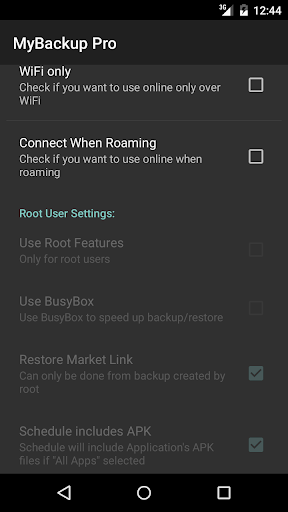
Users who have a rooted phone can backup APK and the Data/Setting of all applications
__ ROOT ONLY PHONE FEATURES BELOW __
MyBackup Pro now comes with all MyToolbox features for Free.
This application will allow Root users to select multiple applications and perform the following functions with batch operations:
- Freeze bloatware and system apps
- Defrost frozen applications
- Wipe Cache of applications
- Wipe Data of applications
- Uninstall applications
- Break the Link to Apps
- Link Apps
- Force Close applications
_______________________________
If you should have any questions or support needs, please do not hesitate to contact us using the support Email provided. We will get back to you as soon as we can.
We appreciate your business.
Editor's Take
My Backup Pro sits at 3.8 stars across 38.8 thousand ratings on Google Play, and is still building an audience.
Ratings in this band typically hide a split audience — plenty of satisfied regulars, and a meaningful minority bumping into the same one or two issues. Worth a quick read of the recent Google Play reviews before you commit serious time.
Rerware, LLC is the publisher behind this release; we'd suggest taking a quick look at their other titles on Google Play if the style clicks with you. The last visible update lands 2025-12-09, which is a small but useful signal that the team is still shipping fixes rather than treating the app as abandoned.
Who This App Is For
A quick read on the audiences this app tends to click with, based on its category, content rating and track record on Google Play.
- Family-friendly playersContent is rated Everyone, so it's a safe pick for shared devices.
- Power usersBuilt for people who want a focused utility, not a feed.
At a Glance
thumb_up What stands out
- One-time purchase optionPaid titles like this one ($6.99) tend to skip the aggressive ad patterns you see in free-to-play alternatives.
- Actively maintainedLast visible update 2025-12-09, suggesting the team is still shipping fixes.
- Known publisherPublished by Rerware, LLC — worth checking their catalogue for similar titles.
info Things to know
- Recent reviews worth a readThe average score is mixed enough that a two-minute scan of recent Google Play reviews will save you time later.
- Smaller user baseNiche community means fewer community guides — great for discovery, slower for help with edge cases.
- Check device compatibilityOlder devices or restricted regions sometimes filter out specific Google Play listings. Confirm on the official page before setting aside time.
Key Features
- - Backup and Restore using your local device or SD card
- - Cloud backup to our online secure servers, or use your Dropbox account
- - Cloud backup to your personal Google Drive Cloud account
- - Migrate information directly between 2 devices
- - Backup directly to your computer over the Internet!
- - Schedule multiple different backups to multiple locations
- - Restore to an existing or new Android device
- - View the backup in detail without having to restore