About this app
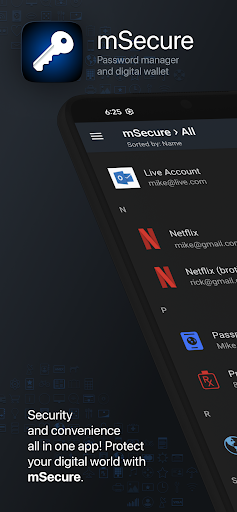
Don't take any chances with your passwords and private information. mSecure is the most secure and straightforward solution to managing your sensitive information across your devices.
Protect, store, and share your sensitive information with mSecure. Simplify your digital world and securely access it at your convenience. Create secure notes, generate passwords, and safely backup your information to never lose your data again.
Trust mSecure to protect your most vital and private information. mSecure 6 provides the organizational flexibility you need, the convenience of auto-fill right from your web browser, and the ability to share select data securely with other mSecure users. Your information is easier to access, easier to manage, and always secure with industry-standard AES-encryption. Elevate your password managing experience with mSecure today!
Keep Your Digital Wallet Organized and Secure
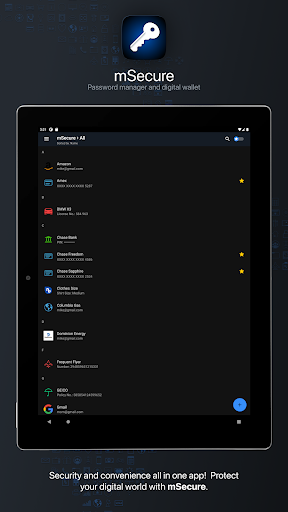
mSecure is for more than just passwords. Safeguard your financial information, personal documents, sensitive files, and anything else you need to protect all in one place.
Ideal For Families and Teams
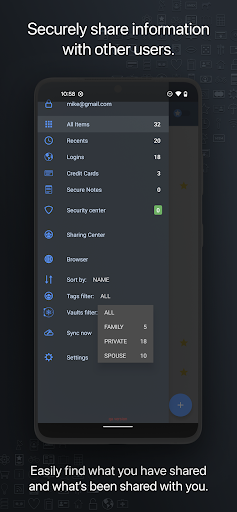
Share select information with family members or teammates with ease. Utilize Shared Vaults to house sensitive information and secrets you and your family or team need under one mSecure subscription.
Get More Than What You Pay For
● Choose a plan to fit your needs - Essentials, Premium, Family, or Team.
● Enable full access to all features that mSecure has to offer with a Premium subscription.
NEW FEATURES
● Two-Factor Authentication via email, phone, or an authenticator app (like Authy or Google Authenticator)*
● Family and Team Plans
● Login Password History
● Attach any type of file*
*Available with a Premium subscription
SECURE - Protect your sensitive information with confidence
● Encrypt your data using industry-standard AES 256-bit encryption
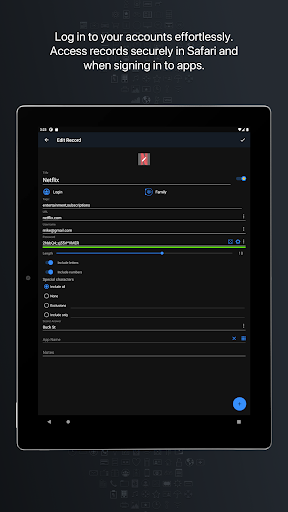
● Password Generator creates and stores random, complex, and unique passwords
● Auto-lock and Auto-backup features keep data safe with enhanced security
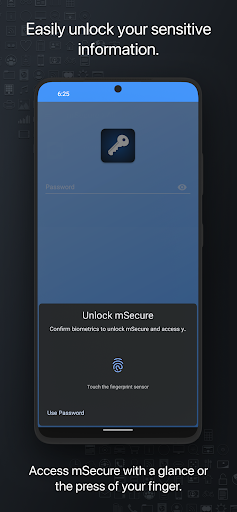
● Biometric authentication allows quick, secure access using facial recognition or your fingerprint
SIMPLE - Easily add, find, manage, and organize passwords and data
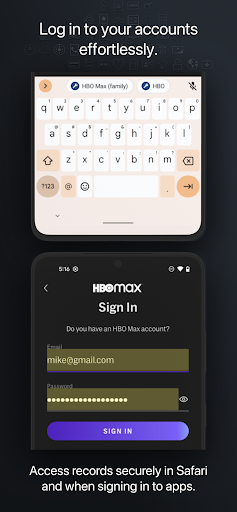
● Auto-fill credentials in Chrome and 3rd party apps with Android Autofill
● Find the information you need fast with powerful organizational features
● Over 20 built-in templates for quick and easy data entry with the ability to create custom templates
● Integrated search, along with intelligent sorting, filtering, and grouping simplifies the process of organizing and finding your information
● *Import your data from 1Password via a 1PIF or CSV file
● *Import your data via a CSV file from Dashlane, Keeper, BitWarden, and more
*Requires mSecure running on Mac or PC
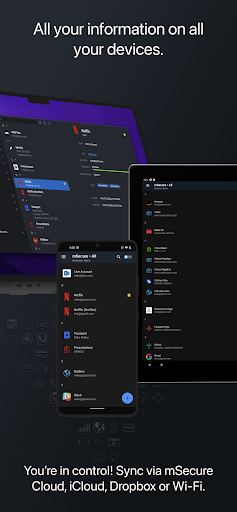
SEAMLESS - Sync all of your devices seamlessly
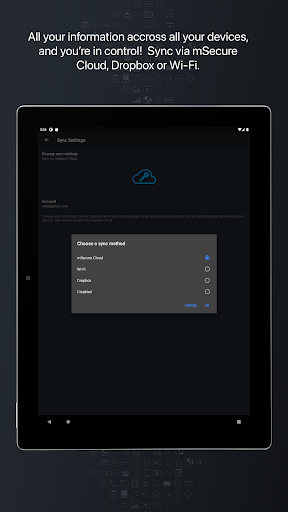
Choose to sync via mSecure Cloud, Dropbox, or Wi-Fi to access your records on all of your devices across multiple platforms (iOS, Android, Mac, and Windows).
Don't take any chances with your passwords and private information. Keep your data safe and secure with mSecure!
SUPPORT
If you have any questions or comments, please share them on our support forum: https://discussions.msecure.com/categories/msecure-for-android. You can also email us directly at [email protected].
Editor's Take
MSecure - Password Manager sits at 4.6 stars across 6.5 thousand ratings on Google Play, and is still building an audience.
That score is hard to fake on a productivity app — it usually signals a tool that stays out of your way, does one thing well, and doesn't pepper you with upsells.
mSeven Software LLC is the publisher behind this release; we'd suggest taking a quick look at their other titles on Google Play if the style clicks with you. The last visible update lands 2026-02-24, which is a small but useful signal that the team is still shipping fixes rather than treating the app as abandoned.
Who This App Is For
A quick read on the audiences this app tends to click with, based on its category, content rating and track record on Google Play.
- Family-friendly playersContent is rated Everyone, so it's a safe pick for shared devices.
- Power usersBuilt for people who want a focused utility, not a feed.
- Quality-first downloadersConsistently high ratings make this a low-risk trial, even at full volume on a new device.
- Free-tier explorersFree on Google Play, so you can trial the loop before deciding if it earns space on your home screen.
At a Glance
thumb_up What stands out
- Consistent high ratingsA 4.6-star average across 6.5 thousand ratings is a strong quality signal.
- Free to try on Google PlayNo upfront cost, so you can confirm the loop clicks before committing time or in-app purchases.
- Actively maintainedLast visible update 2026-02-24, suggesting the team is still shipping fixes.
- Known publisherPublished by mSeven Software LLC — worth checking their catalogue for similar titles.
info Things to know
- Smaller user baseNiche community means fewer community guides — great for discovery, slower for help with edge cases.
- In-app purchases may applyFree-to-play economics are common in this category — open the Google Play listing to confirm the monetization model before committing.
- Check device compatibilityOlder devices or restricted regions sometimes filter out specific Google Play listings. Confirm on the official page before setting aside time.
Key Features
- ● Choose a plan to fit your needs - Essentials, Premium, Family, or Team.
- ● Enable full access to all features that mSecure has to offer with a Premium subscription.
- ● Two-Factor Authentication via email, phone, or an authenticator app (like Authy or Google Authenticator)*
- ● Family and Team Plans
- ● Login Password History
- ● Attach any type of file*
- ● Encrypt your data using industry-standard AES 256-bit encryption
- ● Password Generator creates and stores random, complex, and unique passwords