KPass: password manager

KPass: password manager

Korovan
star4.610.4K ratings
download100,000+Downloads
family_restroomEveryoneRated for
open_in_new Google Play smartphone Android
update
Updated2026-02-23
new_releases
Version2.4.8
android
RequiresAndroid 5.0+
category
CategoryProductivity
price_check
PriceFree
family_restroom
ContentEveryone
KPass: password manager screenshot 1KPass: password manager screenshot 2KPass: password manager screenshot 3KPass: password manager screenshot 4KPass: password manager screenshot 5KPass: password manager screenshot 6KPass: password manager screenshot 7KPass: password manager screenshot 8

info About this app

KPass is the best KeePass password manager for Android.
It supports reading and modification of KDBX 3 and 4 files.

We have reached the time when a password can be the main value, more expensive than money, gold and brilliants. Let's say the password for a bank account gives you access to all the money at once, YouTube password — access to all subscribers eyes, and password for a cloud service is key to your private docs.

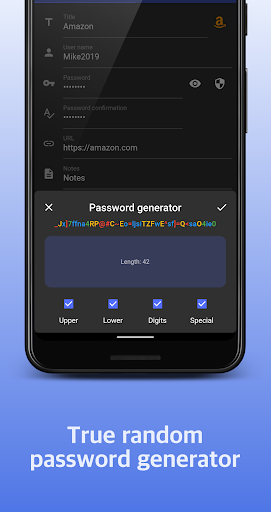
Top advice: generate good complex passwords and change them from time to time.

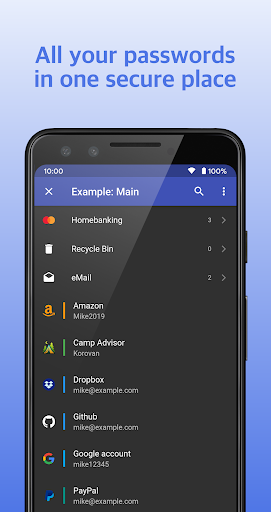
KPass offers secure storage for your passwords, addresses, bank card details, private notes and syncs them across all your devices – giving you faster access to your online accounts, apps and important information.

FAQ.

Q: Why KPass autofill doesn't work in Chrome (Edge, Opera, something else)?
A: KPass uses standard Android autofill framework interface. It allows all applications supporting this system framework support KPass autofill service automatically. Unfortunately, Google Chrome and all Chromium-based browsers forces users to use embedded password manager. To switch to KPass autofill service please follow corresponding browser documentation. For Google Chrome — https://developers.googleblog.com/en/chrome-3p-autofill-services.

Q: Why database is successfully opened while I used unregistered finger to authenticate?
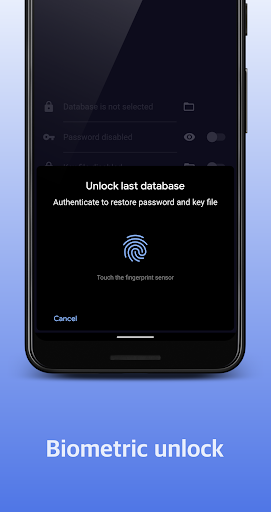
A: Because you entered correct credentials (password and key file). Your database is protected by secret key. Biometric sensor is used to save and restore this key. So if your biometric authentication was failed, but you entered correct credentials, database will be opened, but secret key will not be saved. We doesn't see any security issue in such use case.

Q: How can I make sure KPass does not steal my passwords or other information?
A: KPass does not collect, store or send any user data. You can check it in application permissions section. KPass does not request network and storage access. Instead, it uses Storage Access Framework – modern and secure native Android way to get data from content providers such as file system, cloud services (Google Drive, Dropbox e.t.c.), FTP-clients or anything else. So, it is impossible for KPass to steal any password or send an analytics.

Q: Why KPass is not open source? How can I make sure it is secure enough?
A: KPass user interface is closed-source and intellectual property of product owner. This is main value of the application. UI side does not contain any secure-sensitive part of code. Engine is powered by open-source project
gokeepasslib – https://github.com/tobischo/gokeepasslib.

ProductivityEveryoneFree

rate_review Editor's Take

KPass: password manager sits at 4.6 stars across 10.4 thousand ratings on Google Play, and is still building an audience.

That score is hard to fake on a productivity app — it usually signals a tool that stays out of your way, does one thing well, and doesn't pepper you with upsells.

Korovan is the publisher behind this release; we'd suggest taking a quick look at their other titles on Google Play if the style clicks with you. The last visible update lands 2026-02-23, which is a small but useful signal that the team is still shipping fixes rather than treating the app as abandoned.

groups Who This App Is For

A quick read on the audiences this app tends to click with, based on its category, content rating and track record on Google Play.

  • family_restroom
    Family-friendly playersContent is rated Everyone, so it's a safe pick for shared devices.
  • work
    Power usersBuilt for people who want a focused utility, not a feed.
  • trending_up
    Quality-first downloadersConsistently high ratings make this a low-risk trial, even at full volume on a new device.
  • payments
    Free-tier explorersFree on Google Play, so you can trial the loop before deciding if it earns space on your home screen.

fact_check At a Glance

thumb_up What stands out

  • star
    Consistent high ratingsA 4.6-star average across 10.4 thousand ratings is a strong quality signal.
  • payments
    Free to try on Google PlayNo upfront cost, so you can confirm the loop clicks before committing time or in-app purchases.
  • schedule
    Actively maintainedLast visible update 2026-02-23, suggesting the team is still shipping fixes.
  • verified
    Known publisherPublished by Korovan — worth checking their catalogue for similar titles.

info Things to know

  • explore
    Smaller user baseNiche community means fewer community guides — great for discovery, slower for help with edge cases.
  • attach_money
    In-app purchases may applyFree-to-play economics are common in this category — open the Google Play listing to confirm the monetization model before committing.
  • phone_android
    Check device compatibilityOlder devices or restricted regions sometimes filter out specific Google Play listings. Confirm on the official page before setting aside time.

assignment App Information

DeveloperKorovan
CategoryProductivity
Downloads100,000+
Current Version2.4.8
Last Updated2026-02-23
Content RatingEveryone
PriceFree
Official StoreView on Google Play

star Google Play Rating

4.6
starstarstarstarstar
10.4K ratings on Google Play

Rating data is sourced from the Google Play Store. For the latest user reviews, visit the official app page.

psychology Similar Logic Apps You May Like

grid_view Similar apps

apps More apps you might like