About this app
Featured as Lifehacker's Top 1 Utility in 2013 Best Android Apps (http://goo.gl/1VMwnE), Android Authority's Top 3 Best Root Apps (http://goo.gl/g0L0qZ).
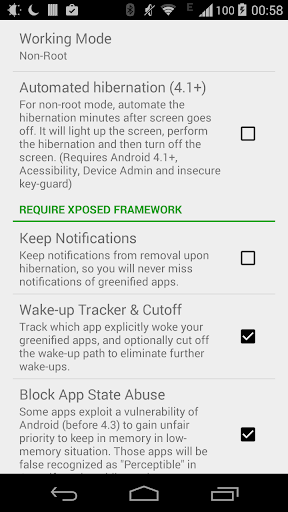
"Aggressive Doze" and "Doze on the Go" to maximize the battery saving on Android 6+, even without root! (details explained in settings)
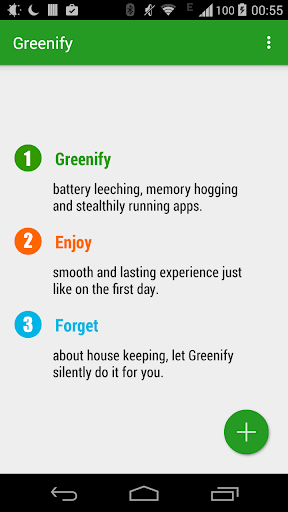
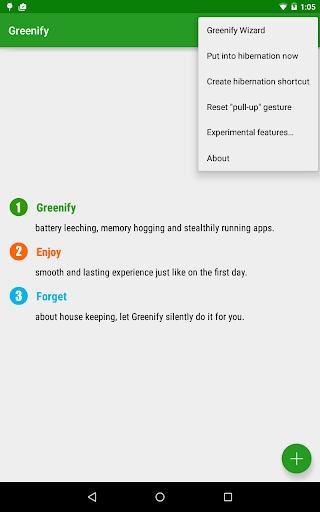
Never should your phone or tablet become slower and battery hungrier after lots of apps installed. With Greenify, your device can run almost as smoothly and lastingly as it did the first day you had it!
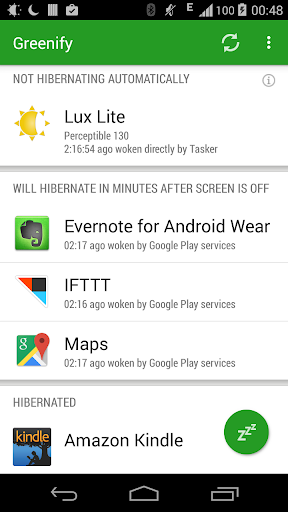
Greenify help you identify and put the misbehaving apps into hibernation when you are not actively using them, to stop them from lagging your device or leeching the battery, in a unique way! They can do nothing without explicit launch by you or other apps, while still preserving full functionality when running in foreground.
Please report bugs in the XDA forum (http://goo.gl/ZuLDnE) or G+ community (http://goo.gl/MoszF).
Greenify NEVER EVER collects your personal data despite the capability of accessibility service, it just takes advantage of it to automate the hibernation procedure.
IMPORTANT: Greenifying an app implies that you are aware that all the background functionality (service, periodic task, event receiver, alarm, widget update, push message) of this app will become out of service during the hibernation except when you are using this app.
NEVER greenify alarm clock apps, instant messaging apps unless you don't rely on them. Please do verify the impact of greenified apps on which you heavily rely.
Note: Greenify does need background running services for auto-hibernation to work. It is designed and implemented in extremely lightweight and nearly zero CPU and battery consumption.
=== PERMISSIONS ===
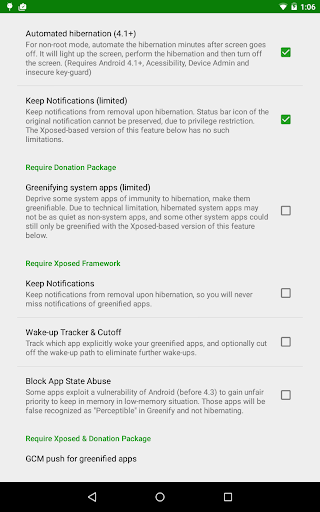
DEVICE ADMIN: This app uses administrator privilege to turn off the screen immediately after automated hibernation on non-root devices. This permission will be requested explicitly for your consent only if required.
DRAW OVER OTHER APP: To dim the screen during automatic hibernation when the screen is expected to be off.
DISABLE SCREEN LOCK & BIND ACCESSIBILITY SERVICE: For automatic hibernation to work on non-root devices.
GET ACCOUNTS & WRITE SYNC SETTINGS: Control the account sync of apps if its sync task is too frequent.
This app uses Accessibility services, to automate the hibernation procedure.
=== FAQ ===
* It seems that automatic hibernation is not working.
* Some of my greenified apps (e.g. Google Maps) seems not hibernating.
* I want to greenify system apps!
* De-greenified apps still got no push notification!
……
Read here: http://goo.gl/99lNYp
=== Translation ===
All translations are created by community volunteers and open for contribution: http://goo.gl/zCCDce
=== Donation ===
If you love Greenify, please consider the "donation package" (http://goo.gl/fpz5l) for extra experimental features:
* Greenify system apps
* In-depth details about how apps behave on your device
* And more
Editor's Take
Greenify sits at 3.6 stars across 321.5 thousand ratings on Google Play, and is still building an audience.
Ratings in this band typically hide a split audience — plenty of satisfied regulars, and a meaningful minority bumping into the same one or two issues. Worth a quick read of the recent Google Play reviews before you commit serious time.
Oasis Feng is the publisher behind this release; we'd suggest taking a quick look at their other titles on Google Play if the style clicks with you. The last visible update lands 2024-08-31, which is a small but useful signal that the team is still shipping fixes rather than treating the app as abandoned.
Who This App Is For
A quick read on the audiences this app tends to click with, based on its category, content rating and track record on Google Play.
- Family-friendly playersContent is rated Everyone, so it's a safe pick for shared devices.
- Power usersBuilt for people who want a focused utility, not a feed.
- Free-tier explorersFree on Google Play, so you can trial the loop before deciding if it earns space on your home screen.
At a Glance
thumb_up What stands out
- Free to try on Google PlayNo upfront cost, so you can confirm the loop clicks before committing time or in-app purchases.
- Actively maintainedLast visible update 2024-08-31, suggesting the team is still shipping fixes.
- Known publisherPublished by Oasis Feng — worth checking their catalogue for similar titles.
info Things to know
- Recent reviews worth a readThe average score is mixed enough that a two-minute scan of recent Google Play reviews will save you time later.
- Smaller user baseNiche community means fewer community guides — great for discovery, slower for help with edge cases.
- In-app purchases may applyFree-to-play economics are common in this category — open the Google Play listing to confirm the monetization model before committing.
- Check device compatibilityOlder devices or restricted regions sometimes filter out specific Google Play listings. Confirm on the official page before setting aside time.