Dev Tools(Developer)-Decompile

Dev Tools(Developer)-Decompile

Trinea
star4.616.2K ratings
download1,000,000+Downloads
family_restroomEveryoneRated for
open_in_new Google Play smartphone Android
update
Updated2025-12-07
new_releases
Version9.1.2-gp
android
RequiresAndroid 5.0+
category
CategoryTools
price_check
PriceFree
family_restroom
ContentEveryone
Dev Tools(Developer)-Decompile screenshot 1Dev Tools(Developer)-Decompile screenshot 2Dev Tools(Developer)-Decompile screenshot 3Dev Tools(Developer)-Decompile screenshot 4Dev Tools(Developer)-Decompile screenshot 5Dev Tools(Developer)-Decompile screenshot 6Dev Tools(Developer)-Decompile screenshot 7Dev Tools(Developer)-Decompile screenshot 8Dev Tools(Developer)-Decompile screenshot 9Dev Tools(Developer)-Decompile screenshot 10

info About this app

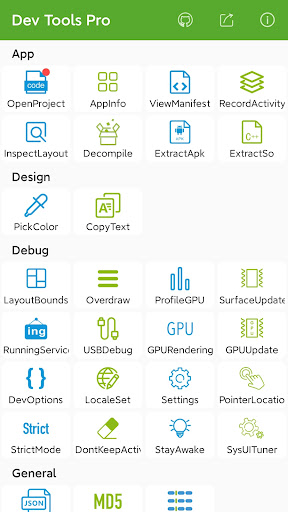
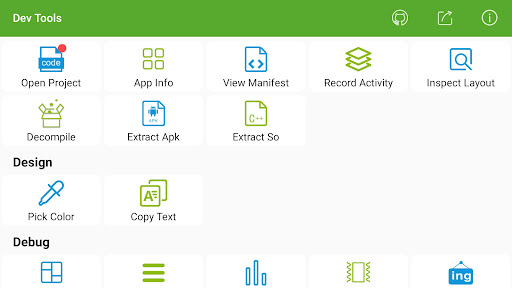
Android Dev Tools is a powerful, productive, automation, essential Android Development Assistant, It can improve your development productivity. It can be used to decompile other app, view layout detail info of other app, view color of screen(color sampler or eyedropper), view the latest open source projects, view activity history, view manifest of any apps, view recently used or installed apps, extract apk or so, debug applications, view phone hardware and software-related information and so on, the more features will be added later. including:
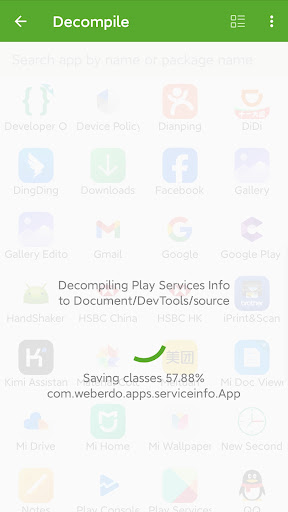
► Decompile other app(Paid)
View app's java file, resource and other file easily, support share files

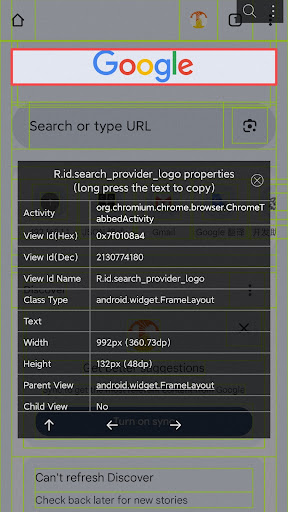
► App Layout Inspector Tool(Paid)
View or export layout or view info of other app, can show view id, width height, parent and child view, coordinate of view.

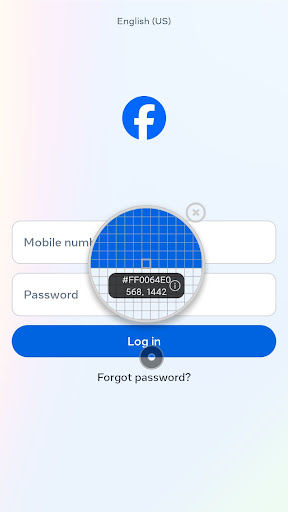
► View screen color(Paid)
Similar to color sampler tool or eyedropper, you can view or copy the color and coordinate of any other App easily, and more ARGB and CMYK

► View the latest open source projects daily(Free)
A well-selected daily Android open source project.

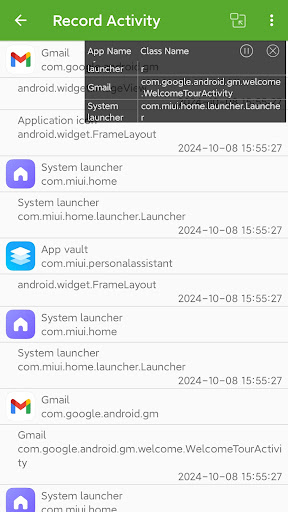
► View activity history(Paid)
View the appName, packageName, title, icon, start time of the activity opened, also include current activity, top activity. support open in small window mode.

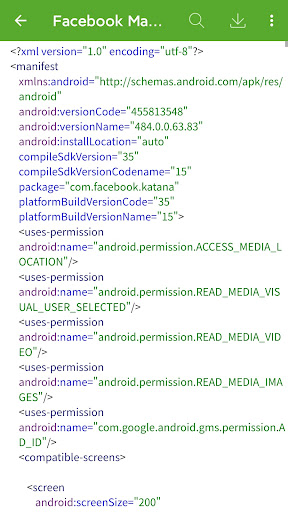
► View manifest of any apps(Paid)
View manifest of any apps, search any content of manifest, save manifest to sdcard in text or html.

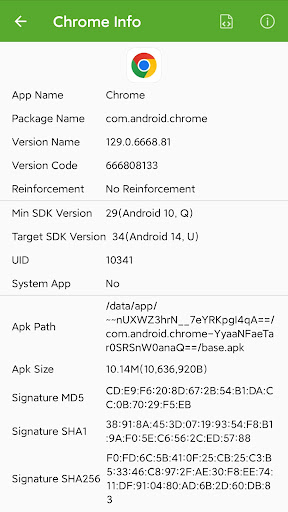
► App Management—View info of apps(Free)
You can manage your app easily. View apps installed, recently used apps, recently installed apps in grid mode.
View app package name, version, uid, apk dir, so dir, data dir, first install and last upgrade time, component info and so on.

► Extract apk or so of apps(Paid)
Extract any app's source apk or so file.

► Open or close the options in the developer options quickly(Free)
What used to take seconds is reduced to one click! it includes show screen layout, debug gpu overdraw, show layout updates, forced GPU rendering, show GPU view updates, show GPU Rendering, show pointer position, strict mode, don't keep activities, stay awake, Running Service.

Note: This part of the function is to solve the cumbersome operation of the developer option through the automated way, if you are tired of the cumbersome operation of the developer option also, then this tool is for you. If you need a tool different from the system developer option, this is not what you want, don't install it, thanks.

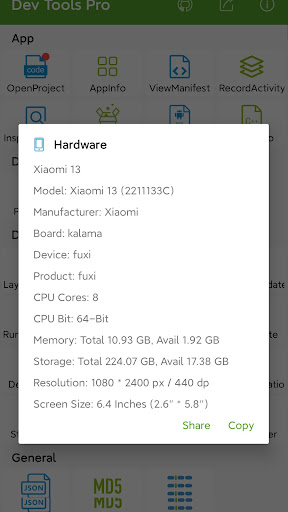
► View the system info quickly(Free)
includes system version information, hardware information, screen information, CPU information, virtual machine information, network-related information, Device ID information.

► Open other common features quickly(Free)
includes settings, System UI Tuner, language switching, developer options, my applications.

Shortcuts:
(1) You can add tool shortcuts to the desktop by long pressing the tool icon;
(2) You can add tool widgets to the desktop;
(3) You can start the tool through the shortcut quickly on Android 7.1, long pressing the application icon in the desktop;
(4) You can add the tool to the notification Quick Settings Tile on Android 7.0.

AccessibilityService: We use this feature to turn on or off some developer options automatically, get classname of current activity(Pro Version), get view info of current page(Pro Version) to save your time. We can use this service only after you granted it. We promise not to collect any of your information.

It is available for Android 4.0 and above, include Android 12, 11, Q, Pie, Oreo, Nougat, Marshmallow, Lollipop MR1, Lollipop, KitKat, Jelly Bean MR2, Jelly Bean MR1, Jelly Bean, Ice Cream Sandwich MR1, Ice Cream Sandwich.

Any suggestions or bugs are welcome to give us feedback:
official website: https://timeshining.com/
GitHub: https://github.com/TimeShining/Android-Dev-Tools
Facebook page: https://facebook.com/Dev-Tools-917225741954586/

ToolsEveryoneFree

rate_review Editor's Take

Dev Tools(Developer)-Decompile sits at 4.6 stars across 16.2 thousand ratings on Google Play, and is still building an audience.

That score is hard to fake on a utility app — it usually signals a tool that stays out of your way, does one thing well, and doesn't pepper you with upsells.

Trinea is the publisher behind this release; we'd suggest taking a quick look at their other titles on Google Play if the style clicks with you. The last visible update lands 2025-12-07, which is a small but useful signal that the team is still shipping fixes rather than treating the app as abandoned.

groups Who This App Is For

A quick read on the audiences this app tends to click with, based on its category, content rating and track record on Google Play.

  • family_restroom
    Family-friendly playersContent is rated Everyone, so it's a safe pick for shared devices.
  • work
    Power usersBuilt for people who want a focused utility, not a feed.
  • trending_up
    Quality-first downloadersConsistently high ratings make this a low-risk trial, even at full volume on a new device.
  • payments
    Free-tier explorersFree on Google Play, so you can trial the loop before deciding if it earns space on your home screen.

fact_check At a Glance

thumb_up What stands out

  • star
    Consistent high ratingsA 4.6-star average across 16.2 thousand ratings is a strong quality signal.
  • payments
    Free to try on Google PlayNo upfront cost, so you can confirm the loop clicks before committing time or in-app purchases.
  • schedule
    Actively maintainedLast visible update 2025-12-07, suggesting the team is still shipping fixes.
  • verified
    Known publisherPublished by Trinea — worth checking their catalogue for similar titles.

info Things to know

  • explore
    Smaller user baseNiche community means fewer community guides — great for discovery, slower for help with edge cases.
  • attach_money
    In-app purchases may applyFree-to-play economics are common in this category — open the Google Play listing to confirm the monetization model before committing.
  • phone_android
    Check device compatibilityOlder devices or restricted regions sometimes filter out specific Google Play listings. Confirm on the official page before setting aside time.

assignment App Information

DeveloperTrinea
CategoryTools
Downloads1,000,000+
Current Version9.1.2-gp
Last Updated2025-12-07
Content RatingEveryone
PriceFree
Official StoreView on Google Play

star Google Play Rating

4.6
starstarstarstarstar
16.2K ratings on Google Play

Rating data is sourced from the Google Play Store. For the latest user reviews, visit the official app page.

psychology Similar Logic Apps You May Like

grid_view Similar apps

apps More apps you might like