About this app
Fing has helped 40 million user worldwide to understand:
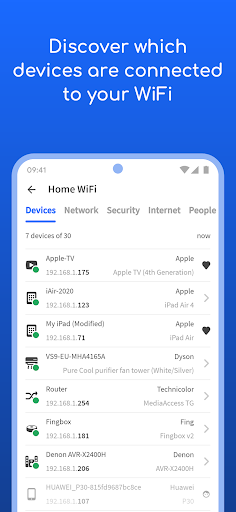
• Who's on my WiFi
• Is someone stealing my WiFi and broadband?
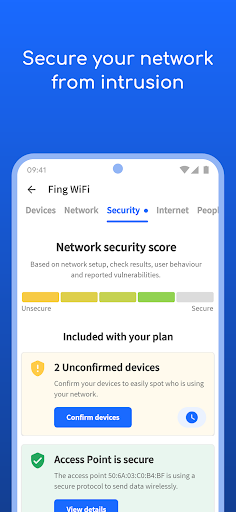
• Have I've been hacked? Is my network secure?
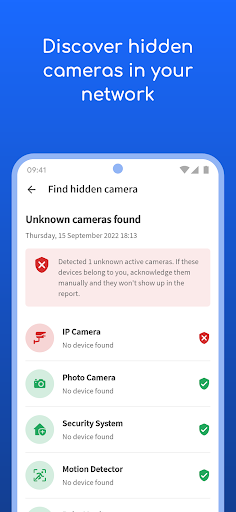
• Are there hidden cameras in the B&B I'm staying in?
• Why Netflix streaming has started buffering?
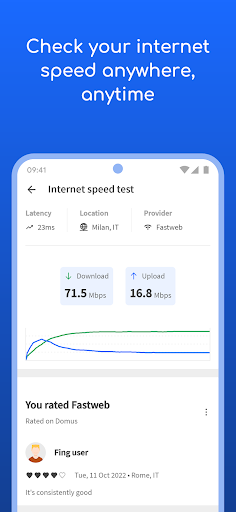
• Is my internet provider giving me the speed I pay for?
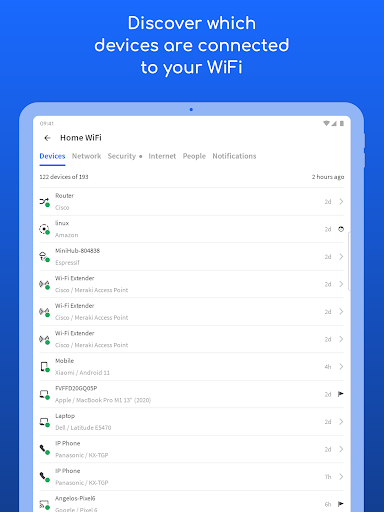
Fing is the #1 Network Scanner: discovers all the devices connected to your WiFi and identifies them, with our patented technology used also by router manufacturers and antivirus companies worldwide.
With Fing App’s free tools and utilities help you:
• Run WiFi and Cellular internet speed tests, download speed and upload speed analysis and latency
• Scan networks with Fing’s Wi-Fi & LAN network scanner and discover all devices connected to any network
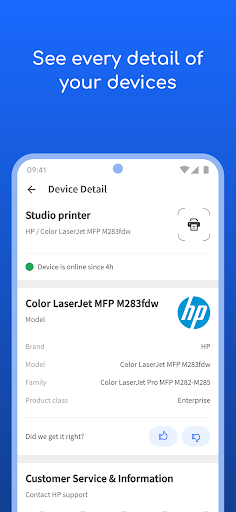
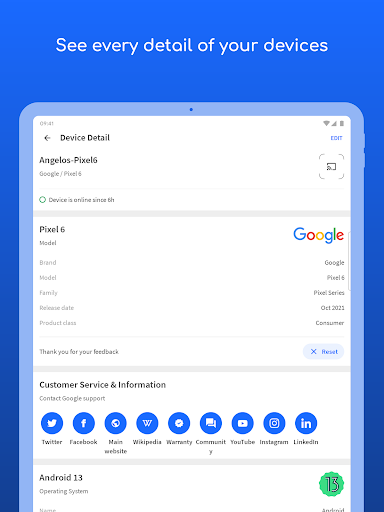
• Get the most accurate device recognition of IP address, MAC address, device name, model, vendor and manufacturer
• Advanced device analysis of NetBIOS, UPnP, SNMP and Bonjour names, properties and device types
• Includes port scanning, device ping, traceroute and DNS lookup
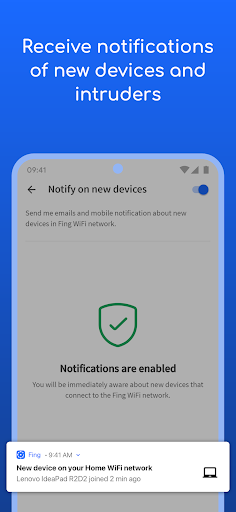
• Receive network security and device alerts to your phone and email
Add Fingbox to unlock advanced network protection and smart home troubleshooting features:
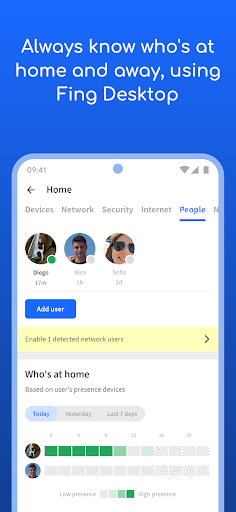
• Know who’s home while you’re not there with Digital Presence
• See devices near your home with Digital Fence
• Block intruders and unknown devices automatically before they join your network
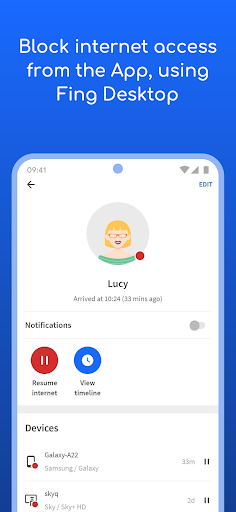
• Set parental control features to schedule screen time and pause internet access
• Analyze bandwidth usage by device
• Find Wi-Fi sweet spots
• Automate network speed tests and get reports for benchmarking ISP performance
• Secure your home network with opened port detection and network vulnerability analysis
Have a question? Get in touch at [email protected] or learn more about Fing App and Fingbox at fing.com.
Editor's Take
Fing - Network Tools sits at 4.5 stars across 856 thousand ratings on Google Play, and is still building an audience.
That score is hard to fake on a utility app — it usually signals a tool that stays out of your way, does one thing well, and doesn't pepper you with upsells.
Fing Limited is the publisher behind this release; we'd suggest taking a quick look at their other titles on Google Play if the style clicks with you. The last visible update lands 2026-01-29, which is a small but useful signal that the team is still shipping fixes rather than treating the app as abandoned.
Who This App Is For
A quick read on the audiences this app tends to click with, based on its category, content rating and track record on Google Play.
- Family-friendly playersContent is rated Everyone, so it's a safe pick for shared devices.
- Power usersBuilt for people who want a focused utility, not a feed.
- Quality-first downloadersConsistently high ratings make this a low-risk trial, even at full volume on a new device.
- Free-tier explorersFree on Google Play, so you can trial the loop before deciding if it earns space on your home screen.
At a Glance
thumb_up What stands out
- Consistent high ratingsA 4.5-star average across 856 thousand ratings is a strong quality signal.
- Free to try on Google PlayNo upfront cost, so you can confirm the loop clicks before committing time or in-app purchases.
- Actively maintainedLast visible update 2026-01-29, suggesting the team is still shipping fixes.
- Known publisherPublished by Fing Limited — worth checking their catalogue for similar titles.
info Things to know
- Smaller user baseNiche community means fewer community guides — great for discovery, slower for help with edge cases.
- In-app purchases may applyFree-to-play economics are common in this category — open the Google Play listing to confirm the monetization model before committing.
- Check device compatibilityOlder devices or restricted regions sometimes filter out specific Google Play listings. Confirm on the official page before setting aside time.
Key Features
- • Who's on my WiFi
- • Is someone stealing my WiFi and broadband?
- • Have I've been hacked? Is my network secure?
- • Are there hidden cameras in the B&B I'm staying in?
- • Why Netflix streaming has started buffering?
- • Is my internet provider giving me the speed I pay for?
- • Run WiFi and Cellular internet speed tests, download speed and upload speed analysis and latency
- • Scan networks with Fing’s Wi-Fi & LAN network scanner and discover all devices connected to any network