Battery Saver Watch Face
Filmmotion Studio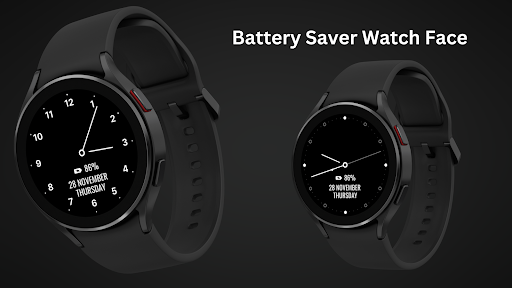



About this app
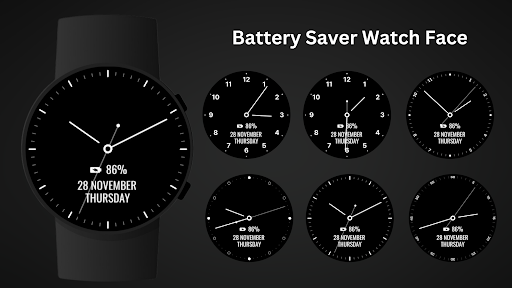
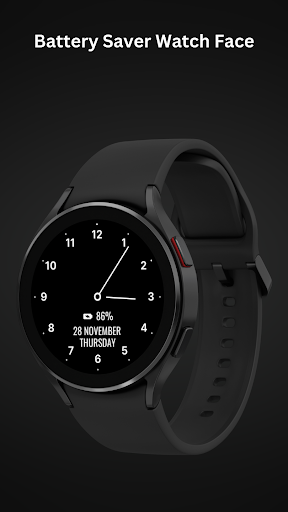
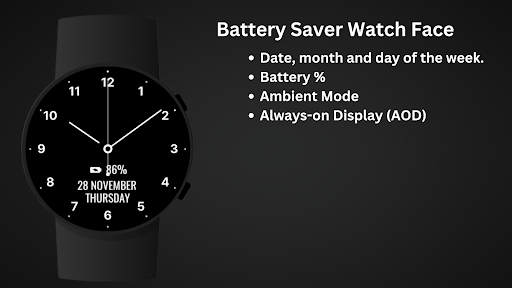
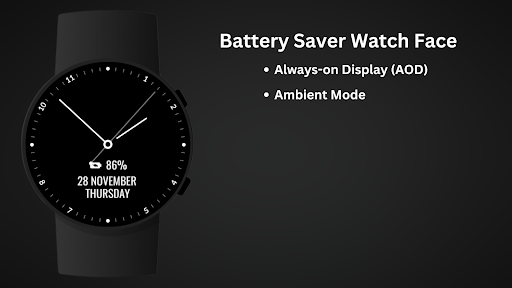
Optimize your Wear OS device's battery life with the Battery Saver Watch Face! Featuring a clean, minimalist analog design, this watch face is built to reduce power consumption while still displaying essential information like the time, date, day of the week, and battery percentage.
The simple design ensures your watch remains efficient, without sacrificing the functionality you need throughout the day. Ideal for users who prioritize extending battery life on their Wear OS devices.
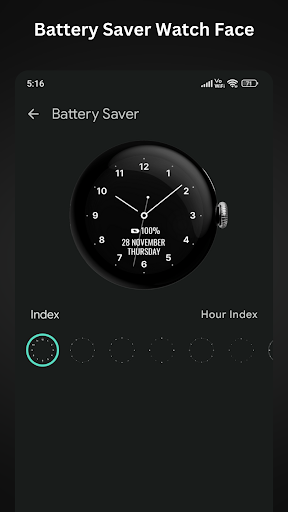
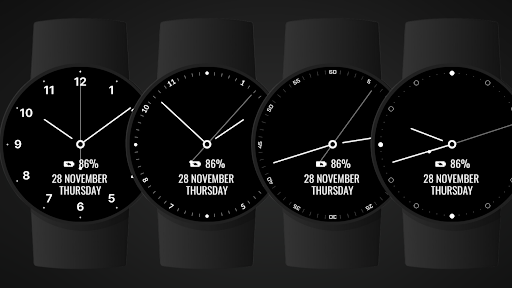
Analog Clock , 5 Index Style.
Simple Analog Clock & Minimal Watch Face for Wear OS .
⚙️ Watch Face Features
• Optimize your Wear OS device's battery life
• Date, month and day of the week.
• Battery %
• Ambient Mode
• Always-on Display (AOD)
🔋 Battery
For better battery performance of the watch, we recommend disabling the "Always On Display" mode.
After installing the Battery Saver Watch Face, follow these steps:
Open the Companion App on your phone.
Tap "Install on Watch".
On your watch, select the Battery Saver Watch Face from your settings or watch face gallery.
Your watch face is now ready to use !
✅ Compatible with all Wear OS devices API 33+ including such as Google Pixel Watch, Samsung Galaxy Watch etc.
Not suitable for rectangular watches.
Thank you !
Editor's Take
Battery Saver Watch Face sits at 4.0 stars across 419 ratings on Google Play, and is still building an audience.
A rating in this range tells us the core loop works for most players; the usual friction points are cosmetic or balance-tweak territory rather than anything fundamentally broken.
Filmmotion Studio is the publisher behind this release; we'd suggest taking a quick look at their other titles on Google Play if the style clicks with you. The last visible update lands 2026-02-13, which is a small but useful signal that the team is still shipping fixes rather than treating the app as abandoned.
Who This App Is For
A quick read on the audiences this app tends to click with, based on its category, content rating and track record on Google Play.
- Family-friendly playersContent is rated Everyone, so it's a safe pick for shared devices.
- Free-tier explorersFree on Google Play, so you can trial the loop before deciding if it earns space on your home screen.
At a Glance
thumb_up What stands out
- Well-received by its audienceSitting above 4 stars on Google Play means most players finish their first session satisfied.
- Free to try on Google PlayNo upfront cost, so you can confirm the loop clicks before committing time or in-app purchases.
- Actively maintainedLast visible update 2026-02-13, suggesting the team is still shipping fixes.
- Known publisherPublished by Filmmotion Studio — worth checking their catalogue for similar titles.
info Things to know
- Smaller user baseNiche community means fewer community guides — great for discovery, slower for help with edge cases.
- In-app purchases may applyFree-to-play economics are common in this category — open the Google Play listing to confirm the monetization model before committing.
- Check device compatibilityOlder devices or restricted regions sometimes filter out specific Google Play listings. Confirm on the official page before setting aside time.
Key Features
- • Optimize your Wear OS device's battery life
- • Date, month and day of the week.
- • Battery %
- • Ambient Mode
- • Always-on Display (AOD)
- ✅ Compatible with all Wear OS devices API 33+ including such as Google Pixel Watch, Samsung Galaxy Watch etc.
App Information
Google Play Rating
Similar Logic Apps You May Like
grid_view Similar apps

![Bluetooth ToolKit [XPOSED]](https://play-lh.googleusercontent.com/tZxIOcVppw7RZHDVAbpWWq24jY990aF-pyiBMc0iYVtjS3OE1_1V6k42l48zzM9ECWs)



















apps More apps you might like