About this app
As an enthusiastic engineering team, we've been building this app with a single philosophy: safe, fast, lightweight, and easy to use. With a state-of-the-art AI-based algorithm, the app can scan and read all QR codes and barcodes.
In this QR code scanner and barcode reader app, we make sure every aspect is optimized carefully and comes with the best user experience design.
Safety first:
Privacy-friendly, no personal data is collected, and no special permission is required.
Fast & Lightweight:
This is the most lightweight app combining an ultra-high performance engine of the latest QR code scanner and barcode reader.
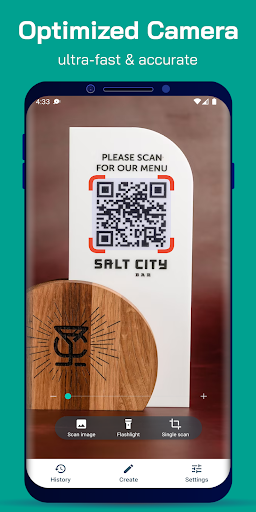
This QR scanner app starts very fast, and effectively uses the phone's camera for immediately scanning all types of QR codes and barcodes.
Easy to use:
Every feature is designed by our professional UX designers. You only need to open the app and get the job done easily!
Support all types of QR codes and barcodes:
Website URL, Product barcode, Book (ISBN), Contact information, Phone number, Email, Text, Wifi, SMS, Map location, Calendar event, etc...
Generate QR code:
Create your own QR code in any of the above types, and save and share your QR code easily. It's not only a QR code scanner / QR code reader app, it's also a QR generator app.
Feature-rich:
Many delightful features are combined in a very small QR code scanner, QR code reader, Barcode scanner, and Barcode reader app!
- Scan QR codes / barcodes everywhere by using your phone's camera.
- Read QR codes / barcodes from photos in your phone's gallery / on browser / social apps...
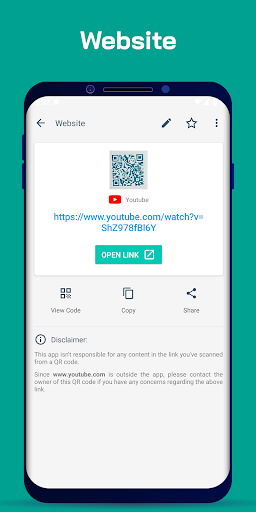
- Scan a website link and open it in your browser.
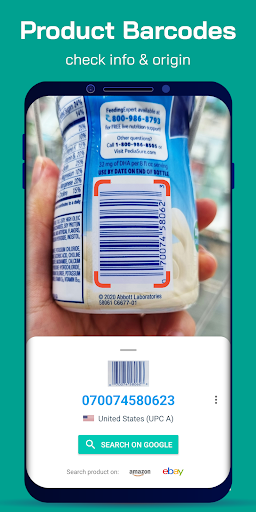
- Scan a product barcode and search product information and the country of origin on Google search (or Yahoo, Bing, Ecosia, DuckDuckGo, Yandex...)
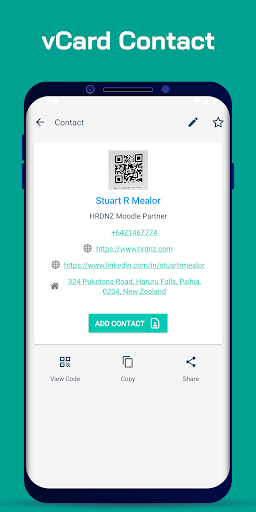
- Scan contact information in a QR code and add it to your phone's contact book.
- Scan event information (name, time, location...) and add it to your calendar with notifications.
- Scan book information (ISBN).
- Scan a Wi-Fi QR code and connect to a public network without typing the password.
- Send an email, call a phone number, open Google Maps, and more... from a QR code.
Special features of the QR code scanner / QR code reader / Barcode scanner / Barcode reader app:
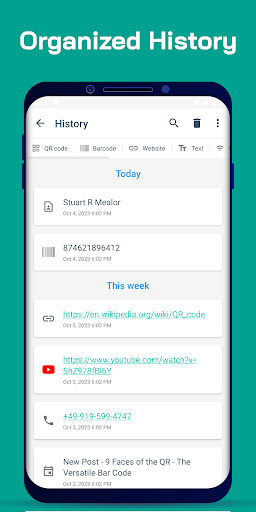
- The app has a well-organized history page, which helps you easily manage your data.
- You can write notes on each scanned QR code or barcode.
- Advanced setting options for your personalization.
- Batch mode allows you to scan multiple codes at once.
Continuous support:
We've been developing this app actively. We make sure all the features are going to be improved constantly and all the technologies being used are state-of-the-art.
Contact us at [email protected]. We are open to hearing all your concerns or improvement suggestions. Thank you for trusting our solutions!
Editor's Take
QR Code Scanner Barcode Reader sits at 4.2 stars across 836 ratings on Google Play, and is still building an audience.
A rating in this range tells us the core loop works for most players; the usual friction points are cosmetic or balance-tweak territory rather than anything fundamentally broken.
QR Tech Lab is the publisher behind this release; we'd suggest taking a quick look at their other titles on Google Play if the style clicks with you. The last visible update lands 2026-01-29, which is a small but useful signal that the team is still shipping fixes rather than treating the app as abandoned.
Who This App Is For
A quick read on the audiences this app tends to click with, based on its category, content rating and track record on Google Play.
- Family-friendly playersContent is rated Everyone, so it's a safe pick for shared devices.
- Power usersBuilt for people who want a focused utility, not a feed.
- Free-tier explorersFree on Google Play, so you can trial the loop before deciding if it earns space on your home screen.
At a Glance
thumb_up What stands out
- Well-received by its audienceSitting above 4 stars on Google Play means most players finish their first session satisfied.
- Free to try on Google PlayNo upfront cost, so you can confirm the loop clicks before committing time or in-app purchases.
- Actively maintainedLast visible update 2026-01-29, suggesting the team is still shipping fixes.
- Known publisherPublished by QR Tech Lab — worth checking their catalogue for similar titles.
info Things to know
- Smaller user baseNiche community means fewer community guides — great for discovery, slower for help with edge cases.
- In-app purchases may applyFree-to-play economics are common in this category — open the Google Play listing to confirm the monetization model before committing.
- Check device compatibilityOlder devices or restricted regions sometimes filter out specific Google Play listings. Confirm on the official page before setting aside time.
Key Features
- - Scan QR codes / barcodes everywhere by using your phone's camera.
- - Read QR codes / barcodes from photos in your phone's gallery / on browser / social apps...
- - Scan a website link and open it in your browser.
- - Scan a product barcode and search product information and the country of origin on Google search (or Yahoo, Bing, Ecosia, DuckDuckGo, Yandex...)
- - Scan contact information in a QR code and add it to your phone's contact book.
- - Scan event information (name, time, location...) and add it to your calendar with notifications.
- - Scan book information (ISBN).
- - Scan a Wi-Fi QR code and connect to a public network without typing the password.