About this app
The Screen Recorder you were looking for
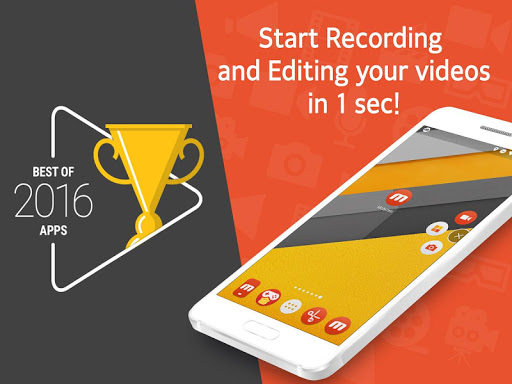
▶ The “Best of 2016 Apps” selected by Google.
▶ Screen recorder selected by global 200 million users.
▶ Featured in Google Play.
----- Featured in many countries such as Korea, USA, Europe, Japan, North and South America
▶ Screen recording, capture, and editing functions are free.
▶ The video recorded with the Mobizen app is not saved on the server, only on the user device, so use it with confidence!
▶ Use it immediately without signing up (login).
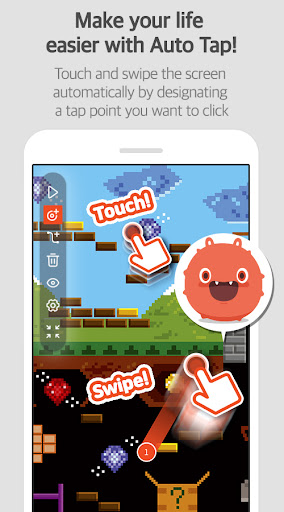
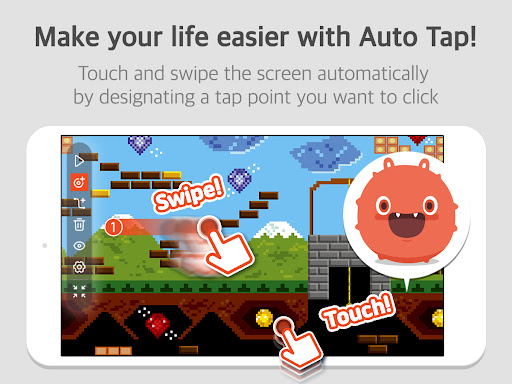
▶ Meet Auto Tap and screen recording on Mobizen!
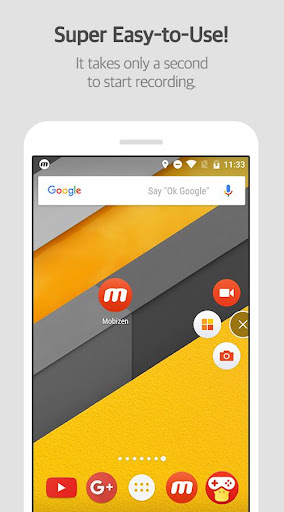
Download Mobizen Screen Recorder, which can start recording easily with one click, and start recording gameplay, video, and live broadcasting easily and conveniently!
Do you want your first screen recording to be perfect?
ㆍClean screen recording without a record button through Hide Air Circle mode!
ㆍRecord the screen without watermark for free using Clean mode!
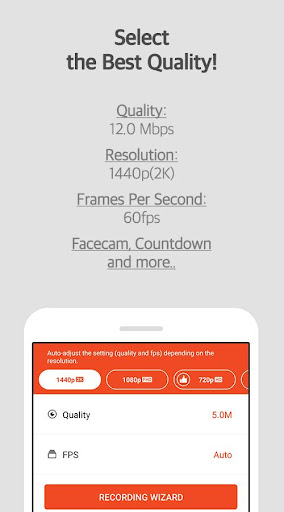
ㆍNot only FULL HD (FHD) screen recording, but also QUAD HD (QHD, 2K) screen recording! Supported maximum recording quality ▷ Recording resolution 1440P, recording quality 24.0Mbps, frame rate 60fps
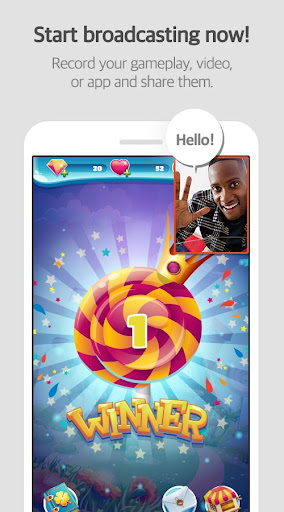
ㆍFacecam function! Express your reactions freely and record game sounds and voices together!
ㆍSave to external memory (SD card)! Record long screen recordings of more than an hour without worrying about memory!
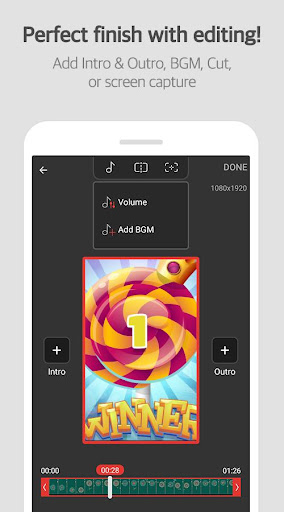
ㆍVarious image editing functions
Increase the quality of the recorded video!
Only in Mobizen
ㆍProvide Auto Tap and Auto Swiping functions!
ㆍHighlight important points through the drawing function!
ㆍCreate your own watermark!
ㆍCreate a GIF and create a fun meme!
ㆍChoose the type of Air Circle! (mini type, time bar type, transparent type)
Mobizen Recorder adopts AccessibilityService API to enable the core features Auto Tap and Auto Swiping.
1. Why is AccessibilityService API required?
▶ The AccessibilityService API allows to perform features such as Auto Tap and Auto Swiping.
2. Do you collect and/or transmit any personal data using AccessibilityService?
▶ No, we do not collect and/or transmit any personal data using AccessibilityService API.
Download it now and try it!
=====
ㆍHelpdesk: support.mobizen.com
ㆍYoutube channel: youtube.com/mobizenapp
Do you have any unnatural sounding text while using the Mobizen app?
ㆍSuggest a language☞ https://goo.gl/forms/pHGNRoD7nvalOU5l1
※ App access rights
ㆍRequired access rights
Storage: Used for saving and editing recorded video & image files.
ㆍOptional access rights
- Camera: Used for Facecam settings and Air Circle custom when recording screens.
- Microphone: Used for sound recording function during screen recording.
- Draw on top of other apps: To open Mobizen's Air Circle, you need to grant permission to draw on top of other apps.
- Notification: Used for top notification bar and some other functions from Mobizen.
* Please note that you can use the app even if you do not agree to the optional access rights.
* From Android OS 6.0 or higher, you can set and revoke access rights.
* If you are using Android OS version less than 6.0, you can modify the permissions after updating the software.
----
Editor's Take
Mobizen Screen Recorder sits at 4.3 stars across 3.3 million ratings on Google Play, and is still building an audience.
A rating in this range tells us the core loop works for most players; the usual friction points are cosmetic or balance-tweak territory rather than anything fundamentally broken.
MOBIZEN is the publisher behind this release; we'd suggest taking a quick look at their other titles on Google Play if the style clicks with you. The last visible update lands 2026-01-28, which is a small but useful signal that the team is still shipping fixes rather than treating the app as abandoned.
Who This App Is For
A quick read on the audiences this app tends to click with, based on its category, content rating and track record on Google Play.
- Family-friendly playersContent is rated Everyone, so it's a safe pick for shared devices.
- Power usersBuilt for people who want a focused utility, not a feed.
- Free-tier explorersFree on Google Play, so you can trial the loop before deciding if it earns space on your home screen.
At a Glance
thumb_up What stands out
- Well-received by its audienceSitting above 4 stars on Google Play means most players finish their first session satisfied.
- Free to try on Google PlayNo upfront cost, so you can confirm the loop clicks before committing time or in-app purchases.
- Actively maintainedLast visible update 2026-01-28, suggesting the team is still shipping fixes.
- Known publisherPublished by MOBIZEN — worth checking their catalogue for similar titles.
info Things to know
- Smaller user baseNiche community means fewer community guides — great for discovery, slower for help with edge cases.
- In-app purchases may applyFree-to-play economics are common in this category — open the Google Play listing to confirm the monetization model before committing.
- Check device compatibilityOlder devices or restricted regions sometimes filter out specific Google Play listings. Confirm on the official page before setting aside time.
Key Features
- ----- Featured in many countries such as Korea, USA, Europe, Japan, North and South America
- - Camera: Used for Facecam settings and Air Circle custom when recording screens.
- - Microphone: Used for sound recording function during screen recording.
- - Draw on top of other apps: To open Mobizen's Air Circle, you need to grant permission to draw on top of other apps.
- - Notification: Used for top notification bar and some other functions from Mobizen.