ProjectManager: Empower Teams
ProjectManager.com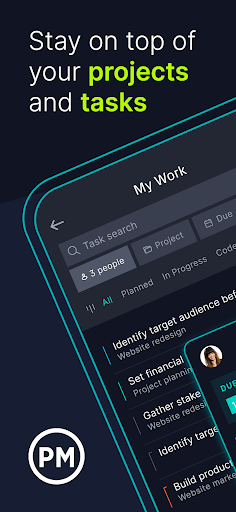




About this app
ProjectManager’s project management app enables teams to deliver high-quality work from anywhere. Take the app with you to job sites to upload photos, leave comments, log time and loop in other stakeholders with a comment or tag. Executing tasks has never been easier.
The app works in conjunction with our fully-featured project management software that helps teams collaborate, plan projects and manage resources with powerful online tools. And, unlike other project management solutions, ProjectManager adapts to your team’s workstyle and experience level.
With ProjectManager, teams in any industry can manage everything from complex projects to everyday tasks. Download the ProjectManager mobile app today.
ACCESS PROJECTMANAGER FROM ANYWHERE
Take ProjectManager with you to job sites, airports and everywhere in between. The ProjectManager mobile app lets you stay connected wherever your work takes you. You never have to wait until you’re back at your desk to access task notes or log hours.
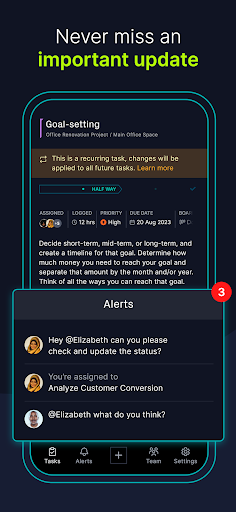
NEVER MISS AN IMPORTANT UPDATE
Get important notifications and view conversations directly from your phone. You can opt into push notifications to get tasks alerts. Make a change on the mobile app, and your account updates instantly.
CREATE AND MANAGE TASKS ON YOUR PHONE OR TABLET
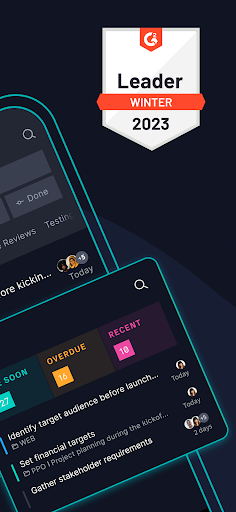
Start working on tasks you've been assigned, search for other tasks or create a new task with our project management app. Manage task details, and upload photos directly from your phone. You can even add new subtasks and to-do list items. Plus, you can easily collaborate and share files with your team.
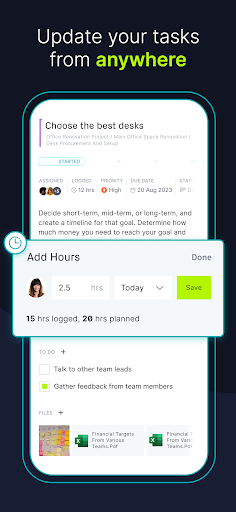
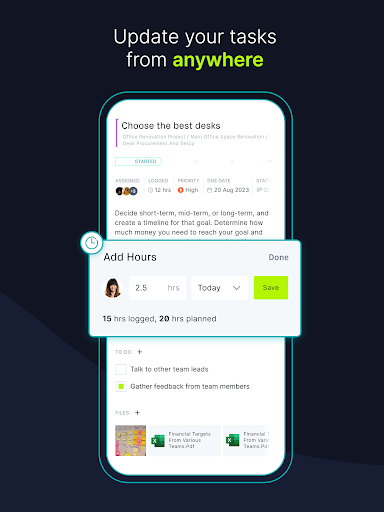
ADD TIME TO YOUR TASKS WHEREVER YOU ARE
Log task hours on the mobile app, and see hours previously submitted by you and other team members. Our many time tracking features help you stay on schedule and keep your resources balanced.
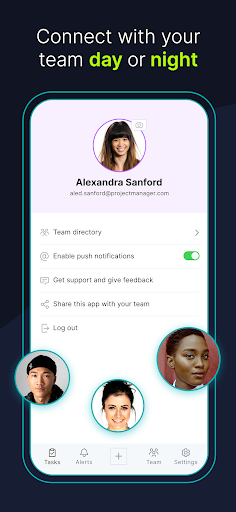
ACCESS TEAM INFORMATION
Quickly get in touch with your team, and call or email them directly from your phone. You can also see what tasks your team is working on for insight into their workload.
MORE THAN A PROJECT MANAGEMENT APP
ProjectManager is more than an easy-to-use project management app. We also offer online project management software equipped with Gantt charts, dashboards and many other tools you need to plan, schedule and track projects. To get the most out of your app, be sure to visit projectmanager.com for more information.
CONTACT US
We hope you enjoy using our project management mobile app. If you have any issues or feature suggestions please contact our support team.
Editor's Take
ProjectManager: Empower Teams sits at 3.7 stars across 112 ratings on Google Play, and is still building an audience.
Ratings in this band typically hide a split audience — plenty of satisfied regulars, and a meaningful minority bumping into the same one or two issues. Worth a quick read of the recent Google Play reviews before you commit serious time.
ProjectManager.com is the publisher behind this release; we'd suggest taking a quick look at their other titles on Google Play if the style clicks with you. The last visible update lands 2025-09-15, which is a small but useful signal that the team is still shipping fixes rather than treating the app as abandoned.
Who This App Is For
A quick read on the audiences this app tends to click with, based on its category, content rating and track record on Google Play.
- Teen audiencesListed as Teen on Google Play; older kids and teens are the intended age band.
- Free-tier explorersFree on Google Play, so you can trial the loop before deciding if it earns space on your home screen.
At a Glance
thumb_up What stands out
- Free to try on Google PlayNo upfront cost, so you can confirm the loop clicks before committing time or in-app purchases.
- Actively maintainedLast visible update 2025-09-15, suggesting the team is still shipping fixes.
- Known publisherPublished by ProjectManager.com — worth checking their catalogue for similar titles.
info Things to know
- Recent reviews worth a readThe average score is mixed enough that a two-minute scan of recent Google Play reviews will save you time later.
- Smaller user baseNiche community means fewer community guides — great for discovery, slower for help with edge cases.
- In-app purchases may applyFree-to-play economics are common in this category — open the Google Play listing to confirm the monetization model before committing.
- Check device compatibilityOlder devices or restricted regions sometimes filter out specific Google Play listings. Confirm on the official page before setting aside time.
App Information
Google Play Rating
Similar Logic Apps You May Like
grid_view Similar apps

















apps More apps you might like