Epson TM Utility
Seiko Epson Corporation


About this app
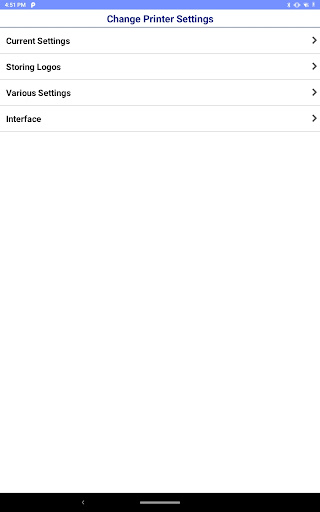
This app enables you to setup wireless connection, configure printer settings and print sample receipts from your Android phone or tablet to a Epson receipt printer.
Features
-Print sample receipt
-Print customized receipt
-Observe printer status
-Configure printer settings
-Quick pairing by NFC/QR code
-Easy print by NFC/QR code
-Printer Settings Backup/Restore(TM-T20IV/TM-T20IV-SP/TM-T82IV/TM-T88VII/TM-L100/TM-P20II/TM-P80II/TM-m30III/TM-m30III-H/TM-m50II/TM-m50II-H/TM-U220II)
-Setup wizard (Wireless LAN / Bluetooth)
-Firmware update
Supported Printers
-TM-H6000V
-TM-L90 Liner-Free Label Printer Model
-TM-L100
-TM-m10
-TM-m30
-TM-m30II
-TM-m30II-H
-TM-m30II-S
-TM-m30II-SL
-TM-m30II-NT
-TM-m30III
-TM-m30III-H
-TM-m50
-TM-m50II
-TM-m50II-H
-TM-P20
-TM-P20II
-TM-P60
-TM-P60II
-TM-P80
-TM-P80II
-TM-T20II
-TM-T20II-m
-TM-T20III
-TM-T20IV
-TM-T20IV-SP
-TM-T70II
-TM-T82III
-TM-T82IV
-TM-T88V
-TM-T88VI
-TM-T88VI-iHUB
-TM-T88VII
-TM-U220 Wi-Fi
-TM-U220II
-EU-m30
Supported Customer Displays
-DM-D30
-DM-D70
Interface
-Wireless LAN
-Bluetooth
Revision History
Ver.3.41.2
- Fixed minor bug.
Ver.3.41.0
- The server used for firmware updates has been changed.
Ver.3.40.1
- Fixed minor bug.
Ver.3.38.0
- For Users in Europe, the Middle East and Africa European Radio Equipment Directive.
Changes in the enhanced security specifications.
Ver.3.37.0
- Fixed minor bug.
Ver.3.36.0
- Added the support printer. (TM-T20IV, TM-T20IV-SP, TM-T82IV)
- Fixed minor bug.
Ver.3.35.0
- Added setting items
Bluetooth Low Energy (Bluetooth)
Auto Connection (Cloud Service)
- Improved firmware update function. (Cloud Service)
Ver.3.32.0
- Added the support printer. (TM-U220II)
- Added setting items
Roaming Setting (Wi-Fi)
Ver.3.30.2
- The software license agreement has been updated.
Please check the software license agreement from the license menu on the information screen.
Ver.3.30.0
- Added the support printer. (TM-m50II-H)
Ver.3.28.0
- Added the support printer. (TM-m50II)
Ver.3.27.0
- Added the support printer. (TM-m30III, TM-m30III-H)
Ver.3.26.0
- Fixed minor bug.
Ver.3.25.0
- Added the support printer. (TM-P20II, TM-P80II)
Ver.3.23.0
- Added the support printer. (TM-L100)
Ver.3.22.0
- Added the support printer. (TM-T88VII, TM-L90 Liner-Free Label Printer Model, EU-m30)
Ver.3.19.0
- Added the support printer. (TM-m30II-SL)
Ver.3.18.0
- Added the support customer display. (DM-D70)
Ver.3.17.0
- Added the support printer. (TM-m50)
Ver.3.16.1
- Added the support printer. (TM-m30II-S, TM-m30II-NT)
Ver.3.14.1
- Fixed minor bug.
Ver.3.14.0
- Added the support printer. (TM-m30II, TM-m30II-H)
Ver.3.13.0
- Improved firmware update function.
- Support Android 10.
Ver.3.12.0
- Support OT-WL06. (TM-H6000V, TM-T20III, TM-T82III, TM-T88VI, TM-T88VI-iHUB)
Ver.3.11.0
- Added the support printer. (TM-T20III, TM-T82III)
Ver.3.10.0
- Support the setting of 'Desktop Mode' for TM-P20.
Editor's Take
Epson TM Utility sits at 3.8 stars across 696 ratings on Google Play, and is still building an audience.
Ratings in this band typically hide a split audience — plenty of satisfied regulars, and a meaningful minority bumping into the same one or two issues. Worth a quick read of the recent Google Play reviews before you commit serious time.
Seiko Epson Corporation is the publisher behind this release; we'd suggest taking a quick look at their other titles on Google Play if the style clicks with you. The last visible update lands 2026-01-28, which is a small but useful signal that the team is still shipping fixes rather than treating the app as abandoned.
Who This App Is For
A quick read on the audiences this app tends to click with, based on its category, content rating and track record on Google Play.
- Family-friendly playersContent is rated Everyone, so it's a safe pick for shared devices.
- Free-tier explorersFree on Google Play, so you can trial the loop before deciding if it earns space on your home screen.
At a Glance
thumb_up What stands out
- Free to try on Google PlayNo upfront cost, so you can confirm the loop clicks before committing time or in-app purchases.
- Actively maintainedLast visible update 2026-01-28, suggesting the team is still shipping fixes.
- Known publisherPublished by Seiko Epson Corporation — worth checking their catalogue for similar titles.
info Things to know
- Recent reviews worth a readThe average score is mixed enough that a two-minute scan of recent Google Play reviews will save you time later.
- Smaller user baseNiche community means fewer community guides — great for discovery, slower for help with edge cases.
- In-app purchases may applyFree-to-play economics are common in this category — open the Google Play listing to confirm the monetization model before committing.
- Check device compatibilityOlder devices or restricted regions sometimes filter out specific Google Play listings. Confirm on the official page before setting aside time.
Key Features
- -Print sample receipt
- -Print customized receipt
- -Observe printer status
- -Configure printer settings
- -Quick pairing by NFC/QR code
- -Easy print by NFC/QR code
- -Printer Settings Backup/Restore(TM-T20IV/TM-T20IV-SP/TM-T82IV/TM-T88VII/TM-L100/TM-P20II/TM-P80II/TM-m30III/TM-m30III-H/TM-m50II/TM-m50II-H/TM-U220II)
- -Setup wizard (Wireless LAN / Bluetooth)
App Information
Google Play Rating
Similar Logic Apps You May Like
grid_view Similar apps






















apps More apps you might like