About this app
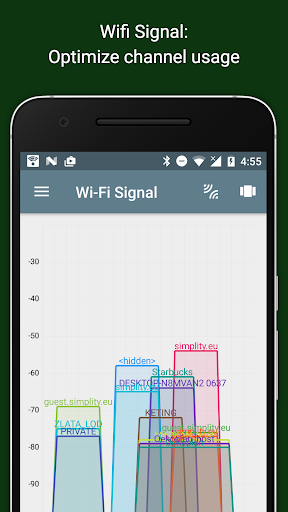
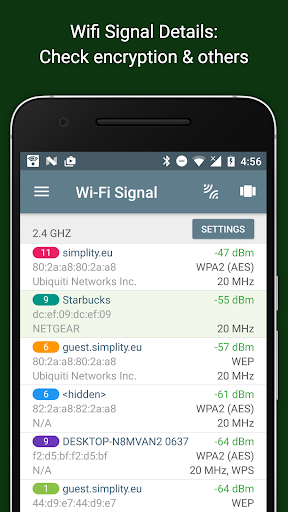
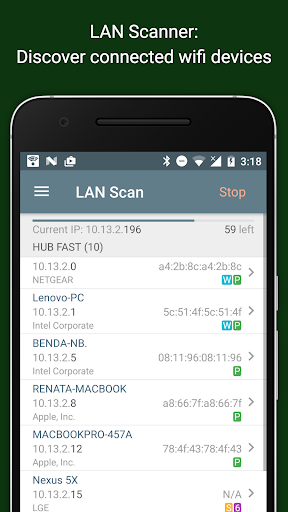
Network Analyzer is a professional tool designed for RF experts and data geeks, offering real-time, advanced measurements to evaluate the quality and performance of both mobile and WiFi networks.
Key features:
- Real-time Network Dashboard: Configurable tiles displaying essential data like coverage quality, throughput, and more. Go further with detailed insights into the cell your device is connected to and your WiFi performance.
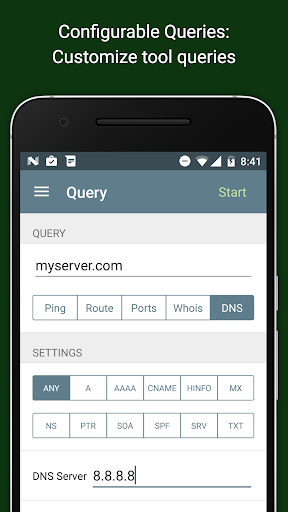
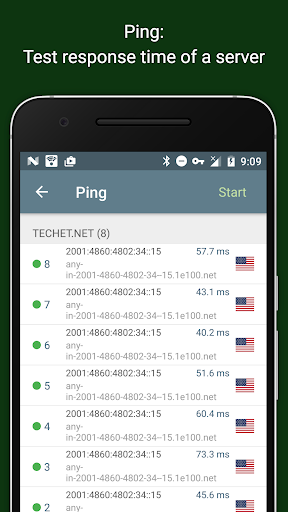
- Active tests: Speed test, ping, traceroute, video streaming, and web analysis. A comprehensive toolkit to analyze your network's performance.
- Test Statistics: Each test includes detailed environmental data, so you can filter and analyze results tailored to your needs.
- App Usage Monitoring: Track data usage by installed apps with a user-friendly, clean interface.
- Drive Tests: Monitor network performance on the go, anywhere and anytime, with our drive test feature.
With Network Analyzer, professionals can obtain precise, detailed connectivity and service quality data, helping to troubleshoot and optimize network performance.
Download now to access powerful tools for mobile and WiFi network analysis!
Editor's Take
Network Analyzer sits at 4.3 stars across 307 ratings on Google Play, and is still building an audience.
A rating in this range tells us the core loop works for most players; the usual friction points are cosmetic or balance-tweak territory rather than anything fundamentally broken.
Weplan is the publisher behind this release; we'd suggest taking a quick look at their other titles on Google Play if the style clicks with you.
Who This App Is For
A quick read on the audiences this app tends to click with, based on its category, content rating and track record on Google Play.
- Family-friendly playersContent is rated Everyone, so it's a safe pick for shared devices.
- Power usersBuilt for people who want a focused utility, not a feed.
- Free-tier explorersFree on Google Play, so you can trial the loop before deciding if it earns space on your home screen.
At a Glance
thumb_up What stands out
- Well-received by its audienceSitting above 4 stars on Google Play means most players finish their first session satisfied.
- Free to try on Google PlayNo upfront cost, so you can confirm the loop clicks before committing time or in-app purchases.
- Known publisherPublished by Weplan — worth checking their catalogue for similar titles.
info Things to know
- Smaller user baseNiche community means fewer community guides — great for discovery, slower for help with edge cases.
- In-app purchases may applyFree-to-play economics are common in this category — open the Google Play listing to confirm the monetization model before committing.
- Check device compatibilityOlder devices or restricted regions sometimes filter out specific Google Play listings. Confirm on the official page before setting aside time.
- Update cadence unclearNo recent update date surfaced here; look at the Google Play listing to confirm active maintenance.
Key Features
- - Active tests: Speed test, ping, traceroute, video streaming, and web analysis. A comprehensive toolkit to analyze your network's performance.
- - Test Statistics: Each test includes detailed environmental data, so you can filter and analyze results tailored to your needs.
- - App Usage Monitoring: Track data usage by installed apps with a user-friendly, clean interface.
- - Drive Tests: Monitor network performance on the go, anywhere and anytime, with our drive test feature.