About this app
If you have any problems, please go to “tech support” in the top right menu of the app before writing a review. Our goal is to fix any issues in a timely manner to make the Artful experience great for everyone! You can also email us at [email protected].
***
Artful Agenda is free to download but requires a subscription to use. We offer a two week free trial for new users because we know you’ll love us! You will be prompted to select a subscription plan before accessing your trial but will not be charged until the end of your trial period. If you cancel before your trial ends, you will not be charged.
***
The look, feel, and FUN of a paper planner is now digital! Fully syncs with Google, Apple, & Outlook and is a stylish, customizable, and inspiring way to plan your days.
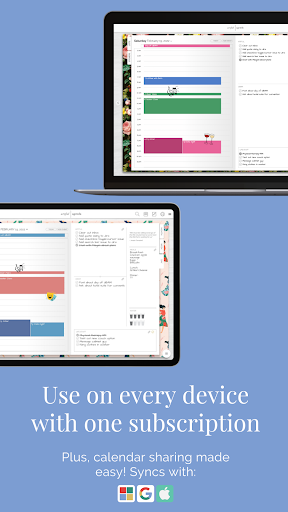
Access your calendar anywhere you are. We provide a seamless experience between your mobile phone, tablet, and computer.
***
What makes Artful Agenda special?
- View all of your calendars in one place! Syncs with major online calendar platforms, including Google, Apple and Outlook
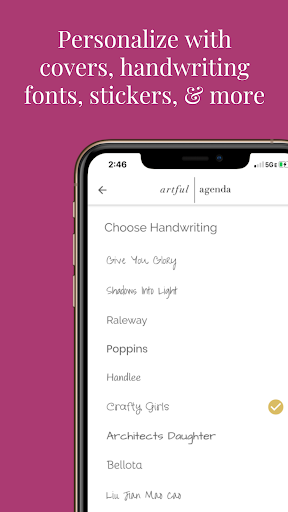
- Personalize your pages with artfully curated cover designs and stickers
- Customize event colors, and choose your handwriting font
- Meal plan (daily and weekly), and track your water intake
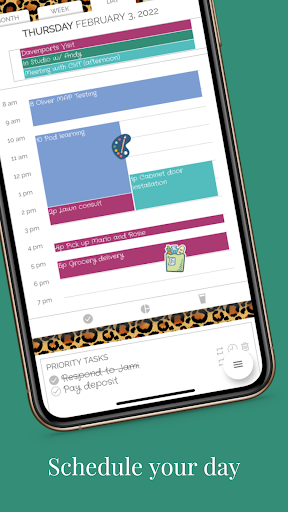
- Check off/cross off monthly, weekly, and daily goals/tasks
- Create custom daily task, note and journaling categories
- Increase productivity with repeat, rollover, and “snooze” task functions plus the ability to assign tasks to certain days
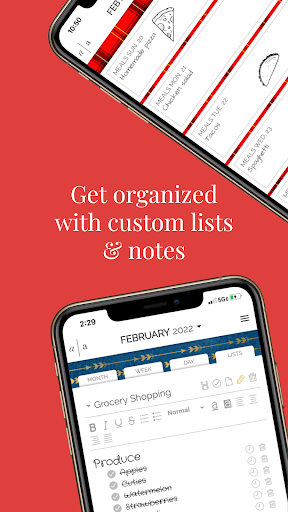
- Keep track of important information with stylish, customizable lists and notes.
- Stay inspired with daily, weekly and monthly quotes (tablet and computer versions)
- Compatible with Apple Pencil and tablet styluses!
***
Artful Agenda also offers these important calendar features:
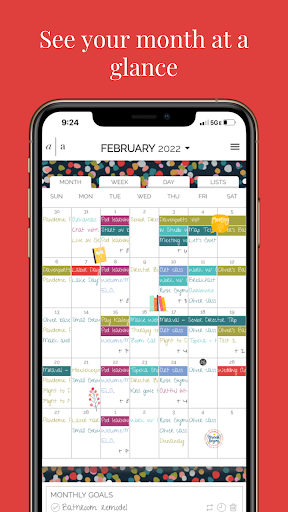
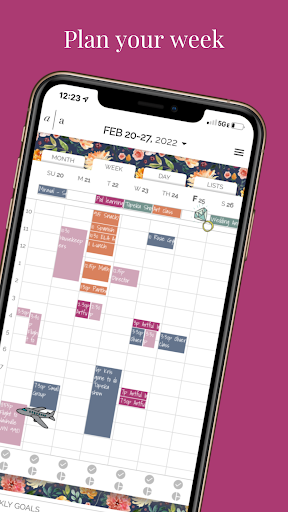
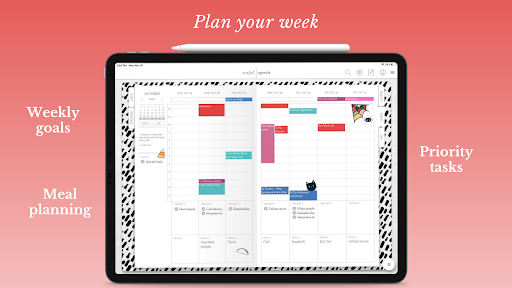
- Monthly, weekly, and daily calendar views that are easy to navigate and beautiful to look at
- Repeat scheduling for events
- Push notifications for event reminders
- Shareable calendars
***
Artful Agenda is not just an app on your smart device… It’s a companion to our amazing computer version, accessible via any web browser! Visit app.artfulagenda.com on your laptop or desktop computer and get the ultimate Artful experience.
***
View our Terms of Service: https://www.artfulagenda.com/terms-of-service
Editor's Take
Artful Agenda - Plan in Style! sits at 4.0 stars across 4.6 thousand ratings on Google Play, and is still building an audience.
A rating in this range tells us the core loop works for most players; the usual friction points are cosmetic or balance-tweak territory rather than anything fundamentally broken.
Artful LLC is the publisher behind this release; we'd suggest taking a quick look at their other titles on Google Play if the style clicks with you. The last visible update lands 2026-02-19, which is a small but useful signal that the team is still shipping fixes rather than treating the app as abandoned.
Who This App Is For
A quick read on the audiences this app tends to click with, based on its category, content rating and track record on Google Play.
- Family-friendly playersContent is rated Everyone, so it's a safe pick for shared devices.
- Power usersBuilt for people who want a focused utility, not a feed.
- Free-tier explorersFree on Google Play, so you can trial the loop before deciding if it earns space on your home screen.
At a Glance
thumb_up What stands out
- Well-received by its audienceSitting above 4 stars on Google Play means most players finish their first session satisfied.
- Free to try on Google PlayNo upfront cost, so you can confirm the loop clicks before committing time or in-app purchases.
- Actively maintainedLast visible update 2026-02-19, suggesting the team is still shipping fixes.
- Known publisherPublished by Artful LLC — worth checking their catalogue for similar titles.
info Things to know
- Smaller user baseNiche community means fewer community guides — great for discovery, slower for help with edge cases.
- In-app purchases may applyFree-to-play economics are common in this category — open the Google Play listing to confirm the monetization model before committing.
- Check device compatibilityOlder devices or restricted regions sometimes filter out specific Google Play listings. Confirm on the official page before setting aside time.
Key Features
- - View all of your calendars in one place! Syncs with major online calendar platforms, including Google, Apple and Outlook
- - Personalize your pages with artfully curated cover designs and stickers
- - Customize event colors, and choose your handwriting font
- - Meal plan (daily and weekly), and track your water intake
- - Check off/cross off monthly, weekly, and daily goals/tasks
- - Create custom daily task, note and journaling categories
- - Increase productivity with repeat, rollover, and “snooze” task functions plus the ability to assign tasks to certain days
- - Keep track of important information with stylish, customizable lists and notes.