About this app
Word Breaker, the go-to word game helper since 2011!
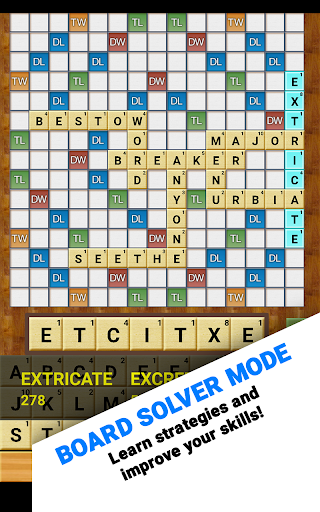
Aside from its ability to build words, Word Breaker is also a learning and optimization tool. Learn to strategize using the Board Solver, discover how to get multiple crosswords in a single play, and always have an idea of what tiles have yet to be played. You can also use it to solve everyday problems, puzzles, and anagrams. Word Breaker has even been used in the classroom to teach English - something we think is just amazing!
TOP FEATURES:
- 3 themes including a brand new dark and light theme. Love the old look? We still include the classic wood grain in the Classic theme.
- Lightning fast!
- Screenshot importing reads your game board directly into Board Solver! Easily check what words you missed using this powerful feature.
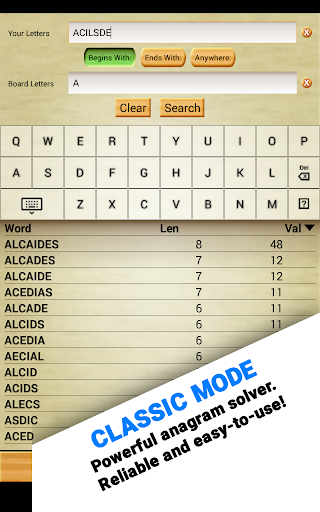
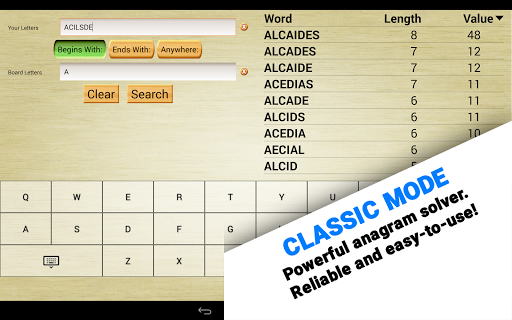
- Even better! The classic solver mode can work with anything! Try it with word jumbles, crosswords, hangman, and more.
- Our original and still ground-breaking Ghost Mode allows you to peek at the game underneath!
- Local dictionary! You never have to be online to use Word Breaker. Download your favorite dictionaries and take them on the road! Also, like everything else, dictionaries are free!
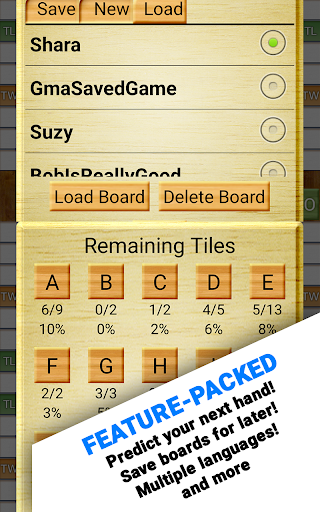
- Track what’s left in the bag! Our exclusive “Remaining Tiles” screen helps you predict what letters you’ll get next!
- Supports wildcards and blank tiles! Even better, you can easily tell Word Breaker what location and patterns to look for.
- Highly customizable, including filters for word length!
- Available is SEVEN languages, including English, Nederlands, Français, Deutsch, Italiano, Español, and Português!
★ How to take a screenshot:
- Press and hold “Volume Down” and “Power” for one full second.
- On certain phones, this combination is “Home” and “Power.”
★ Having trouble with Screenshot Importing?
1) Completely zoom out before taking a screenshot. This way, the whole board is visible and Word Breaker can properly scan every tile.
2) Make sure all of your playable tiles are on the tile rack, not on the game board. This ensures the results you get are valid.
3) Make sure nothing is obscuring the game. Facebook Chat Heads, app trays, and notification pop-ups can all interfere with Word Breaker.
Privacy Notice: This app collects your device’s IP address, advertising ID, and other partner specific identifiers. These identifiers enable personalized ads and analytics to improve our app. Opt-out or learn more by visiting our Privacy Center, accessible from the app's settings.
Editor's Take
Word Breaker Full sits at 4.5 stars across 1.3 thousand ratings on Google Play, and is still building an audience.
In our experience, ratings this high on a word-play app usually mean the pacing respects your time, the difficulty curve doesn't stall, and the team keeps fixing issues people actually raise.
Firecracker Software LLC is the publisher behind this release; we'd suggest taking a quick look at their other titles on Google Play if the style clicks with you. The last visible update lands 2026-02-10, which is a small but useful signal that the team is still shipping fixes rather than treating the app as abandoned.
Who This App Is For
A quick read on the audiences this app tends to click with, based on its category, content rating and track record on Google Play.
- Family-friendly playersContent is rated Everyone, so it's a safe pick for shared devices.
- Casual brain-trainersShort-session gameplay that fits commutes, queues and the in-between moments of a day.
- Quality-first downloadersConsistently high ratings make this a low-risk trial, even at full volume on a new device.
At a Glance
thumb_up What stands out
- Consistent high ratingsA 4.5-star average across 1.3 thousand ratings is a strong quality signal.
- One-time purchase optionPaid titles like this one ($4.99) tend to skip the aggressive ad patterns you see in free-to-play alternatives.
- Actively maintainedLast visible update 2026-02-10, suggesting the team is still shipping fixes.
- Known publisherPublished by Firecracker Software LLC — worth checking their catalogue for similar titles.
info Things to know
- Smaller user baseNiche community means fewer community guides — great for discovery, slower for help with edge cases.
- Check device compatibilityOlder devices or restricted regions sometimes filter out specific Google Play listings. Confirm on the official page before setting aside time.
Key Features
- - 3 themes including a brand new dark and light theme. Love the old look? We still include the classic wood grain in the Classic theme.
- - Lightning fast!
- - Screenshot importing reads your game board directly into Board Solver! Easily check what words you missed using this powerful feature.
- - Even better! The classic solver mode can work with anything! Try it with word jumbles, crosswords, hangman, and more.
- - Our original and still ground-breaking Ghost Mode allows you to peek at the game underneath!
- - Local dictionary! You never have to be online to use Word Breaker. Download your favorite dictionaries and take them on the road! Also, like everything else, dictionaries are free!
- - Track what’s left in the bag! Our exclusive “Remaining Tiles” screen helps you predict what letters you’ll get next!
- - Supports wildcards and blank tiles! Even better, you can easily tell Word Breaker what location and patterns to look for.