My Passwords Manager

My Passwords Manager

Erkan Molla
star4.443.6K ratings
download1,000,000+Downloads
family_restroomEveryoneRated for
open_in_new Google Play smartphone Android
update
Updated2025-12-18
new_releases
VersionVaries with device
android
RequiresAndroid 5.0+
category
CategoryProductivity
price_check
PriceFree
family_restroom
ContentEveryone
My Passwords Manager screenshot 1My Passwords Manager screenshot 2My Passwords Manager screenshot 3My Passwords Manager screenshot 4My Passwords Manager screenshot 5My Passwords Manager screenshot 6My Passwords Manager screenshot 7My Passwords Manager screenshot 8My Passwords Manager screenshot 9My Passwords Manager screenshot 10

info About this app

Struggling to remember complex passwords for dozens of accounts? Tired of password reset emails? My Passwords Manager is the secure and private solution you need. Download now and experience the peace of mind that comes with having all your passwords organized and protected.

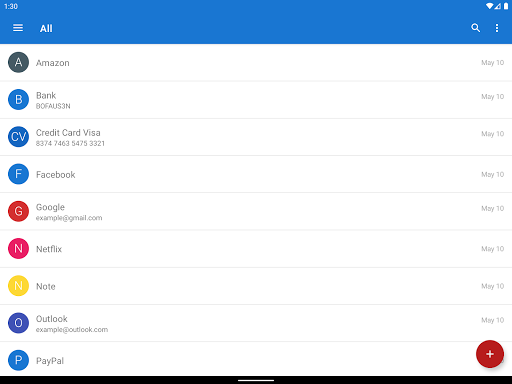
My Passwords Manager safeguards your logins, passwords, and other sensitive information in a highly encrypted vault, accessible only with your master password. No internet access required, ensuring your data stays private and offline.

Unlike cloud-based managers, your data never leaves your device, ensuring strong security with no internet access.


Key Features
• AES-256 encryption – The gold standard for data security
• Quick & easy access – Simplify login management
• Offline & private – No internet permission required
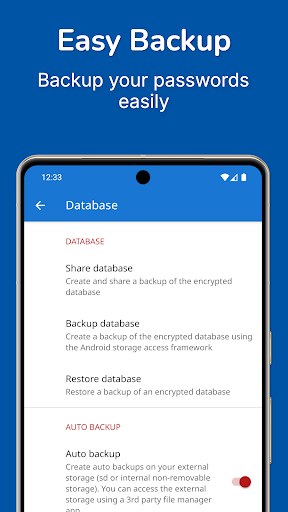
• Backup & restore – Securely transfer data between devices
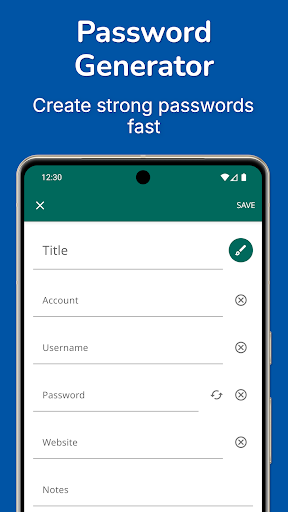
• Built-in password generator – Create strong passwords instantly
• Auto exit – Locks when the screen turns off
• Multi-window support – Boost productivity
• Unlimited entries – Store all your logins with ease


PRO Features (One-time purchase, no subscriptions)
• Biometric unlock – Fingerprint & face authentication
• Password history – Track previous passwords
• Self-destruction – Extra security in case of attacks
• Custom fields – Store additional details for each entry
• Clipboard auto-clear – Prevent leaks
• CSV import & export – Seamless migration and backup
• PDF export & print – Save and print your passwords securely
• Image attachments – Store visual credentials
• Wear OS support – Access passwords on your smartwatch
• Theme Selection – Personalize your app experience with various themes
• Unlimited Labels & Mass Actions – Organize your way
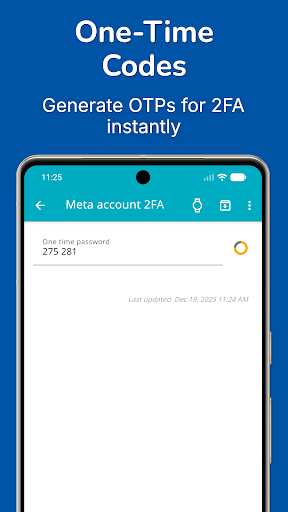
• One-Time Passwords (OTP) – Built-in authenticator for 2FA accounts


Why Go PRO?
Enjoy all the premium features with a single in-app purchase. No subscriptions, no recurring fees.


Security You Can Trust
Your data is protected with AES-256 encryption, a widely trusted industry standard. Need a strong password? Generate one instantly with the built-in tool.


Backup & Restore
Easily transfer your data across devices using local storage or apps like Dropbox and Google Drive. Just create a backup and restore it using your master password.


Wear OS Integration
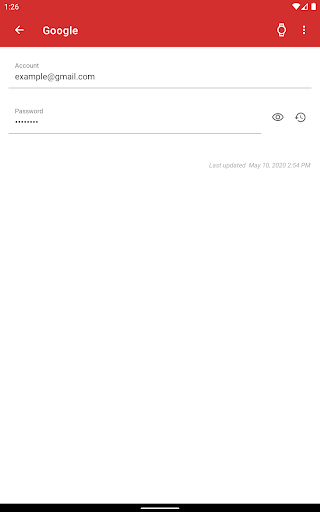
Store selected passwords on your smartwatch for quick access. Just open an entry on your phone and tap the watch icon. View selected OTP codes directly on your smartwatch for quick access.


Important Notes
• My Passwords Manager is an offline password manager. Data is not automatically synced between devices.
• Lost Master Password? Your data cannot be recovered. Please choose and remember your master password carefully.

ProductivityEveryoneFree

rate_review Editor's Take

My Passwords Manager sits at 4.4 stars across 43.6 thousand ratings on Google Play, and is still building an audience.

A rating in this range tells us the core loop works for most players; the usual friction points are cosmetic or balance-tweak territory rather than anything fundamentally broken.

Erkan Molla is the publisher behind this release; we'd suggest taking a quick look at their other titles on Google Play if the style clicks with you. The last visible update lands 2025-12-18, which is a small but useful signal that the team is still shipping fixes rather than treating the app as abandoned.

groups Who This App Is For

A quick read on the audiences this app tends to click with, based on its category, content rating and track record on Google Play.

  • family_restroom
    Family-friendly playersContent is rated Everyone, so it's a safe pick for shared devices.
  • work
    Power usersBuilt for people who want a focused utility, not a feed.
  • payments
    Free-tier explorersFree on Google Play, so you can trial the loop before deciding if it earns space on your home screen.

fact_check At a Glance

thumb_up What stands out

  • star
    Consistent high ratingsA 4.4-star average across 43.6 thousand ratings is a strong quality signal.
  • payments
    Free to try on Google PlayNo upfront cost, so you can confirm the loop clicks before committing time or in-app purchases.
  • schedule
    Actively maintainedLast visible update 2025-12-18, suggesting the team is still shipping fixes.
  • verified
    Known publisherPublished by Erkan Molla — worth checking their catalogue for similar titles.

info Things to know

  • explore
    Smaller user baseNiche community means fewer community guides — great for discovery, slower for help with edge cases.
  • attach_money
    In-app purchases may applyFree-to-play economics are common in this category — open the Google Play listing to confirm the monetization model before committing.
  • phone_android
    Check device compatibilityOlder devices or restricted regions sometimes filter out specific Google Play listings. Confirm on the official page before setting aside time.

auto_awesome Key Features

  • check_circle• AES-256 encryption – The gold standard for data security
  • check_circle• Quick & easy access – Simplify login management
  • check_circle• Offline & private – No internet permission required
  • check_circle• Backup & restore – Securely transfer data between devices
  • check_circle• Built-in password generator – Create strong passwords instantly
  • check_circle• Auto exit – Locks when the screen turns off
  • check_circle• Multi-window support – Boost productivity
  • check_circle• Unlimited entries – Store all your logins with ease

assignment App Information

DeveloperErkan Molla
CategoryProductivity
Downloads1,000,000+
Current VersionVaries with device
Last Updated2025-12-18
Content RatingEveryone
PriceFree
Official StoreView on Google Play

star Google Play Rating

4.4
starstarstarstarstar
43.6K ratings on Google Play

Rating data is sourced from the Google Play Store. For the latest user reviews, visit the official app page.

psychology Similar Logic Apps You May Like

grid_view Similar apps

apps More apps you might like