About this app
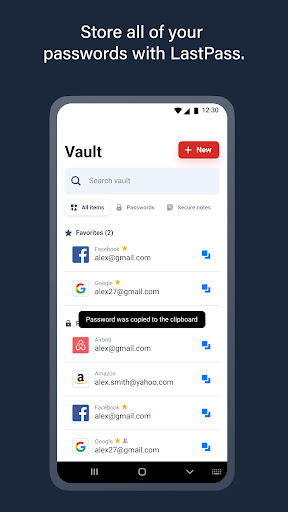
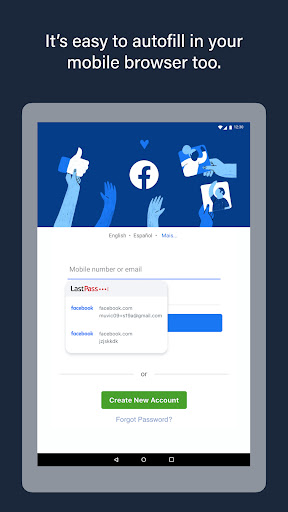
LastPass is a password manager that secures your passwords and personal information in an encrypted vault. As you visit apps and sites, LastPass autofills your login credentials. From your LastPass vault, you can store passwords and logins, create online shopping profiles, generate strong passwords, track personal information securely in notes, and more. All you have to do is remember your LastPass master password, and LastPass will autofill web browser and app logins for you.
Stop getting locked out of your online accounts or struggling with frustrating password resets. Let LastPass remember your passwords for you and keep you safe online.
NEW TO LASTPASS?
Download LastPass now and get the protection you need for your online information.
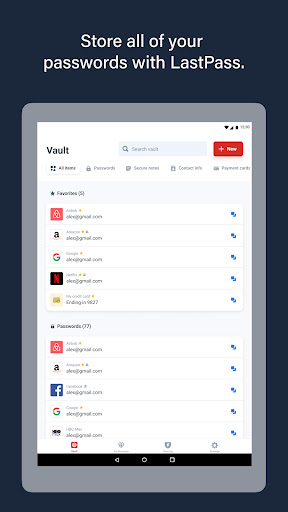
• Store usernames and passwords for all your online accounts securely in your LastPass encrypted vault.
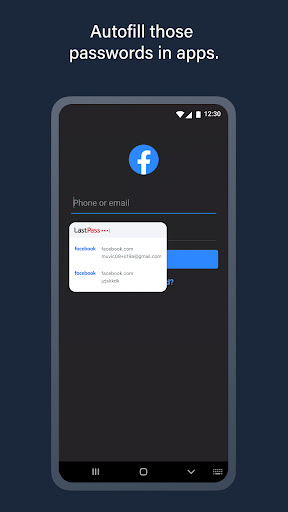
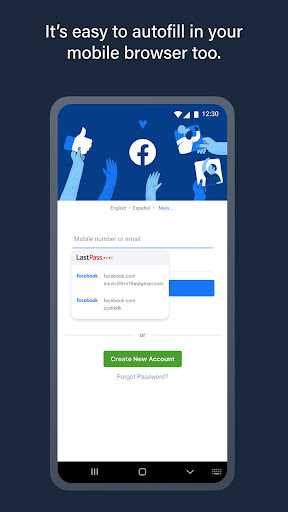
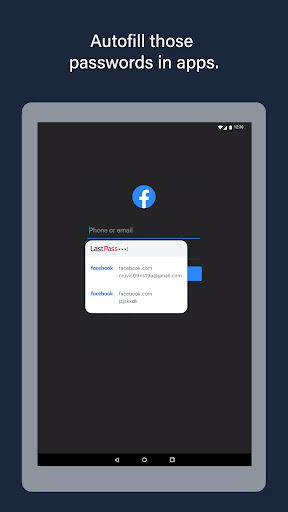
• Autofill your usernames and passwords in apps and websites. Simply launch your apps or navigate to a sign-in page and LastPass will fill in your credentials.
• For Android Oreo and future OS releases, automatically save usernames and passwords to your vault as you visit each site and app.
• Never forget a password again. Only remember your LastPass master password and LastPass secures the rest.
• With automatic device sync, anything you save on one device is instantly available on other devices.
• Securely store information like credit card numbers, health insurance cards, and notes in the encrypted vault.
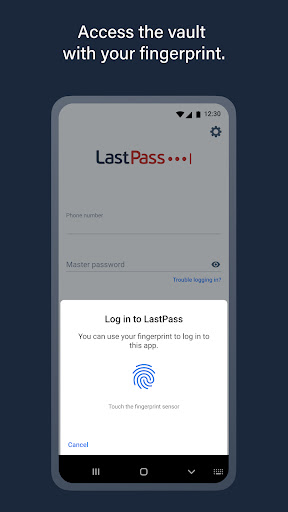
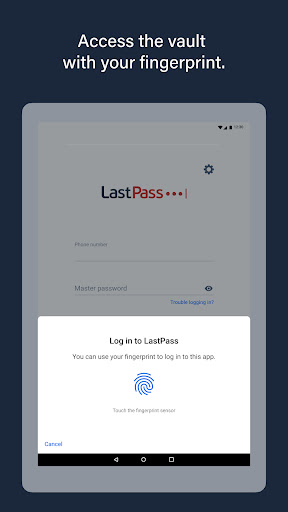
• Log in with your fingerprint or face for simple, secure access to everything in LastPass.
• Safely and conveniently share passwords with others, such as the cable login or Wi-Fi password.
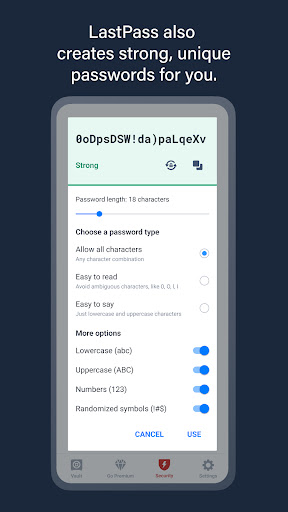
• Create secure passwords in one click with the built-in password generator.
• Multi-factor authentication (MFA) secures your password vault to add a second layer of protection to your account.
LastPass never has the key to your encrypted data, so your information is available to you, and only you. Your vault is encrypted with bank-level, AES 256-bit encryption.
Trusted by Millions
• Trusted by 30+ million users and 85,000+ businesses
• LastPass has been highlighted in PCWorld, Inc., PCMag, ITProPortal, LaptopMag, TechRadar, U.S. News & World Report, NPR, TODAY, TechCrunch, CIO, and more!
Get more with LastPass Premium:
LastPass offers a free 30-day trial of our Premium solution. With our LastPass Premium and Families, you will benefit from:
• Unlimited device type access from any operating system
• Unlimited sharing of passwords, items, and notes
• 1GB encrypted file storage
• Premium multi-factor authentication (MFA), like YubiKey
• Emergency access
• Personal support
USE OF ACCESSIBILITY
LastPass uses Android Accessibility to ensure a smooth experience filling logins across apps and websites on browsers and older versions of Android that don't support Android's Autofill feature.
Terms of service: https://www.lastpass.com/legal-center/terms-of-service/
Download LastPass today for simple, secure access to your passwords!
Give us feedback
Keep the feedback coming! Join the conversation by providing feedback, giving product suggestions, or asking questions in our online community: https://support.lastpass.com/s/community
Editor's Take
LastPass Password Manager sits at 3.6 stars across 235.2 thousand ratings on Google Play, and is still building an audience.
Ratings in this band typically hide a split audience — plenty of satisfied regulars, and a meaningful minority bumping into the same one or two issues. Worth a quick read of the recent Google Play reviews before you commit serious time.
LastPass US LP is the publisher behind this release; we'd suggest taking a quick look at their other titles on Google Play if the style clicks with you. The last visible update lands 2026-02-19, which is a small but useful signal that the team is still shipping fixes rather than treating the app as abandoned.
Who This App Is For
A quick read on the audiences this app tends to click with, based on its category, content rating and track record on Google Play.
- Family-friendly playersContent is rated Everyone, so it's a safe pick for shared devices.
- Power usersBuilt for people who want a focused utility, not a feed.
- Free-tier explorersFree on Google Play, so you can trial the loop before deciding if it earns space on your home screen.
At a Glance
thumb_up What stands out
- Free to try on Google PlayNo upfront cost, so you can confirm the loop clicks before committing time or in-app purchases.
- Actively maintainedLast visible update 2026-02-19, suggesting the team is still shipping fixes.
- Known publisherPublished by LastPass US LP — worth checking their catalogue for similar titles.
info Things to know
- Recent reviews worth a readThe average score is mixed enough that a two-minute scan of recent Google Play reviews will save you time later.
- Smaller user baseNiche community means fewer community guides — great for discovery, slower for help with edge cases.
- In-app purchases may applyFree-to-play economics are common in this category — open the Google Play listing to confirm the monetization model before committing.
- Check device compatibilityOlder devices or restricted regions sometimes filter out specific Google Play listings. Confirm on the official page before setting aside time.
Key Features
- • Store usernames and passwords for all your online accounts securely in your LastPass encrypted vault.
- • Autofill your usernames and passwords in apps and websites. Simply launch your apps or navigate to a sign-in page and LastPass will fill in your credentials.
- • For Android Oreo and future OS releases, automatically save usernames and passwords to your vault as you visit each site and app.
- • Never forget a password again. Only remember your LastPass master password and LastPass secures the rest.
- • With automatic device sync, anything you save on one device is instantly available on other devices.
- • Securely store information like credit card numbers, health insurance cards, and notes in the encrypted vault.
- • Log in with your fingerprint or face for simple, secure access to everything in LastPass.
- • Safely and conveniently share passwords with others, such as the cable login or Wi-Fi password.