About this app
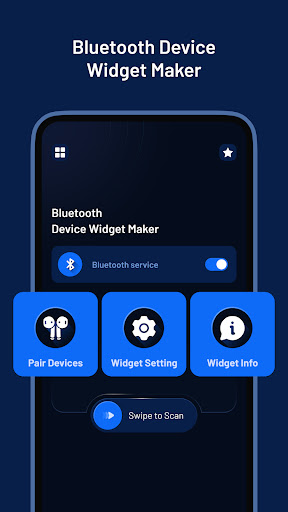
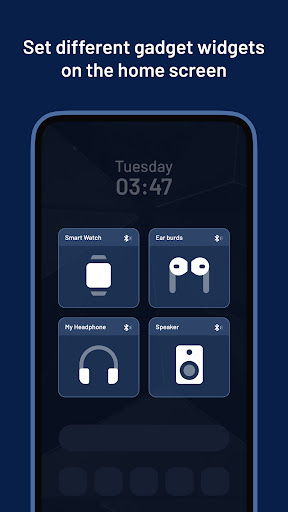
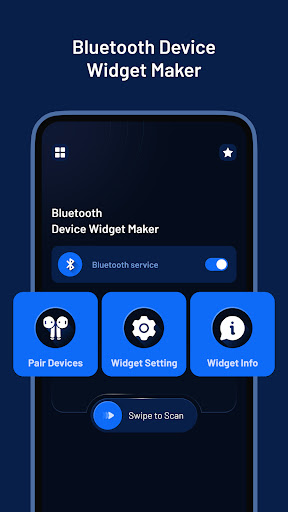
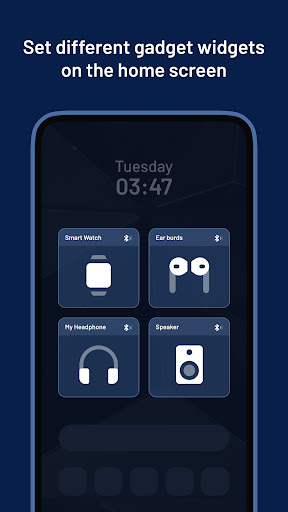
A simple app that makes it easy to manage your Bluetooth devices using widgets. With this app, you can easily pair your devices and customize widgets with various different icons, text, etc,.
*Features:
🤝 Bluetooth Pair Devices:
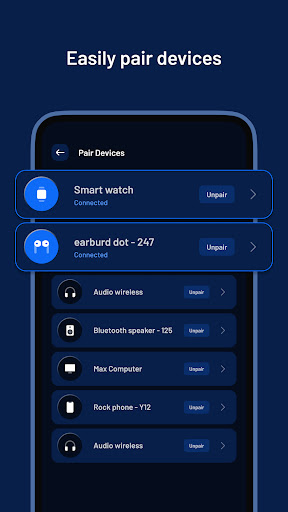
- Discover available devices and pair them with your phone.
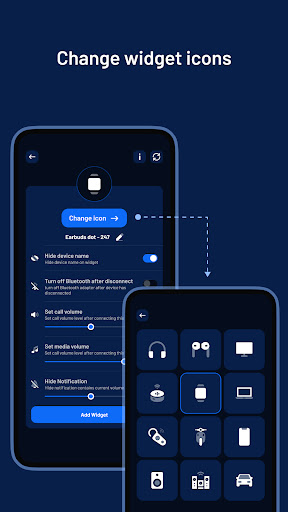
- Edit device icons, names and type (headphones, earbuds, etc.).
- Hide device names for privacy.
- Automatically turn off Bluetooth when devices are disconnected.
- Adjust media volume level for individual devices.
- Hide volume notifications for a cleaner interface.
- Get detailed device information.
🖼️ Widget Settings:
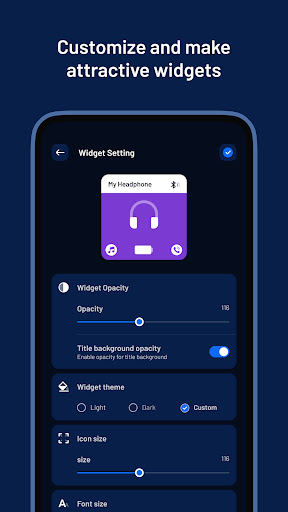
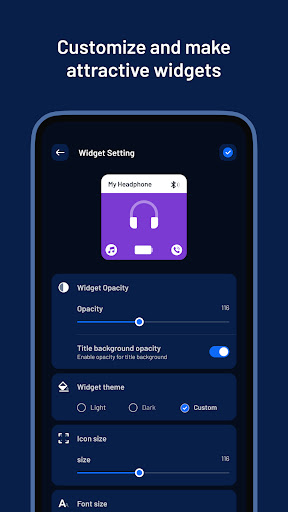
- Customize your widget's opacity and background opacity.
- Choose between light, dark or custom theme.
- Increase or decrease icon size.
- Change font style.
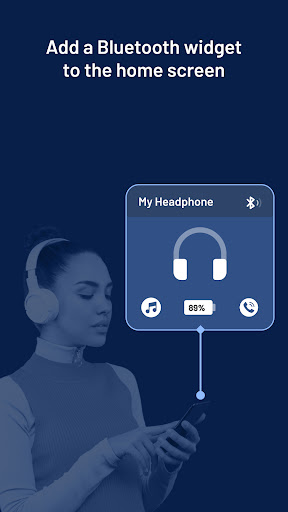
- Display battery level information.
🧩 Widget Info:
- Learn how to add customized widgets to your home screen.
*Permissions:
# Location Permission: We require this permission to allow the app to find nearby Bluetooth devices.
# Nearby Permission: We require this permission to allow the app to discover and connect with nearby Bluetooth devices.
- Whether you're a music lover, tech enthusiast, or just looking for an easy way to manage your Bluetooth devices, Bluetooth Device Manager has everything you need. Download now and experience the power of customizable Bluetooth widgets at your fingertips.
Editor's Take
Bluetooth Device Widget Maker sits at 3.7 stars across 1 thousand ratings on Google Play, and is still building an audience.
Ratings in this band typically hide a split audience — plenty of satisfied regulars, and a meaningful minority bumping into the same one or two issues. Worth a quick read of the recent Google Play reviews before you commit serious time.
JSK Sol is the publisher behind this release; we'd suggest taking a quick look at their other titles on Google Play if the style clicks with you. The last visible update lands 2026-02-27, which is a small but useful signal that the team is still shipping fixes rather than treating the app as abandoned.
Who This App Is For
A quick read on the audiences this app tends to click with, based on its category, content rating and track record on Google Play.
- Family-friendly playersContent is rated Everyone, so it's a safe pick for shared devices.
- Power usersBuilt for people who want a focused utility, not a feed.
- Free-tier explorersFree on Google Play, so you can trial the loop before deciding if it earns space on your home screen.
At a Glance
thumb_up What stands out
- Free to try on Google PlayNo upfront cost, so you can confirm the loop clicks before committing time or in-app purchases.
- Actively maintainedLast visible update 2026-02-27, suggesting the team is still shipping fixes.
- Known publisherPublished by JSK Sol — worth checking their catalogue for similar titles.
info Things to know
- Recent reviews worth a readThe average score is mixed enough that a two-minute scan of recent Google Play reviews will save you time later.
- Smaller user baseNiche community means fewer community guides — great for discovery, slower for help with edge cases.
- In-app purchases may applyFree-to-play economics are common in this category — open the Google Play listing to confirm the monetization model before committing.
- Check device compatibilityOlder devices or restricted regions sometimes filter out specific Google Play listings. Confirm on the official page before setting aside time.
Key Features
- 🤝 Bluetooth Pair Devices:
- - Discover available devices and pair them with your phone.
- - Edit device icons, names and type (headphones, earbuds, etc.).
- - Hide device names for privacy.
- - Automatically turn off Bluetooth when devices are disconnected.
- - Adjust media volume level for individual devices.
- - Hide volume notifications for a cleaner interface.
- - Get detailed device information.